
AI Video Montage Maker: The Ultimate Commercial Guide
Learn how AI video montage makers transform editing, cut costs, and boost content creation. Discover top tools and trials for your commercial needs.

8 min read
Key Takeaways
- Efficient Editing: AI tools reduce editing time from days to minutes.
- Cost Reduction: Minimize reliance on professional editors and lower production budgets.
- Scalability: Maintain consistent style and branding across multiple videos.
- Feature Depth: Balance full automation with manual customization for optimal control.
- Informed Decisions: Leverage clear evaluation criteria and pilot tests to choose the right tool.
Table of Contents
- What Is an AI Video Montage Maker?
- How AI Video Montage Makers Work
- Key Features to Consider
- Market Landscape & Commercial Considerations
- Decision-Making Guide for Potential Buyers
- Future Trends in AI Video Editing
- Conclusion
- FAQ
What Is an AI Video Montage Maker?
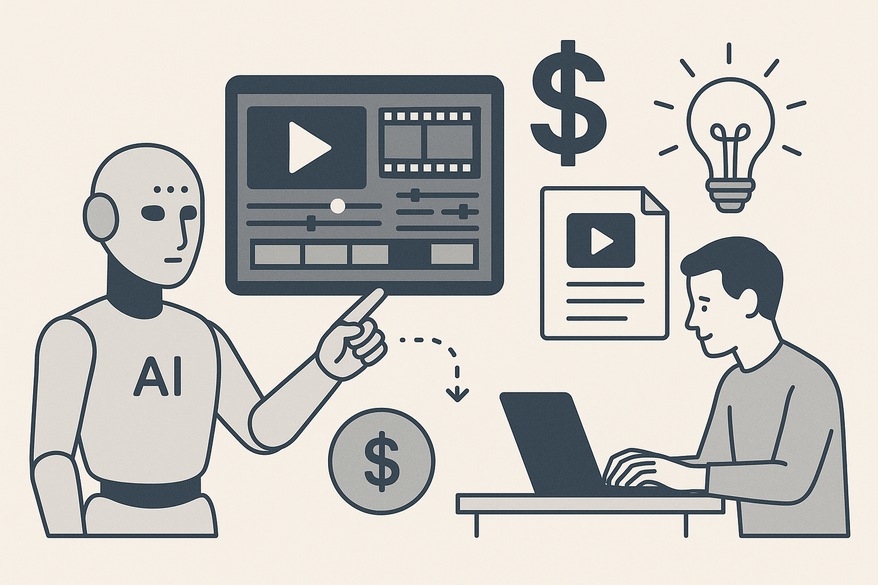
An AI video montage maker is software that uses computer vision, NLP, highlight-detection models, recommendation algorithms and generative AI to auto-assemble clips, images, audio, transitions, captions and music into polished montages.
Two major trends fuel its rise:
- Explosion of video content on platforms like TikTok, Instagram, YouTube and LinkedIn.
- Rapid growth of AI in creative workflows, enabling non-experts to edit like pros.
Commercial benefits include:
- Time savings: minutes versus days for manual editing.
- Lower production costs: minimal reliance on professional editors.
- Consistency at scale: uniform style across campaigns.
- Higher output: repurpose footage for reels, ads, teasers and presentations.
Adopting an AI video montage maker transforms editing into a streamlined, cost-effective process. For a deeper dive into AI-powered clip generation, see our detailed guide.
How AI Video Montage Makers Work
A. Core Technology
- Computer vision: Analyzes frames to detect faces, objects, actions and on-screen text.
- Speech recognition & NLP: Transcribes dialogue, interprets tone and identifies key topics.
- Highlight-detection models: Predict “best moments” using emotional cues, scene changes and engagement signals.
- Recommendation & ranking algorithms: Select, order and trim clips based on relevance and flow.
- Generative & assistive AI: Auto-generate captions, titles, voiceovers or supplemental visuals to enhance storytelling.
These technologies work in concert to mimic a professional editor’s decision-making at scale. According to Visla, narrative-aware assembly improves montage flow by 30%. For an in-depth look at automated clipping, check how AI video clipping works.
B. Typical Workflow from Raw Input to Final Montage
- Input / Upload
- Upload video files, images or import via URLs (e.g., Opus Clip’s link import).
- Project Setup
- Select aspect ratio (9:16, 1:1, 16:9), target length (30s, 60s, 90s) and use-case category.
- AI Analysis
- Scan media for scenes, transcribe audio, tag themes and detect emotions.
- Automatic Editing & Assembly
- AI trims, sequences clips, adds transitions, motion effects, subtitles and background music automatically.
- Customization & Fine-Tuning
- Users can reorder or delete scenes, tweak trims, swap music, insert logos and adjust captions.
- Export & Distribution
- Export in social-media or broadcast formats; integrate with YouTube, TikTok, Instagram; automate via Zapier/Make (e.g., Pictory).
Research: Opus Clip & Pictory Ai.
C. Balancing Automation vs. Customization
- Automation features: First-cut generation, best-moment selection, auto-adapt aspect ratios; hands-off editing for speed and scale.
- Customization features: Manual overrides, editable templates, font/color schemes, pacing controls; flexibility to match brand guidelines and narrative style.
A robust AI video montage maker offers a spectrum from full automation to detailed manual control, ensuring both speed and creative precision.
Key Features to Consider
When evaluating an AI video montage maker, focus on these pillars to ensure ROI and ease of adoption. For a side-by-side comparison of top repurposing tools, see best AI video repurposing tools. For creators interested in a broader toolkit, check out our ultimate guide to AI video tools for creators.
1. Ease of Use & Onboarding
- Simple setup flow: upload media → select format → generate montage.
- Intuitive editor: scene-based timeline, drag-and-drop, visual controls.
- Guided presets for social ads, event recaps, podcast snippets, gaming montages.
2. Templates, Styles & Customization Options
- Template variety: social-media layouts, business presentations, educational recaps, event highlights.
- Branding controls: logo placement, brand colors, fonts, reusable style presets.
- Text & graphics: lower-thirds, titles, captions, overlays, stickers to reinforce messaging.
3. Speed & Performance
- Processing time: minutes from upload to first draft.
- Batch processing: efficient handling of multiple videos or long-form content.
- Cloud vs local: weigh hardware constraints against connectivity and scalability.
4. User Interface & Platform Integration
- Clean dashboard: organized projects, clear navigation.
- Multi-platform support: web-based, mobile-responsive editors.
- Direct exports: YouTube, TikTok, Instagram, Facebook.
- Integrations: Google Drive, Dropbox, Zapier/Make for automated workflows (e.g., Pictory).
5. AI Quality: Algorithmic Enhancements
- Smart highlight selection: emotional peaks, engagement hooks, “aha moments.”
- Adaptive pacing: beat-matching to music or speech rhythm.
- Intelligent captions: auto punctuation, speaker labels, translation options.
- Visual consistency: auto color grading and lighting adjustments across clips.
Market Landscape & Commercial Considerations
A. Representative Tools in 2026
- Opus Clip – Best-moment detection, YouTube link imports.
- Visla AI – Narrative-aware assembly, emotion detection.
- Pictory Ai – Video Montage Maker – Auto scenes, captions, narration; integrates with Make & Zapier; rated 4.7/5 on Capterra.
- Pippit AI – Fast clip sequencing, brand presets, social-ready exports.
- Vmaker – Highlight extraction, transitions, subtitles, music.
- TechSmith Camtasia + Audiate – Hybrid manual editing with AI transcription and audio cleanup.
B. Pricing, Scalability & Support
- Pricing models: freemium, subscription (monthly/annual), enterprise/agency plans.
- Scalability: video-length limits, export caps, multi-user workspaces, API access.
- Support services: tutorials, knowledge base, email/chat response times, dedicated account managers and SLAs.
- User reviews & case studies: check Capterra, G2 for reliability, speed, ease of use and customer satisfaction.
Decision-Making Guide for Potential Buyers
A. Key Evaluation Criteria
- Cost vs. usage needs: monthly video volume, watermark policies.
- Functionality: input types, templates, supported aspect ratios.
- AI quality & feature depth: highlight detection, auto-captions, music selection.
- User experience & team fit: non-technical usability, regional accessibility.
- Customer support & reliability: documentation, training, case studies.
- ROI potential: time saved vs. manual editing, engagement uplift, revenue impact.
B. How to Assess Tool Fit
- Define primary use cases: social clips, event recaps, educational videos, personal celebrations.
- Shortlist 2–4 tools by category.
- Run real-world trials with identical footage; evaluate first-cut quality, editing flexibility and export speed.
- Involve stakeholders (marketing, design, content teams) for hands-on feedback.
- Launch a 30–60 day pilot; measure time spent, content volume and performance metrics (views, engagement, conversions).
C. Future Trends in AI Video Editing
- Deeper semantic understanding: narrative arcs, emotional peaks.
- End-to-end automation: script → AI footage → montage → distribution.
- Personalized outputs: audience-segment tailored montages.
- Real-time montage creation: live event highlights delivered instantly.
- Generative b-roll & transitions: AI-matched brand style.
- Tighter martech integration: CRM, marketing automation, analytics.
Conclusion
An AI video montage maker supercharges commercial video production by delivering:
- Faster turnaround and lower editing costs.
- Consistent, on-brand output at scale.
- Increased content volume through easy repurposing.
- Measurable engagement and ROI improvements.
Next steps for commercial users:
- Clarify use cases and target platforms.
- Shortlist tools like Opus Clip, Visla AI, Pictory Ai, Pippit AI and Vmaker.
- Run free trials or request demos to compare speed, quality and usability.
Start your pilot today to validate the best AI video montage maker for your organization’s needs.

FAQ
What is an AI video montage maker?
An AI video montage maker is software that leverages machine learning and generative algorithms to automatically assemble raw footage, apply transitions, add captions and produce a polished video montage with minimal manual editing.
How much time can I save with AI editing?
Most AI montage makers reduce editing time from hours or days to mere minutes by automating tasks like clip selection, trimming and captioning—boosting productivity by up to 70%.
Which features are essential when choosing a tool?
Focus on core technology quality (highlight detection, NLP), ease of use, customization options (templates, branding), performance (processing speed) and integrations with platforms like YouTube, TikTok and Zapier.
How do I select the right AI video montage maker?
Define your primary use cases, shortlist 2–4 tools, run pilot tests with identical footage, gather stakeholder feedback and evaluate ROI based on time saved, engagement uplift and cost reduction. For inspiration on what to create, check out these short form video content ideas for creators.
What are future trends in AI video editing?
Look for deeper narrative and emotional analysis, end-to-end automated pipelines (script to distribution), real-time highlights, personalized montages and tighter integration with marketing tech stacks.



