
How to Use AI Clips for Faster Content Growth
Learn how to use AI clips for faster content growth with batching, repurposing, viral strategies, and consistent posting workflows.

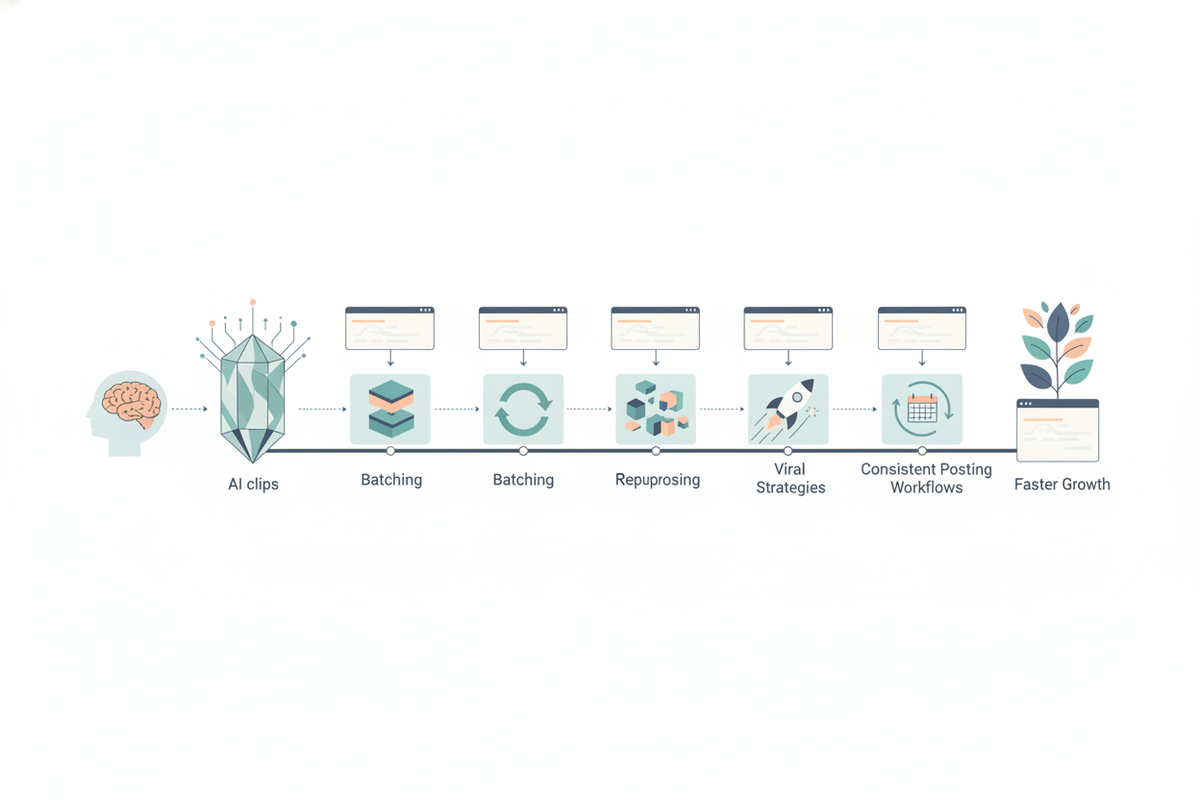
Estimated reading time: 10 min
Key Takeaways
- AI clips transform long videos into short, viral-ready content automatically.
- Batching and repurposing one video into many clips boosts posting consistency.
- Optimizing clips per platform increases chances of going viral.
- Regular posting cadence and analytics iteration accelerate content growth.
- Tools like Vidulk streamline the entire AI clipping and editing workflow.
In today’s fast-paced content landscape, knowing how to use AI clips for faster content growth is essential for creators and marketers alike. AI-powered clipping apps like Vidulk enable you to transform long-form videos—podcasts, interviews, webinars—into engaging, captioned short clips optimized for platforms like TikTok, Instagram Reels, and YouTube Shorts. This guide walks you through a proven workflow to post more consistently, batch content efficiently, and unlock viral potential with AI clips.
Step 1: Understand What AI Clips Are and Why They Matter
AI clips are short, vertical snippets automatically extracted from longer videos using artificial intelligence. Instead of manually sifting through hours of footage, AI analyzes your content to identify moments with hooks, emotional peaks, quotable lines, and other high-engagement signals.
These clips are tailored for social media’s short-form video formats and come captioned and formatted to grab attention quickly. By leveraging AI clips, you can:
- Save hours of editing time.
- Increase your content output without extra recording.
- Reach wider audiences on platforms favoring short videos.
For a detailed overview, check the post AI Clip Generator: Transform Long Videos Into Viral Shorts.
Step 2: Choose the Right Source Content to Clip
Your long-form content is the raw material for AI clipping. Ideal sources include:
- Podcasts: Rich conversations with natural hooks and storytelling.
- Interviews: Insightful Q&A moments that resonate.
- Webinars and Lectures: Educational content with clear takeaways.
- Livestreams: Spontaneous, authentic reactions and highlights.
- YouTube videos: Existing content that can be repurposed.
Choose recordings where the audio and video quality are good, and the content has distinct moments that can stand alone. Vidulk supports uploading files or pasting links directly, making it easy to import your content (
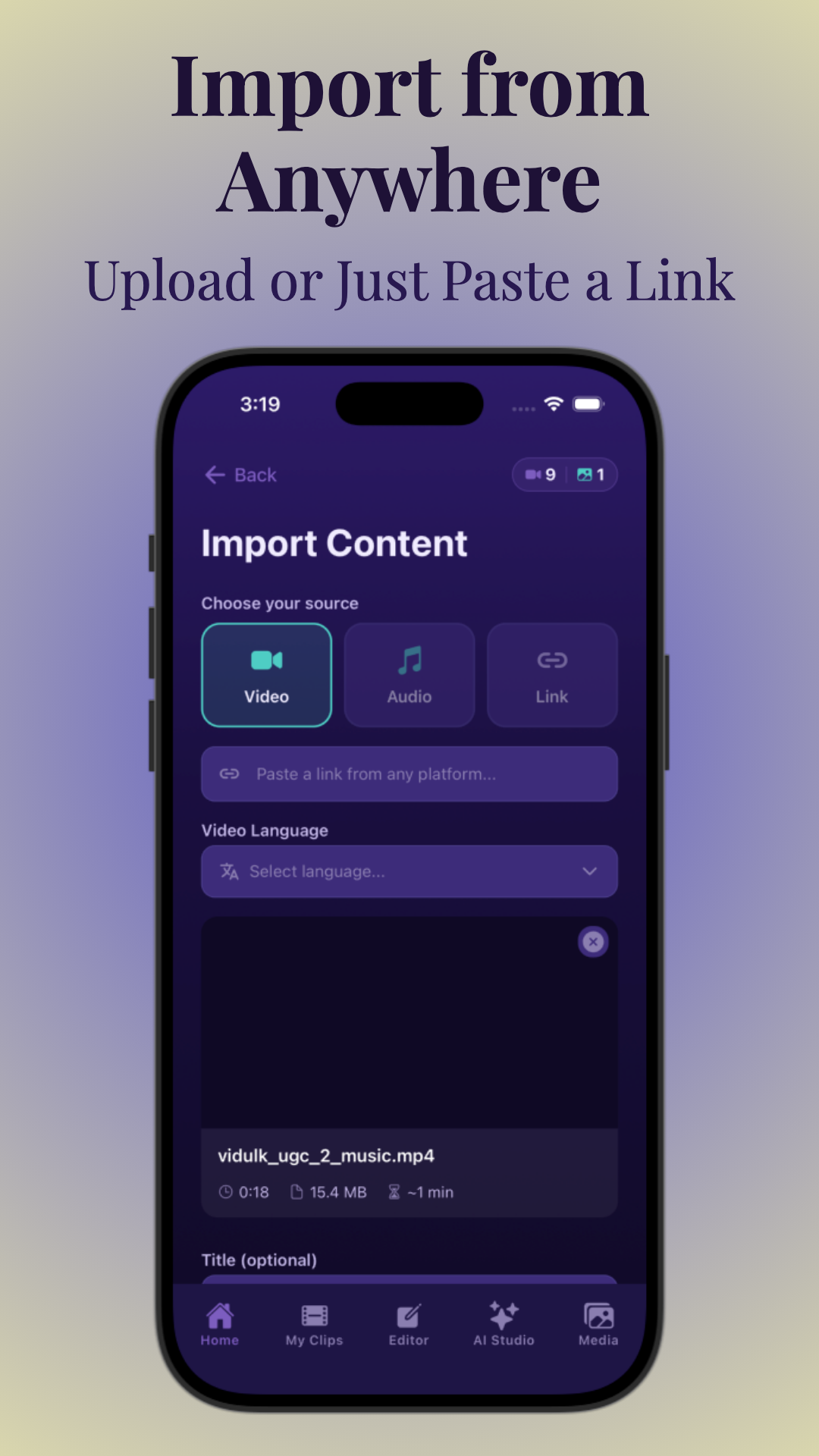
).
Step 3: Let AI Identify High-Performing Moments
Once your content is uploaded, AI analyzes it to detect segments with the highest engagement potential. It looks for:
- Hooks: Strong opening lines or questions that grab attention.
- Emotional peaks: Moments that evoke curiosity, joy, surprise, or empathy.
- Quotable lines: Memorable phrases that are easily shareable.
This automated selection accelerates your clipping process drastically. You can review and fine-tune clips in the AI Studio to ensure every moment aligns with your brand voice and messaging.
Step 4: Follow a Step-by-Step AI Clipping Workflow
Your content creation workflow with AI clips typically includes these stages:
- Upload: Import your long-form video or audio file into Vidulk.
- Auto-generate clips: Let AI extract multiple short clips from your content.
- Review: Watch each clip, adjusting start/end points if needed.
- Edit: Customize captions, framing, and branding elements.
- Export: Download clips in platform-optimized formats ready to post.
This streamlined process saves time and helps maintain a consistent posting schedule. Learn more about this workflow in the post How to Make AI Video Clips: A Step-by-Step Guide.
Step 5: Optimize Clips for Each Platform
Different social platforms have unique requirements and audience behaviors. To maximize engagement:
- TikTok and Instagram Reels: Use vertical 9:16 aspect ratio, add trendy music, and keep clips under 30 seconds.
- YouTube Shorts: Also vertical, focus on clear hooks within the first few seconds.
- LinkedIn: Slightly longer clips (up to 60 seconds) with professional branding and captions.
Ensure captions are concise and easy to read, and apply consistent branding (logos, colors) to build recognition. Vidulk’s caption customization tools make this effortless (
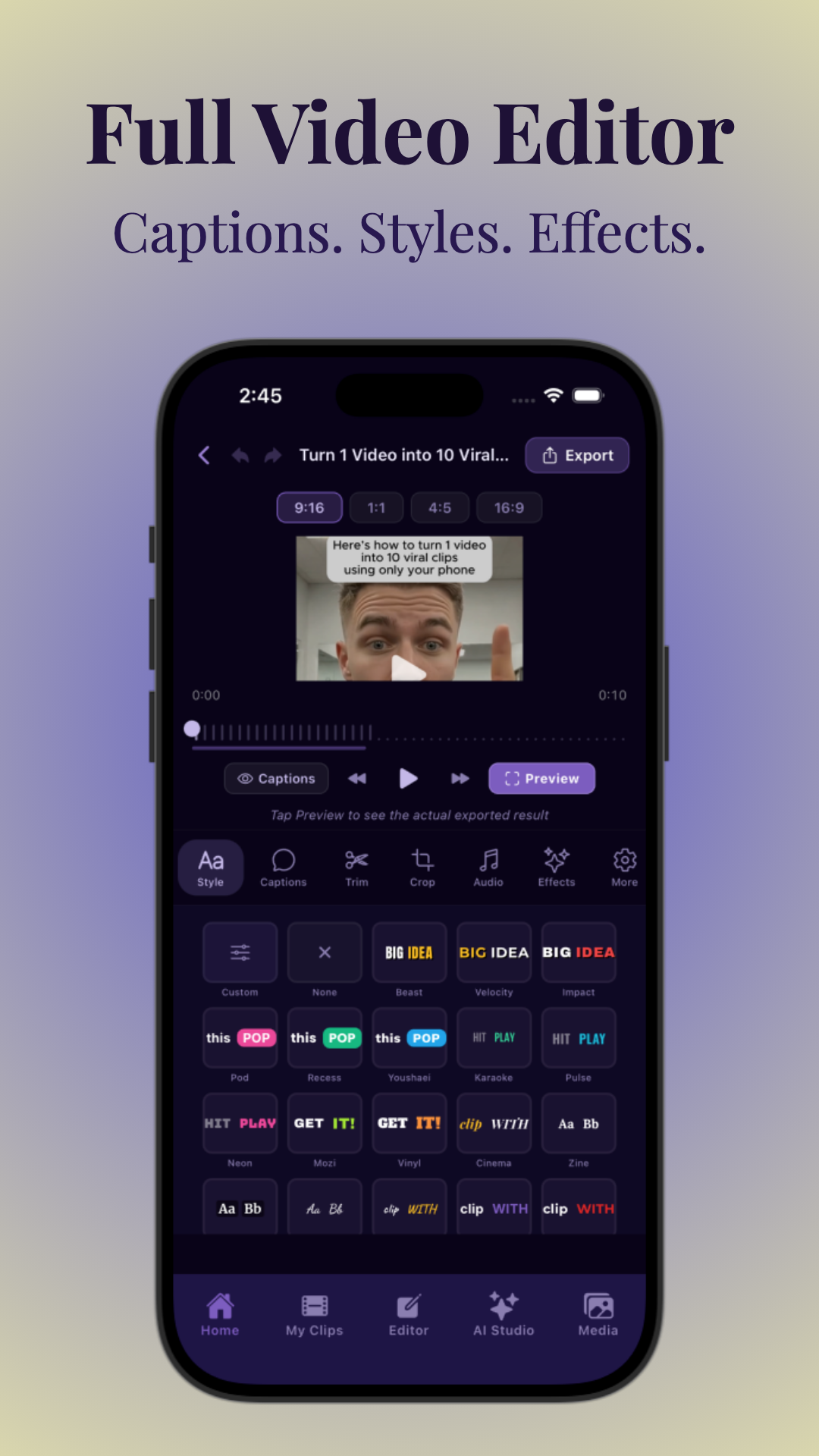
).
Step 6: Use Content Batching and Scheduling for Consistency
Regular posting is key to faster content growth. Instead of creating clips daily, batch your work by:
- Uploading and clipping multiple videos in one session.
- Editing and finalizing dozens of clips at once.
- Scheduling posts across your content calendar using social management tools.
This approach reduces creative burnout and ensures a steady stream of fresh content to keep your audience engaged. It also supports repurposing one video into many posts, maximizing your content’s value over time.
Step 7: Measure Performance and Iterate
Track how each clip performs across platforms using analytics tools to understand:
- Which clips generate the most views, likes, and shares.
- Audience retention rates and engagement spikes.
- Optimal posting times and frequency.
Use these insights to refine your AI clipping selections and posting cadence. Vidulk integrates analytics-friendly features to help you make data-driven decisions that fuel growth.
Tips & Common Mistakes
- Don’t rely solely on AI: Always review clips to ensure they reflect your brand tone and message.
- Avoid overposting: Quality beats quantity—stick to a sustainable posting cadence.
- Customize for each platform: Don’t just repost the same clip everywhere without adjustments.
- Focus on hooks: The first 3 seconds decide if viewers keep watching.
- Batch wisely: Overbatches can delay posting; maintain a buffer for timely content.
Conclusion
Mastering how to use AI clips for faster content growth unlocks a powerful strategy to amplify your reach, save time, and post more consistently. By selecting the right source content, leveraging AI to extract viral moments, optimizing clips for each platform, and batching your workflow, you set yourself up for scalable success. Apps like Vidulk simplify this entire process with smart automation and creative tools, making it easier than ever to grow your audience and engagement.
FAQ
How does AI decide which parts of a video to turn into clips?
AI analyzes factors like hooks, emotional intensity, quotable phrases, and viewer engagement patterns within the video to automatically select high-impact moments ideal for short clips.
How many clips should I post per week for faster growth?
Posting 3-5 high-quality clips per week consistently is a good starting point to build momentum without overwhelming your audience or yourself.
What kind of long-form content works best for AI clipping?
Podcasts, interviews, webinars, livestreams, and YouTube videos with clear topics and dynamic conversations tend to produce the most engaging clips.
Which AI clip tools are best for TikTok, Reels, and Shorts?
Vidulk is a top choice, offering auto-generated vertical clips with captions and easy editing tailored for TikTok, Instagram Reels, and YouTube Shorts.
How do I make AI-generated clips look less robotic and more branded?
Review and customize captions, apply consistent branding elements like logos and colors, and adjust clip timing manually to add a personal touch.
Can AI clips help grow a business, not just views?
Yes, by driving traffic to your main content, generating leads via consistent messaging, and expanding your audience, AI clips contribute to broader business growth goals.



