
Boost Engagement with an Interactive Video Transcript Generator
Enhance video accessibility and SEO with an interactive video transcript generator, featuring clickable transcript clips and AI transcript video clip features.

Estimated reading time: 7 minutes
Key Takeaways
- Interactive transcripts transform passive viewing into engaging, searchable experiences
- Clickable transcript clips enable instant navigation to key video moments
- AI-driven features ensure high accuracy, speaker identification, and rapid processing
- Integration of these tools boosts accessibility, retention, and SEO performance
- Applications range from education and media to corporate training and future AR/VR innovations
Table of Contents
- Understanding Interactive Video Transcript Generators
- Exploring Clickable Transcript Clips
- The Role of AI in Transcript Video Clip Features
- How These Features Work Together
- Potential Applications and Industry Use Cases
- Future Innovations
- Conclusion
Section 1: Understanding Interactive Video Transcript Generators
What Is an Interactive Video Transcript Generator?
An interactive video transcript generator is an AI-driven tool that auto-converts video audio into timestamped, editable text. It offers features like copy, download, share, speaker identification, and instant transcription from uploads or URLs (YouTube, Zoom, MP4). For deeper insights into transcription workflows, check out our guide on AI audio transcription and clipping.
Core Functionalities
- Instant transcription via upload or URL input
- Speaker identification and editable timestamps for precision
- Export options in multiple formats (TXT, SRT, VTT)
Key Benefits
- Improved searchability—query transcripts for specific phrases and skip to the exact moment
- Heightened engagement—viewers skim transcripts instead of watching full videos
- Accessibility boost—inclusive for deaf or hard-of-hearing audiences
What Sets It Apart
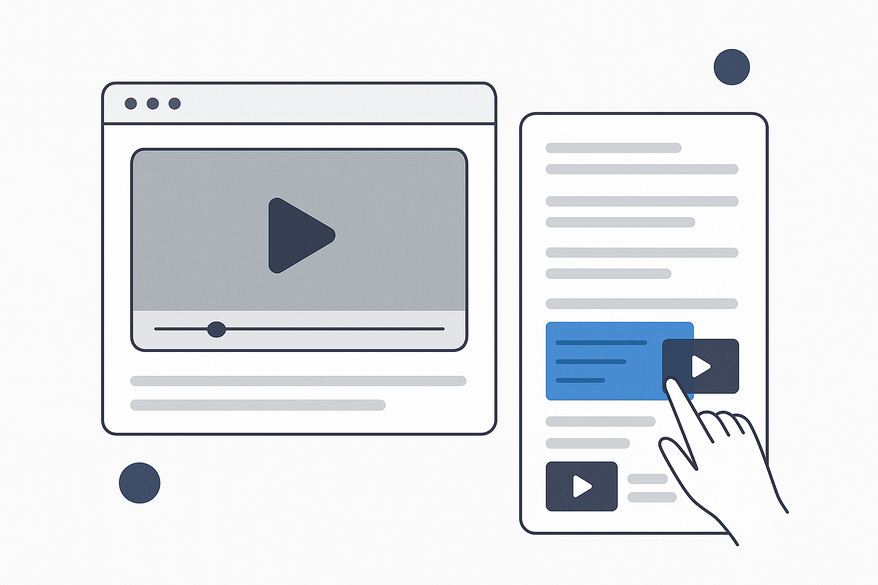
Unlike static subtitles, dynamic transcripts sync with video timelines. Users click text to jump directly to that moment in the video. This clickable navigation transforms passive watching into active exploration.
Popular tools: VideoTranscriber.ai, Tactiq YouTube Transcript Tool, and Vizard video-to-text tool.
Section 2: Exploring Clickable Transcript Clips
Defining Clickable Transcript Clips
Clickable transcript clips are segmented transcript portions hyperlinked to their corresponding video timestamps. They sit beside or below the player, letting users navigate by text.
How It Works
- Each phrase or sentence block carries a timestamp link
- Clicking the text instantly seeks the video to that moment
Benefits
- Faster content discovery reduces drop-off rates
- Up to 30% longer time-on-page in educational videos
- Better accessibility for non-native speakers and multitaskers
Use Cases
- Tutorials: jump directly to troubleshooting steps
- Podcasts: extract quotes or segments for social clips
- Corporate Training: search compliance topics instantly
Additional solutions: Canva video-to-text tool.
Section 3: The Role of AI in Transcript Video Clip Features
Defining the AI Transcript Video Clip Feature
An AI transcript video clip feature is a machine-learning function that converts audio to text in real time, segments clips, and adds interactive elements like auto-captions and searchable summaries.
Technical Details
- Handles accents, background noise, and multiple languages with 98–99% accuracy
- Automates segmentation into clickable clips and syncs transcript edits to video
- Identifies speakers contextually without manual tagging
- Processes hours of footage in minutes versus 3–4 hours manually per hour
Specific Benefits
- Contextual error correction (homophone disambiguation)
- Auto-generated summaries and translations for global reach
- Seamless user experience: query transcripts for key insights and auto-edit text in the video
Other AI transcription services include VideoToTextAI and Happy Scribe.
Section 4: How These Features Work Together
Workflow Synergy
- AI-driven generator transcribes video audio into a timestamped, editable transcript
- Transcripts render as clickable clips within the player interface
- Users search, click, edit, or export summaries—transforming video consumption into an interactive, book-like experience
For insights on structuring chapters automatically, explore our post on AI video chapter generator.
Benefits of Integration
- Natural navigation—click chapter-like transcript segments to move between topics
- Reduced editing time—repurpose clips for social shorts or articles in minutes
- Unified dashboard—review transcripts, export clips, and edit video text all in one place
Integrations available: Riverside transcription.
Section 5: Potential Applications and Industry Use Cases
Education
- Transcribe lectures into searchable notes. Students click clips for fast revision.
Media & Podcasts
- Convert interviews into editable, shareable text for blogs or social media.
Corporate Training & Meetings
- Live transcripts with AI-generated summaries produce action items. Edits across clips yield polished outputs.
Recommended platforms: Vizard video-to-text tool.
Section 6: Future Innovations
Emerging Trends
- Real-time multilingual interactivity—instant translation overlays
- Emotion detection—AI tags highlights by sentiment for personalized recaps
- VR/AR integration—transcripts overlay immersive videos in headsets
- Predictive editing—AI suggests clip highlights before user review
Impact Ahead
As AI noise-handling and context models exceed 99% accuracy, we anticipate engagement lifts of over 100%. These advances will further personalize and streamline video consumption.
Conclusion
Interactive video transcript generators, clickable transcript clips, and AI transcript video clip features redefine how we engage with video content. They boost accessibility, retention, and SEO while making navigation as simple as clicking a chapter title. By integrating these tools, businesses, educators, and creators can maximize content impact and viewer satisfaction.
Have you tried an interactive video transcript generator or clickable transcript clips? Share your experiences or ask questions in the comments below. Ready to start? Explore free trials at:

FAQ
- What is an interactive video transcript generator?
- An AI-powered tool that converts video audio into timestamped, clickable, and editable text to enhance engagement and accessibility.
- How do clickable transcript clips boost engagement?
- They let viewers jump directly to key moments, reducing drop-off rates and increasing time-on-page by up to 30%.
- Can AI accurately transcribe videos with multiple speakers?
- Yes. Advanced models identify speakers contextually and handle accents with up to 99% accuracy, automating segment creation.
- Which industries benefit most from these features?
- Education, media, corporate training, and any content-driven sector seeking improved retention and SEO.



