
Unlock Speed, Privacy, and Pro Results with On-Device Video Editing AI
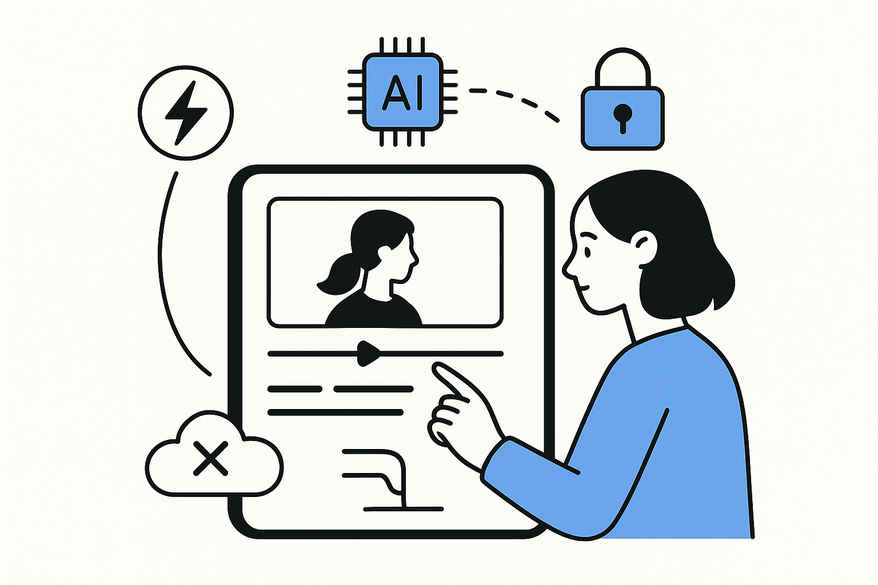
Discover how on-device video editing AI offers unmatched speed, privacy, and offline capabilities, transforming the way creators edit videos directly on their devices.

Estimated reading time: 5 minutes
Key Takeaways
- Local Processing: Edits run entirely on your device for faster and more secure workflows.
- Real-Time AI Features: Automated cuts, color grading, stabilization, and more without cloud dependency.
- Privacy & Offline Access: Footage never leaves your phone and you can edit anywhere, even without internet.
- Wide Applications: Ideal for content creators, marketers, and professional videographers alike.
- Top Tools: Recommendations include Wondershare Filmora, Wisecut, Adobe Premiere Rush, Lumen5, and WeVideo.
Table of Contents
- What Is On-Device Video Editing AI?
- How On-Device Video Editing AI Works
- Key Features Powered by On-Device AI
- Advantages for Users
- Market Applications
- Product & Service Recommendations
- Call-to-Action
- Conclusion
- FAQ
What Is On-Device Video Editing AI?
On-device video editing AI refers to machine learning models that run directly on your device’s CPU, GPU, or dedicated neural engine—no cloud uploads required. These algorithms analyze, enhance, and assemble video clips locally on your smartphone, tablet, or specialized hardware.
Key Differences from Cloud-Based Editing
- Local vs. remote processing: No footage upload to internet servers.
- Immediate feedback: Edits occur instantly on the device.
- Reduced network risks: No data transfer delays or dependence.
Local-Processing Benefits
- Faster processing – Eliminates upload and download waits for smoother workflows.
- Enhanced privacy – Footage remains on your device, safeguarding personal or sensitive videos.
- Offline editing capability – Zero reliance on internet connectivity, ideal for remote shoots or travel.
For a deeper dive into mobile AI video editors, check out our comprehensive guide.
How On-Device Video Editing AI Works
On-device AI leverages built-in neural engines—such as the Apple Neural Engine or Qualcomm AI chips—to power real-time video analysis and editing without draining battery life or sending data off-device.
Hardware Foundation
- Neural Processing Units (NPUs)
- Integrated GPUs and DSPs for video frame handling
- Dedicated AI accelerators on flagship smartphones
Local ML Model Tasks
- Scene detection & segmentation – Identifies landscapes, indoor shots, or action sequences.
- Object and face recognition – Tags people or items for smart grouping and filtering.
- Automated smart cuts and recomposition – Chooses ideal in-and-out points based on motion and composition rules.
"I recorded a mountain hike on my tablet and the on-device AI instantly detected scenic segments, cut filler frames, and applied stabilization—all without cloud connectivity."
Key Features Powered by On-Device AI
Modern on-device video editing AI brings pro-level capabilities once reserved for desktop suites—running entirely on your device.
- Automated Edits: Best-clip selection, filler removal, and cut suggestions based on motion and framing.
- Filters & Enhancements: Auto color grading, video stabilization, noise reduction, and audio leveling.
- Object Recognition & Transitions: Face grouping, generative fill, seamless crossfades, and whip transitions.
- Real-Time Capabilities: Instant reframing, auto-captioning, and music beat syncing.
Learn more about AI clip editor apps are revolutionizing video editing automation.
Advantages for Users
Performance & Efficiency
- Faster turnaround versus manual edits.
- AI handles repetitive tasks so you can focus on creative decisions.
Privacy & Security
- Local processing ensures footage never leaves your device.
- No risk of third-party data exposure or compliance breaches.
Customization & Real-Time Editing
- Live previews adjust templates and filters before rendering.
- Style matching applies a consistent look across clips.
- Adaptive enhancements optimize output based on your device’s compute power.
Market Applications
From social media influencers to pro videographers, on-device AI suits diverse use cases.
- Content Creators & Influencers: Quickly produce highlight reels for social platforms.
- Marketing Campaigns: Generate promo snippets and ads with minimal effort.
- Professional Videographers: Perform on-set edits with real-time reframing and tagging.
Product & Service Recommendations
Compare these leading on-device video editing AI apps to find your ideal solution:
- Wondershare Filmora – Beginner-friendly with auto-edits and stabilization; Free & Pro tiers.
- Wisecut – Scene detection and auto-shortening; Free trial, $10/month.
- Adobe Premiere Rush – Auto-reframe and face detection; Free & Premium at $9.99/month.
- Lumen5 – Script-to-video conversion and intelligent clip selection; Free & Pro at $19/month.
- WeVideo – Highlight reels and AI video analysis; Free & Pro at $4.99/month.
Call-to-Action
Ready to transform your video workflow with on-device video editing AI?
- Download Wondershare Filmora or Adobe Premiere Rush for free trials.
- Explore pro subscriptions on the App Store or Google Play.
- Visit product pages for demos, special offers, and tutorials.
Conclusion
On-device video editing AI delivers unmatched speed, enhanced privacy, offline editing capability, and professional-quality results directly on your smartphone or tablet. Whether you're a casual creator or a seasoned pro, these local AI solutions cut editing time, protect your data, and offer real-time customization. Choose your top pick and start editing smarter and faster today.
FAQ
What devices support on-device video editing AI?
Most modern smartphones and tablets with dedicated neural engines or AI accelerators—such as iPhones with the Apple Neural Engine or Android devices with Qualcomm AI chips—can run on-device video editing AI.
Do I need an internet connection to use on-device AI editing?
No. One of the major benefits is offline capability: all processing occurs locally, so you can edit videos anywhere without network access.
How does on-device AI editing protect my privacy?
Since all algorithms and data processing happen on your device, your footage never leaves your phone or tablet, eliminating risks associated with cloud storage and third-party data breaches.
Which app is best for beginners?
Wondershare Filmora offers an intuitive interface with automatic edits and stabilization, making it ideal for newcomers exploring AI-powered video editing.
Can I access pro-level features on mobile editors?
Absolutely. Many on-device AI video editors include advanced tools like auto color grading, transitions, captioning, and more—features once reserved for desktop suites.



