
Podcast Promotion with Vidulk: A Complete Guide to Driving Listens via Social Clips
Learn podcast promotion with Vidulk by converting episodes into engaging social clips to boost listens. Ideal for TikTok, Instagram, and YouTube.

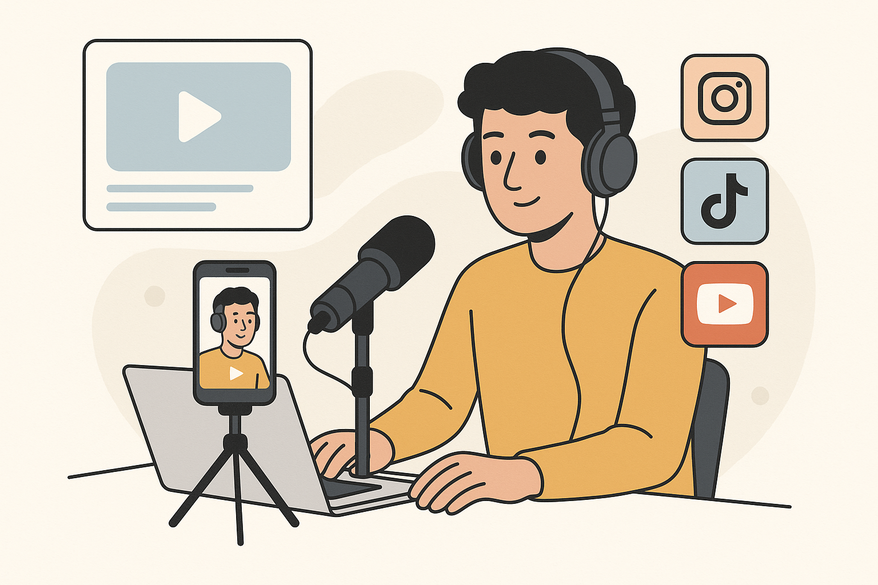
Estimated reading time: 8 minutes
Key Takeaways
- Leverage AI clipping to transform episodes into engaging social video snippets.
- Optimize for platforms like TikTok, Instagram Reels, and YouTube Shorts.
- Use best practices for teaser length, captions, and CTAs to boost listens.
- Analyze case studies to apply proven strategies and drive audience growth.
- Build a repeatable workflow for consistent podcast promotion with Vidulk.
Table of Contents
- Overview of Vidulk for Podcast Promotion
- The Role of Social Media & Using Vidulk to Promote Podcasts
- Step-by-Step Guide to Podcast Promotion with Vidulk
- Vidulk Podcast Teaser Promotion Tips
- Case Studies and Success Stories
- Conclusion
- FAQ
Overview of Vidulk for Podcast Promotion
Vidulk is an AI-powered, mobile-first video clipping app that converts long-form audio and video into social-ready clips. It automates highlight detection, captioning, and multi-format exports, saving time and maximizing reach.
To get started, Learn how to turn podcast into clips here and feed your episode into Vidulk. The app’s machine-learning engine scores segments by engagement potential, helping you pick the best moments.
Core Features of Vidulk:
- AI highlight detection with engagement scoring
- In-app review and editing tools
- Automated caption generation with customizable styles
- Flexible export options: 9:16, 1:1, 4:5, and 16:9 up to 4K
- Dedicated Podcast Clip Maker workflow for branded snippets

For seamless editing on mobile, try Vidulk - AI Video Clipping App to produce social teasers in minutes.
The Role of Social Media & Using Vidulk to Promote Podcasts
Social platforms extend your podcast’s reach beyond traditional directories by delivering bite-sized, scroll-stopping content.
Why video clips matter:
- Algorithms favor concise, captioned videos.
- Captioned clips see up to 85% higher watch rates.
- Short snippets boost share rates and visibility (optimize podcast clips social media).
Use Vidulk to promote your podcast on social media:
- Import episode audio or video into Vidulk.
- Let AI detect top-scoring clips.
- Edit, add captions, and brand elements.
- Export in platform-specific formats.
- Schedule or post directly with clear CTAs.
Step-by-Step Guide to Podcast Promotion with Vidulk
- Set Up Vidulk: Install on iOS or Android, then define your content sources and organize by episode or theme.
- Import and Analyze: Upload files or paste URLs; run AI detection to surface “virality” candidates.
- Review and Edit: Trim to front-load value, reorder clips, reject weak takes, and apply high-contrast captions.
- Export for Maximum Reach: Choose the right aspect ratio, export up to 4K, and align with your release schedule. For more details on choosing the right format, see the best aspect ratio for social media video clips.
- Schedule and Customize: Batch-create and schedule posts, craft platform-specific captions, and include CTAs and engagement hooks.
Vidulk Podcast Teaser Promotion Tips
- Keep teasers 20–60 seconds long with a single, strong idea.
- Front-load with a hook—a surprising claim or question.
- Use clear, mobile-friendly captions and compelling thumbnails.
- Share pre-release intrigue, launch-day highlights, and post-release follow-ups. For inspiration, check out these short form video content ideas for creators.
Case Studies and Success Stories
B2B Marketing Podcast Growth: 30% higher watch-through rate and 25% more shares; 20% lift in full-episode listens.
Entertainment Podcast Hype: 40% spike in first-week downloads with consistent branding.
Educational Podcast Authority: 50% increase in saves and community engagement.
Conclusion
Using Vidulk for podcast promotion equips you with AI-driven clipping, on-device editing, and social-first formats to transform each episode into multiple discovery points. Build a repeatable workflow of teasers and highlights to grow your audience.
Next Steps:
- Create at least three teaser clips before launch.
- Produce 3–5 highlights after release.
- Publish across TikTok, Instagram, and YouTube.
- Track downloads, engagement, and shares.
- Refine your strategy and share your success story.
FAQ
- What is Vidulk? Vidulk is an AI-powered app that turns long-form audio and video into social-ready clips.
- Which formats can Vidulk export? It supports 9:16, 1:1, 4:5, and 16:9 up to 4K resolution.
- How do I schedule posts? Use native platform tools or third-party schedulers after exporting from Vidulk.
- Can I edit captions? Yes, Vidulk offers multiple caption styles, fonts, colors, and animations.



