
How to Use AI Clips to Grow Social Media Audience
Discover how to use AI clips to grow your social media audience, boost engagement, and stay ahead of trends with effective, automated content strategies.

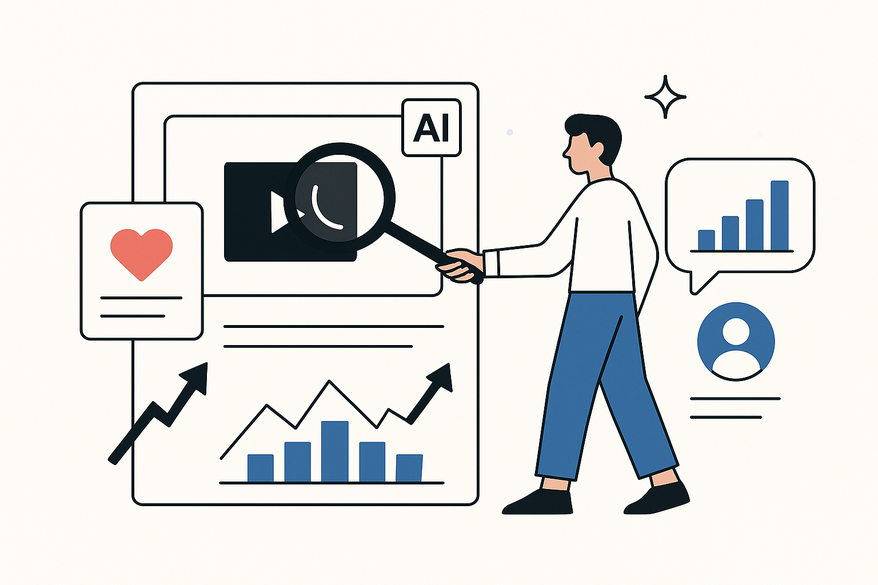
Estimated reading time: 8 minutes
Key Takeaways
- AI clips convert long-form videos into bite-sized, engaging content.
- Automated workflows enable rapid scaling and cost-effective production.
- Data-driven insights guide clip selection, optimization, and performance.
- Integrating AI clips into your strategy boosts engagement and follower growth.
- Human review ensures quality, authenticity, and brand alignment.
Table of Contents
- Introduction
- 1. Understanding AI Clips and How They Are Generated
- 2. The Importance of AI Clips in Social Media Marketing
- 3. Practical Strategies for Integrating AI Clips
- 4. Tools, Platforms, and Best Practices
- 5. Addressing Potential Challenges
- 6. Future of AI Clips
- Conclusion
- FAQ
Introduction
AI clips are short, AI-assisted or AI-generated video segments optimized for attention. They pack highlights of longer videos—podcasts, webinars, interviews—into bite-sized stories that hook viewers in seconds. By using AI clips to grow a social media audience, creators and brands can scale content production, boost engagement, and stay ahead of fast-moving trends.
Today’s social feeds favor short-form video—TikTok, Reels, YouTube Shorts, LinkedIn, X. Embracing AI-driven content workflows is no longer optional; it’s essential for rapid growth and consistent output.

1. Understanding AI Clips and How They Are Generated
AI clips are bite-sized, attention-grabbing video snippets created with artificial intelligence. They transform long videos into shareable content with speed and scale. Learn more about these workflows in our AI video clip maker guide.
Core Features of AI Clips
- Automatic segmentation of long-form videos into snackable clips
- AI-powered editing (jump cuts, silence trimming, filler-word removal)
- Auto-generated captions, titles, overlays, branding templates
- Platform optimization (vertical 9:16, square 1:1, horizontal 16:9)
Step-by-Step AI Clip Generation Workflow
- Upload long-form video to the AI platform.
- Transcription & NLP analysis detect topics, hooks, and key moments.
- Clip selection by engagement scoring (best hooks, emotional peaks).
- Auto-editing and template application—leverage tools like the AI podcast clip generator for audio-first content.
- Export with AI-drafted titles, hashtags, CTAs and resize for each platform.
AI Clips vs. Traditional Video Content
- Speed: AI delivers dozens of clips in minutes vs. hours of manual editing.
- Scale: One long video yields many clips for multiple channels.
- Personalization: AI tailors clips to audience data and platform norms.
- Insights: Data-driven engagement scores guide content decisions.
2. The Importance of AI Clips in Social Media Marketing
AI clips excel at capturing attention and boosting engagement metrics across social platforms.
Capture Audience Interest Quickly
- Hook viewers in 1–3 seconds with AI-identified best moments.
- Leverage questions, bold statements, or surprise visuals.
- Tailor hooks to platform style—trendy sounds on TikTok, professional tone on LinkedIn.
Drive Engagement with Cleaner, Accessible Edits
- Improve watch time and retention via tight edits with no dead air.
- Enhance accessibility with auto-captions for sound-off browsing.
Benefits of AI Clips: Time, Cost, Creativity
- Time efficiency: Generate dozens of clips from one video in minutes.
- Cost-effectiveness: Small teams produce enterprise-level volume.
- Creative possibilities: AI suggests alternative cuts, thumbnails, and carousels.
Data-Driven Growth with AI Analytics
AI analytics track views, completion rates, and CTRs to refine future clips.
- Continuous optimization: Feed performance data back into AI models.
- Predictive insights: Identify which topics and formats will resonate next.
3. Practical Strategies for Integrating AI Clips
- Define Goals and Clip Types
Map objectives (followers, sign-ups, conversions) to clip formats (tutorials, testimonials, teasers). - Build a Pillar Content Engine
Record weekly webinars, podcasts, or Q&As with clear topics and good production quality. - Automate Clipping and Editing
Upload pillar videos to an AI clipping platform and let AI transcribe, score segments, and draft candidates. - Vet and Refine Clips
Human review for brand voice, factual accuracy, and context. - Distribute Across Platforms
Use AI scheduling tools to post on TikTok, Reels, Shorts, LinkedIn, X and repurpose with an AI reel clip generator. - Measure and Iterate
Track watch time, completion rate, shares, and follower growth; feed data back into AI analytics.
Many creators trust Vidulk - AI Video Clipping App for automated clipping and optimization workflows.
4. Tools, Platforms, and Best Practices
AI Clip Creation Tools
- Contentin and other AI clipping/editing platforms
- YouTube’s auto-edit features and third-party AI plugins
- Jasper or HubSpot AI for headline and caption generation
- DALL·E, Jasper Art for thumbnail and image creation
- HubSpot and Riithink for scheduling, analytics, and reporting
Best Practices Checklist
- Keep humans in the loop: always review AI outputs for tone, accuracy, and brand fit.
- Use consistent templates for fonts, colors, overlays, and on-screen elements.
- Provide high-quality source video: clear audio, good lighting, structured content.
- Balance AI speed with human creativity for storytelling and emotional impact.
- Pilot on a small scale, learn what works, then scale up.
Success Examples
- A marketing team repurposed webinars into weekly short clips, tripling reach without extra headcount.
- A brand used personalized AI clips for segmented audiences, boosting engagement by 40%.
- A small agency automated content ops with AI, matching output of much larger teams.
5. Addressing Potential Challenges
Common Pitfalls
- Over-automation leading to off-brand or inaccurate content
- Generic, repetitive clips that fatigue audiences
- Audience skepticism toward overly synthetic content
- Low-quality source video undermines clip professionalism
Mitigation Strategies
- Implement editorial review workflows—treat AI as an assistant, not a replacement.
- Infuse human personality, real stories, and authentic voices.
- Be transparent about AI use; respect copyright and privacy guidelines.
- Monitor feedback and performance; adapt tone, topics, and formats accordingly.
6. Future of AI Clips
Emerging AI Trends
- Hyper-personalization: Clips tailored to individual viewer preferences in real time.
- Real-time adaptation: Dynamic adjustments of length, captions, and CTAs based on engagement.
- Generative avatars and multi-language dubbing for global reach.
- Integrated AI stacks: from ideation through analytics in one seamless workflow.
How Trends Enhance Audience Growth
- Produce localized, segment-specific clips at scale with minimal extra cost.
- Predict virality and conversion potential before publishing.
- Automate multichannel orchestration—tailored copy, landing pages, and follow-ups.
Action Points to Stay Ahead
- Invest in continuous AI learning—attend webinars, read research, test new tools.
- Build repeatable workflows for capturing, structuring, and clipping long-form content.
- Focus on brand story and community—areas where human creativity shines.
Conclusion
AI clips—short, AI-assisted video segments—unlock fast, cost-effective, and engaging social media content. By using AI clips to grow your social media audience, you:
- Save time and cut costs with automated editing and optimization.
- Drive higher engagement with AI-identified hooks, clean cuts, and captions.
- Scale personalized, platform-optimized clips guided by data-driven insights.
Start building your AI-driven content strategy today: record regular long-form videos, adopt AI clip tools, and iterate based on metrics and feedback. Embrace automation, but never lose your human touch. Those who master AI clips will lead the next wave of social media audience growth.
FAQ
What exactly are AI clips?
AI clips are short video segments automatically generated by AI tools. They highlight key moments from longer videos, making content more digestible and engaging for social media audiences.
How much time can AI clips save?
With the right platform, you can transform a full-length webinar into multiple social-ready clips in minutes, rather than spending hours on manual editing.
Do I still need a human editor?
Yes. While AI accelerates production, human review ensures each clip aligns with your brand voice, maintains factual accuracy, and resonates emotionally with your audience.
La elección de una camiseta deportiva suele depender del ajuste, el tejido y las preferencias personales de cada aficionado. Quienes comparan alternativas pueden usar camiseta Atlético de Madrid como punto de partida para observar tipos de camiseta y detalles básicos. La decisión final resulta más clara cuando se comparan datos concretos y no solo la apariencia general.



