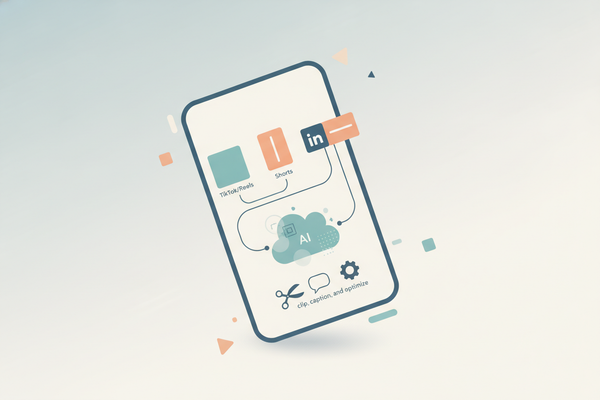
Vidulk Slack Integration: Complete Guide to Automate Video Workflows in Slack
Discover the Vidulk Slack integration to automate video workflows efficiently. This guide includes setup steps, benefits, and use cases for seamless collaboration.

Estimated reading time: 7 minutes
Key Takeaways
- Integrate Vidulk with Slack using Zapier or webhooks for real-time clip notifications.
- Automate video workflows—clip generation, sharing, and approvals—directly in Slack.
- Support filters, multi-step actions, and custom Slack API setups for advanced use cases.
- Troubleshoot common issues: authentication, permissions, rate limits.
- Real-world use cases show agencies, marketers, and podcasters saving hours per workflow.
Table of Contents
- Introduction
- What Is Vidulk?
- Why Integrate Vidulk with Slack? Benefits & Use Cases
- Prerequisites for Integration
- Step-by-Step Setup via Zapier
- Advanced Alternative – Direct Slack API
- Troubleshooting & Common Issues
- Real-World Use Cases & Case Studies
Introduction
Vidulk Slack integration is a no-code automation that pushes Vidulk clip notifications, previews, and metadata directly into Slack channels for real-time collaboration. By linking Vidulk - AI Video Clipping App with Slack, teams can streamline video sharing, feedback, and approvals without leaving their central hub.

For marketing teams, content creators, and agencies, this integration cuts manual steps and speeds up decision-making. Below is a step-by-step, research-backed walkthrough to set up, troubleshoot, and optimize this workflow.
What Is Vidulk?
Vidulk is an AI-powered video workflow automation tool for creators, agencies, and marketers. It transforms long-form videos into bite-sized highlight clips and automates distribution across platforms.
- AI Clipping – Generate highlight clips from full-length videos or webinars automatically.
- Workflow Automation – Upload, transcribe, edit, and share videos on platforms like YouTube and Twitter.
- Integrations – Connect via Zapier, webhooks, or APIs for custom pipelines.
When integrated with Slack, Vidulk syncs clip data, transcripts, and thumbnails into your channels for instant visibility and feedback.
Why Integrate Vidulk with Slack? Benefits & Use Cases
Embedding video workflows in your chat stream accelerates collaboration:
Real-Time Notifications
- Get alerts for each new clip with preview links and transcripts—reduces manual sharing by 80% (Vidulk Clips Zapier Automation).
Improved Productivity
- Approve or reject via Slack reactions or threads without switching apps. Zapier supports 2,600+ integrations for endless automation possibilities (Zapier Slack Integrations).
Streamlined Workflows
- Example: Webinar ends → Vidulk clips → Slack ping → Auto-post to Twitter. Saves hours per video (Vidulk Zapier Workflows).
Key Use Cases
- Marketing Teams: Auto-notify
#marketingchannel of new campaign clips. - Content Creators: Share highlights in
#team-feedbackfor rapid edits. - Agencies: Push client clips to dedicated channels for stakeholder review.
Prerequisites for Integration
- Active Vidulk account with your API key (found under Settings → API).
- Zapier account or alternative like Make.com.
- Slack workspace admin privileges to authorize apps.
- Optional: Google Drive or Dropbox for clip hosting.
Step-by-Step Setup via Zapier
Step 1: Log into Zapier
- Visit Zapier and sign in.
- Click Create Zap.
Step 2: Configure Vidulk Trigger
- App: Choose “Webhooks by Zapier” or “Vidulk” if available.
- Trigger Event: “New Clip Created”.
- Authentication: Enter your Vidulk API key.
- Test Trigger by uploading a sample video and confirming clip data fields.
Step 3: Add Slack Action
- App: Select Slack → Action: Send Channel Message.
- Connect your workspace via OAuth.
- Map Fields:
- Channel:
#video-clips - Message Text:
🚀 New Clip: {{Clip Title}}
Preview: {{Clip URL}}
Transcript: {{Clip Transcript}}
- Channel:
- Customize mentions or buttons as needed.
Step 4: Optional Enhancements
- Add Filters to only notify on clips longer than 30 seconds.
- Chain actions: Upload to Drive → Transcribe via Otter.ai → Notify Slack.
- Workflow Diagram:
[Vidulk Trigger] → [Filter: >30s] → [Drive Upload] → [Slack Notify]
Step 5: Test & Activate
- Run a live clip and confirm notifications in Slack.
- Turn on the Zap and monitor Task History for errors.
Advanced Alternative – Direct Slack API
For custom code enthusiasts:
- Create a Slack App at api.slack.com/apps and enable Incoming Webhooks.
- Copy the Webhook URL into Vidulk’s Integrations settings.
- Structure your JSON payload:
{ “text”: “New clip: *{{Title}}* \n{{URL}}”, “attachments”: [ … ] } - Vidulk will POST clip details to Slack in real time.
Troubleshooting & Common Issues
Zapier Can’t Find Vidulk
Use Webhooks by Zapier and paste the Vidulk API endpoint.
Slack Auth Fails
Ask an admin to approve the app under Slack Settings → Manage Apps.
No Notifications
Check Task History in Zapier and retest the trigger event.
Permissions Errors
Ensure your Slack app has scopes like chat:write and files:write.
Rate Limits
If generating many clips, add Delay steps or upgrade your plan.
Real-World Use Cases & Case Studies
Digital Agency Workflow
Webinar → Vidulk auto-clips 10 highlights → Posts to Dropbox, Twitter, CRM, and Slack → Saves 5 hours per webinar (Case Study).
Podcast Creator Workflow
Record → Vidulk clips → Slack #clips-review for feedback via reactions → Auto-publish approved segments.
Customization Examples
- Long clips to
#management, short clips to#social-media. - Slack alert triggers Asana/Jira task creation.
FAQ
Q: Is Vidulk listed in the Slack App Directory?
A: No. It integrates via Zapier or direct webhooks instead of a native Slack app.
Q: What are the costs?
A: Vidulk offers a free tier. Zapier’s free plan supports 100 tasks/month; paid tiers remove automation caps.
Q: Can clips be sent as files rather than links?
A: Yes. Use Slack file attachments or host on Google Drive/Dropbox and share cloud links (under 1 GB).
Q: Does this work on Slack mobile?
A: Absolutely. Notifications, links, and attachments appear in both iOS and Android Slack apps.
Q: Can Slack channels trigger Vidulk actions?
A: Yes. Configure a Zap from Slack message actions to invoke Vidulk API calls (e.g., “Create Clip on Demand”).