
How to Automate Your Video Workflows with Vidulk Zapier Integration
Learn to streamline video workflows with Vidulk Zapier integration, automating tasks and enhancing productivity for creators and marketing teams.

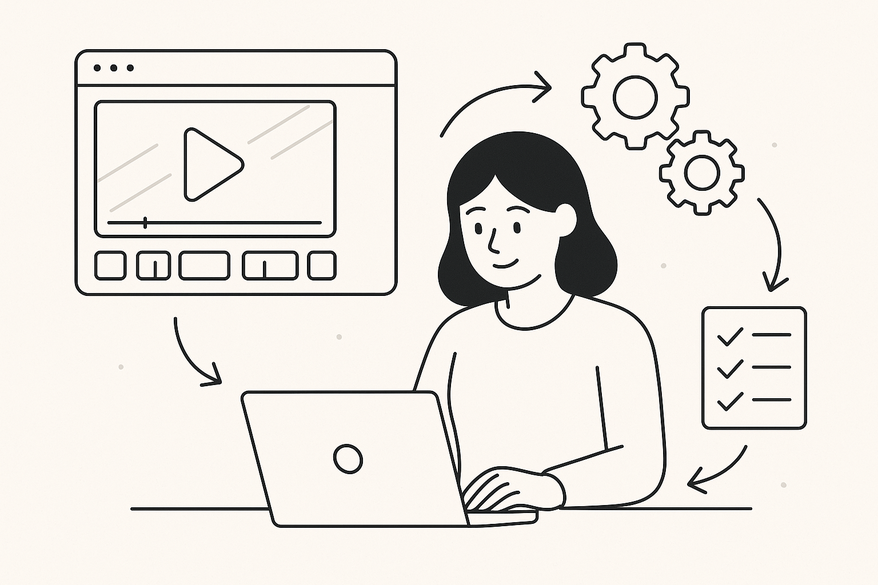
Estimated reading time: 8 minutes
Key Takeaways
- Vidulk Zapier integration combines AI-powered clipping with no-code automation.
- Automated triggers and actions streamline video processing and posting.
- Customizable workflows support batch processing, captions, and social sharing.
- Scalable solution for agencies and creators to save hours of manual work.
Table of Contents
- Introduction
- 1. Overview of Vidulk and Zapier
- 2. Key Features of the Integration
- 3. Step-by-Step Setup Process
- 4. Use Cases and Practical Applications
- 5. Benefits and Advantages
- 6. Troubleshooting and Best Practices
- Conclusion
Vidulk Zapier integration connects Vidulk’s AI-powered video clipping tool with Zapier’s no-code automation platform. This compatibility enables automated workflows to process, clip, and post video snippets across apps without manual steps. Early adoption of this integration boosts automation and workflow efficiency, saving content creators hours otherwise spent on repetitive tasks. Modern video producers scale output, maintain consistency, and focus on creative strategy rather than tedious uploads or captioning.

For on-the-go creators who need a lightweight, mobile-first experience, consider Vidulk - AI Video Clipping App, which brings AI-powered clipping and thumbnail generation directly to your device.
By streamlining video processing with robot-like precision, you free time for high-value work. Let’s explore how to set up and maximize Vidulk Zapier integration.
1. Overview of Vidulk and Zapier
Vidulk and Zapier form a powerful duo for video automation.
What is Vidulk?
- AI video clipping tool that auto-detects highlights
- On-device AI image generation for custom thumbnails
- High-volume scalability for agencies and influencers
- API integrations and native Zapier support
What is Zapier?
- No-code connector across 9,000+ apps
- Builds “Zaps” combining triggers, actions, and filters
- Leverages AI tools for data syncing and content automation
How the Integration Works
- Connect Vidulk to Zapier’s ecosystem via API or native connector
- Automate video uploads, clipping, and distribution (learn how AI clipping works)
- Similar workflows exist for Opus Clip or Vocal Video integrations
Real-World Example
A digital agency uses Vidulk Zapier integration to auto-upload raw webinar footage to Vidulk, auto-generate 10 highlight clips, and push them to Dropbox, Twitter, and a CRM—all within minutes of recording.
2. Key Features of the Integration
Vidulk Zapier integration delivers core functionalities that drive productivity and reduce repetitive work.
Main Functionalities
- Trigger-based clipping: “New File in Dropbox” triggers Vidulk to create clips automatically.
- Batch processing: Monitor a folder to batch-process incoming video files (see batch video clipping AI guide).
- Customizable workflows: Apply filters on file type, tags, duration, or metadata.
Productivity Enhancements
- Auto-captioning: Leverage speech-to-text AI to generate subtitles without manual transcription (see AI audio transcription clipping guide).
- Auto-posting: Instantly share clips to social platforms like LinkedIn, Twitter, or TikTok.
- Data syncing: Push clip metadata to Google Sheets or CRM for performance tracking.
Trigger and Action Configuration
- Select a trigger (e.g., “New File in Dropbox”).
- Choose an action (e.g., “Create Clip in Vidulk”) via API/Webhook.
- Use no-code builder to map fields, add conditions, and chain multi-step workflows.
- Preview clips, adjust filters, and deploy.
By combining Vidulk’s AI-driven clipping with Zapier’s workflow automation, teams regain hours per week previously lost to manual editing and posting.
3. Step-by-Step Setup Process
Follow these steps to launch Vidulk Zapier integration in minutes.
Prerequisites
- Active Vidulk account (paid plan may be needed for API access)
- Zapier account (free plan supports basic Zaps; premium for multistep or higher volume)
- Connected apps (e.g., Dropbox, Google Drive, LinkedIn, Twitter)
Step 1: Find Vidulk in Zapier
- Log into Zapier dashboard
- Search “Vidulk” or use a custom API/webhook Zap template
Step 2: Build a New Zap
- Trigger: Select “New File in Dropbox” or similar trigger
- Action: Choose “Create Clip in Vidulk” via API/Webhook
Step 3: Authenticate Vidulk
- Input your Vidulk API key or connect via OAuth
- Confirm permissions for clip creation and metadata exchange
Step 4: Add Filters and Multi-Step Actions
- Use filters (e.g., only process .mp4 files)
- Chain actions: auto-post to social, send metadata to Google Sheets
Step 5: Test & Enable
- Run test with a sample file
- Review clip output in Vidulk dashboard
- Enable Zap; monitor runs in Zapier’s Task History tab
- Adjust settings and explore prebuilt templates on Vidulk’s blog
This setup process harnesses workflow templates to automate video clipping pipelines, enabling content teams to go from upload to distribution without manual intervention.
4. Use Cases and Practical Applications
Vidulk Zapier integration spans marketing, data sync, and scalable workflows.
Marketing Automation
- Auto-clip Zoom webinar highlights, add captions, post to LinkedIn and Twitter.
- Syndicate TikTok-ready snippets to social calendars.
Data Synchronization
- Export clip metadata to Google Sheets for performance dashboards.
- Create HubSpot CRM records tagged with clip URL and engagement data.
- Backup clips to Google Drive or Dropbox for archiving.
Agency Content Workflows
- Bulk upload raw footage to Vidulk; auto-generate dozens of clips.
- Distribute final clips to Shopify product pages or email newsletters.
- Scale social media campaigns by piping clips into scheduling tools.
Practical Example
A boutique marketing agency uses Zapier to funnel raw brand videos into Vidulk. After AI clipping, each highlight is tagged automatically and sent to Mailchimp for weekly newsletter inclusion. This saves 10+ hours per week and ensures brand consistency.
5. Benefits and Advantages
Embracing Vidulk Zapier integration unlocks key advantages.
- Time Savings
Eliminates manual uploads, clipping, transcription, and posting. Saves content teams 5–10 hours weekly on repetitive tasks. - Scalability
Batch processing handles high-volume video queues cost-effectively. Ideal for agencies, enterprises, and large influencer networks. - Efficiency Improvements
Consistent clip quality: AI ensures uniform formatting and captioning. Workflow orchestration: multi-step Zaps combine clip creation, tagging, and distribution. - Integration Flexibility
Connect Vidulk clips to virtually any app supported by Zapier. Use webhooks for custom endpoints if direct app integration is unavailable.
6. Troubleshooting and Best Practices
Optimize your Vidulk Zapier integration with these tips and fixes.
Common Issues & Fixes
- Authentication failures
Verify API key accuracy. Re-authorize Vidulk OAuth if needed. - Trigger delays
Upgrade to Zapier premium for faster polling intervals. Use push webhooks to eliminate polling lag. - Unsupported actions
Employ Zapier webhooks as fallback. Combine Zapier Code steps for custom scripting.
Optimization Tips
- Start with prebuilt templates: reduces setup time and errors.
- Test with small batches: validate clip settings before scaling.
- Apply filters: avoid processing irrelevant files (e.g., non-.mp4).
- Monitor task history: set up email or Slack alerts on failures.
Support Resources
- Vidulk blog tutorials:
- Zapier community forums:
- Vocal Video integration guide
Conclusion
Vidulk Zapier integration empowers creators and teams with automated video workflows that boost productivity, scalability, and efficiency. By linking Vidulk’s AI video clipping capabilities with Zapier’s no-code automation, you:
- Save hours on manual editing, uploading, and captioning
- Scale content pipelines for high-volume needs
- Maintain enterprise-grade security across 9,000+ apps
Streamlining video clipping and distribution frees you to focus on creative strategy and storytelling. Ready to transform your video workflows? Sign up for Zapier, explore Vidulk’s integration templates, and start automating your video production today!
Source: Ultimate Auto-Post Video Clips
FAQ
- What do I need to get started? You need an active Vidulk account, a Zapier account, and any connected apps like Dropbox or Google Drive.
- Can I batch process multiple videos at once? Yes, use batch processing workflows in Zapier to handle high-volume video queues automatically.
- Where can I find more resources? Check the Vidulk blog, Zapier community forums, and the Vocal Video integration guide for tutorials and templates.



