
Create Shareable Video Snippets with AI: The Ultimate Guide
Learn how to create shareable video snippets with AI using tools like Vidulk. Clip, caption, and optimize videos for TikTok, Reels, Shorts, and LinkedIn.

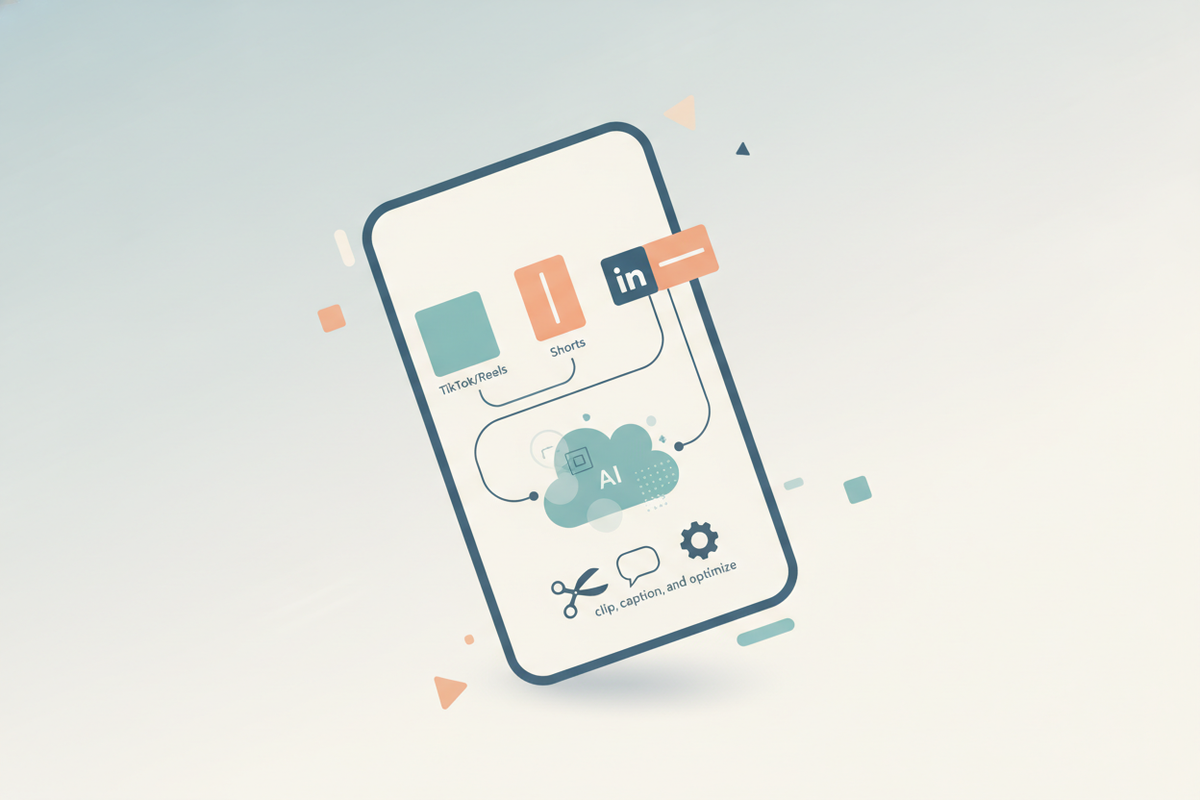
Estimated reading time: 16 min
Key Takeaways
- AI video clipping tools automatically find and extract the best moments from long videos for shareable snippets, saving hours of manual work.
- Auto captioning and subtitle generation are essential for engagement and accessibility, increasing watch time and reach across platforms.
- Optimizing clips for TikTok, YouTube Shorts, Instagram Reels, and LinkedIn requires attention to format, length, metadata, and platform-specific viewer behaviors.
- Repurposing webinars, podcasts, and interviews into multiple short clips drives reach, engagement, and improves content ROI by reusing existing assets.
- Measuring clip performance through detailed analytics helps refine content strategy and maximize impact, enabling data-driven decisions.
Table of Contents
- Section 1: What AI Video Clipping Tools Do and Who They’re For
- Section 2: How AI Finds the Best Moments in Long Videos
- Section 3: Short-Form Clip Formats for TikTok, Reels, Shorts, and LinkedIn
- Section 4: Key Features to Compare in AI Video Clipping Tools
- Section 5: Turning Webinars, Podcasts, and Tutorials into Shareable Snippets
- Section 6: Optimizing Clips for Search and Social Discovery
- Section 7: Measuring Clip Performance and Distribution Strategies
Conclusion
FAQ
Section 1: What AI Video Clipping Tools Do and Who They’re For
Understanding AI Video Clipping
AI video clipping tools like Vidulk use advanced machine learning algorithms and natural language processing to analyze long-form videos such as podcasts, interviews, lectures, webinars, and even live recordings. These tools automatically identify the most engaging, informative, or relevant moments by evaluating both audio and visual data streams. They then extract these moments into short, vertical video snippets optimized for social sharing on platforms where bite-sized content thrives.
Unlike manual editing, which can take hours per video, AI clipping tools streamline the entire process, enabling creators to produce dozens or even hundreds of clips from a single long video in minutes. For example, a 60-minute webinar can be turned into 15-20 shareable clips that highlight key takeaways, testimonials, or Q&A segments.
Who Benefits from AI Clipping Tools?
- Content Creators and Influencers: Quickly generate bite-sized videos for platforms like TikTok, Instagram Reels, and YouTube Shorts without manual editing expertise. For instance, a fitness influencer can transform a 30-minute workout session into multiple 30-second clips targeting different exercises or tips.
- Marketing Teams: Repurpose long webinars, product demos, or explainer videos into multiple promotional clips that boost engagement across channels. Marketing teams can schedule these clips strategically to maintain audience interest over time.
- B2B and SaaS Companies: Share product insights, customer success stories, and educational content in digestible formats across LinkedIn and YouTube Shorts, increasing brand awareness and lead generation.
- Educators and Podcasters: Highlight key lessons, memorable quotes, and soundbites for wider reach and accessibility, expanding their listener or student base.
- Media and News Outlets: Extract newsworthy highlights and soundbites for social media distribution, increasing real-time engagement.
Benefits Over Manual Editing
Traditional video editing requires technical skills, software proficiency, and significant time investment. AI clipping tools offer several advantages:
- Automated Highlight Detection: Utilizing speech recognition, sentiment analysis, and visual cues, AI pinpoints valuable content without manual review.
- Automatic Captioning and Subtitles: Many platforms auto-play videos muted, so automatically generated captions enhance viewer comprehension and accessibility, including compliance with ADA standards.
- Multi-Platform Formatting: AI tools automatically adjust aspect ratios, clip lengths, and metadata to meet each social platform's specifications, ensuring maximum reach and engagement.
- Batch Processing: Users can upload large volumes of content and generate hundreds of clips with minimal intervention.
- Cost and Time Efficiency: Reduces reliance on dedicated editors and accelerates content turnaround, enabling faster marketing cycles.

For a detailed walkthrough, see our post on AI Video Clip Generator: Transform Long Videos with AI.
Section 2: How AI Finds the Best Moments in Long Videos
Speech and Keyword Detection
AI video clipping tools first convert spoken audio into text transcripts using advanced speech-to-text engines that support multiple languages and accents. Once transcribed, natural language processing (NLP) algorithms analyze the transcript to detect keywords, phrases, sentiment, and calls to action. For example, AI may flag moments where the speaker says "don’t miss this," "important tip," or "key takeaway."
Some tools also detect emotionally charged language or unique phrases that tend to resonate with audiences, ensuring these moments are captured. Additionally, AI can recognize question-and-answer segments or moments when a guest shares a personal story, which often perform well as standalone clips.
Visual and Audio Cues
Beyond transcripts, AI evaluates visual elements such as facial expressions, hand gestures, scene changes, and speaker movement. For example, smiles, laughter, or surprised reactions often correlate with engaging clips. Audio analysis detects changes in volume, pitch, and intensity, which may indicate excitement or emphasis.
For instance, a spike in audio volume accompanied by a close-up shot may signal a highlight moment worth clipping. Scene detection algorithms identify transitions or chapter markers, helping isolate self-contained segments within a longer video.
User Behavior and Engagement Signals
More sophisticated AI clipping tools incorporate historical data on viewer engagement to refine their selections. By analyzing which segments of past videos received higher watch percentages, likes, or shares, the AI learns to predict clips likely to perform well. This feedback loop improves clipping accuracy over time, tailoring output to audience preferences.
Scene Detection and Segmenting
AI divides videos into logical chapters or scenes by detecting topic shifts, speaker changes, or pauses. These segments provide natural breakpoints for clips, ensuring each snippet conveys a coherent idea or story. For example, a 60-minute webinar might be segmented into introduction, three key points, Q&A, and conclusion, with clips drawn from each.
Vidulk leverages a combination of these techniques — speech analysis, visual recognition, engagement data, and scene segmentation — to automatically generate viral clips. This multi-layered approach saves creators hours in the editing room while maximizing content impact.
Section 3: Short-Form Clip Formats for TikTok, Reels, Shorts, and LinkedIn
Platform-Specific Format Requirements
- TikTok and Instagram Reels: Require vertical 9:16 aspect ratio videos, typically up to 60 seconds in length. Captions should be large and clear to support silent viewing. TikTok also favors trending sounds and hashtags, so integrating these elements can boost discoverability.
- YouTube Shorts: Support vertical or square aspect ratios (9:16 or 1:1), with a maximum length of 60 seconds. Engaging thumbnails and metadata, including titles and tags, influence search visibility and click-through rates.
- LinkedIn: Allows vertical or horizontal videos, usually between 30-90 seconds, with a professional style. Subtitles are critical as many users watch videos muted in office environments. LinkedIn content often benefits from a clear call-to-action or thought leadership tone.
Length and Content Considerations
While platforms allow clips up to 60 seconds, data shows that clips between 15 and 30 seconds often achieve higher completion rates and shares. Shorter clips respect viewers’ limited attention spans and encourage repeat views. However, key exceptions exist — for example, educational or tutorial content may benefit from slightly longer clips (45-60 seconds) to fully explain a concept.
Content should hook viewers within the first 3 seconds, using dynamic visuals or intriguing statements. A good practice is to preview the clip’s value proposition early, like "Here’s how to double your productivity in 30 seconds."
Captioning and Subtitles for Engagement
Captions significantly improve engagement and accessibility. Studies show that over 85% of social media videos are watched without sound, making clear subtitles essential. AI-powered auto caption features not only generate text accurately but also synchronize timing precisely with spoken words.
Customizing caption style — such as font size, color contrast, and positioning — can further enhance readability. Vidulk’s tools allow users to adjust these settings easily, ensuring captions do not obscure important visuals while remaining visible.
Example: How to Add Captions to Reels
Most AI clipping tools enable one-click subtitle addition. The typical workflow is:
- Upload your video or paste a link.
- The tool transcribes audio and auto-generates captions.
- Users review and edit captions if needed, adjusting style and placement.
- Export the clip ready for posting, with embedded captions or separate subtitle files.
Vidulk’s mobile app simplifies this process, enabling creators to create shareable video snippets with AI directly on their phones, with captions ready for immediate posting and no desktop software required.
Section 4: Key Features to Compare in AI Video Clipping Tools
Auto Caption and Subtitle Generation
High-quality automatic captioning is a must-have. Look for tools that support multi-language transcription, punctuation, and speaker identification. The ability to edit captions after auto-generation ensures accuracy and compliance. Additionally, some tools generate subtitle files (e.g., SRT, VTT) for platforms that support them separately.
Face Tracking and Scene Detection
Face tracking technology keeps the speaker centered in the frame, especially important when converting horizontal videos to vertical formats. This prevents awkward cropping and improves viewer experience. Scene detection segments videos into meaningful chapters, enabling more targeted clipping and smoother transitions.
Templates and Aspect Ratio Support
Templates accelerate clip creation by providing pre-built layouts, animations, and branding elements like logos and color schemes. Support for multiple aspect ratios (9:16, 16:9, 1:1) ensures clips are optimized for each platform’s best practices, avoiding manual resizing.
Customization and On-Device Editing
Some advanced apps like Vidulk offer AI Studios that generate and enhance images or add animated overlays, making clips more visually appealing. On-device editing allows faster processing times and enhanced privacy since videos don’t need to upload to servers during editing.
Integration and Export Options
Seamless integration with social media platforms enables direct publishing from the app, bypassing manual uploads. Export options should include multiple file formats and resolutions to suit different channels and devices. Batch export capabilities save time when working with numerous clips.
For more on comparing tools, read our comprehensive guide on the best AI clip generator features.
Section 5: Turning Webinars, Podcasts, and Tutorials into Shareable Snippets
Why Repurpose Long-Form Content?
Long-form content like webinars, podcasts, and tutorials often contain rich information but may not suit the fast-paced consumption habits of social media users. Repurposing these into short clips allows brands and creators to:
- Increase Reach: Short clips are more shareable and discoverable on social platforms.
- Boost Engagement: Bite-sized content encourages more views, likes, and comments.
- Improve ROI: Maximize use of existing content assets without producing new videos.
- Support Diverse Audiences: Cater to viewers with limited time or specific interests by clipping targeted segments.
Step-by-Step Process Using AI Tools
- Upload or Link Your Content: Start by uploading your video file or pasting a URL if supported (e.g., YouTube or Vimeo links).
- Auto-Detection of Highlights: The AI scans the video for key moments using speech, visual, and engagement cues.
- Clip Generation and Captioning: The tool automatically generates snippets with captions, allowing manual customization such as trimming, text overlays, or branding.
- Export and Schedule: Export clips in platform-optimized formats and schedule posts using social media management tools to maintain consistent presence.
Use Cases for Different Content Types
- Podcasts: Extract memorable quotes, debates, or key points into 15-30 second soundbite clips. For example, a tech podcast might highlight a guest's insight on cybersecurity trends.
- Interviews: Highlight impactful answers, personal anecdotes, or emotional moments to humanize the content and engage viewers.
- Tutorials: Share quick tips, hacks, or step-by-step how-tos in digestible clips that drive educational engagement.
- Webinars: Feature key insights, expert panel discussions, or Q&A segments, making the content accessible to those who missed the live event.
Vidulk’s AI-powered workflow makes this process seamless, allowing creators to focus on content quality rather than tedious editing, and enabling teams to scale their video marketing efficiently.
Section 6: Optimizing Clips for Search and Social Discovery
Effective Titles and Descriptions
AI can generate compelling, keyword-rich titles and descriptions that align with SEO best practices and platform algorithms. For example, an AI tool might suggest titles like "Top 5 Productivity Hacks from Our Webinar" or "How to Boost Sales with AI – Quick Tips." Well-crafted titles improve click-through rates and help videos appear in relevant search results.
Transcripts and Metadata
Including full transcripts and rich metadata enables platforms to index content more thoroughly, improving accessibility and rankings. Transcripts also support closed captioning and provide additional context for search engines. Metadata fields can include tags, categories, topics, and timestamps aligned with clip content.
Hashtags and Tags
Using relevant hashtags and tags tailored by AI tools can increase reach within target audiences on TikTok, Instagram, LinkedIn, and YouTube. For example, hashtags like #ProductivityTips or #MarketingStrategy can target niche communities. AI tools analyze trending hashtags and suggest ones aligned with clip topics for optimal exposure.
Thumbnail Selection
Thumbnails are the visual gateway to your clips. AI-powered tools can automatically select or generate thumbnails that are visually striking and relevant. On YouTube Shorts and LinkedIn, an eye-catching thumbnail with clear text overlay can significantly increase click-through rates. Custom thumbnails can also reinforce branding consistency.
Learn more about optimizing your clips in our step-by-step guide to making AI video clips.
Section 7: Measuring Clip Performance and Distribution Strategies
Key Metrics to Track
- Views: Total watches across platforms indicate the clip’s reach. Monitoring trends over time can reveal seasonality or viral spikes.
- Watch Time: Average duration viewers watch clips shows engagement depth. High watch time typically correlates with content quality.
- Engagement: Likes, comments, shares, and saves reflect audience interaction and content virality potential.
- Conversions: Click-throughs to websites, sign-ups, or product purchases generated by clips help measure business impact.
Using Analytics to Refine Content
Detailed analytics dashboards allow creators to identify which topics, formats, or clip lengths perform best. For example, if clips featuring customer testimonials yield higher engagement, marketers can prioritize those. Insights can guide adjustments in clipping strategies, posting times, and platform focus.
Some AI tools apply predictive analytics to recommend future content themes or optimal posting schedules, further enhancing performance.
Publishing and Distribution Best Practices
- Cross-Platform Sharing: Tailor clips to each platform’s format and audience preferences. For example, a more casual style on TikTok versus professional tone on LinkedIn.
- Consistent Posting Schedule: Maintain regular clip releases to build momentum and audience expectation, such as posting 3-5 clips weekly.
- Leverage Blogs and YouTube: Embed clips in blog posts or compile them into themed YouTube playlists to extend reach and provide deeper context.
- Engage with Comments: Responding to viewer comments can boost algorithmic visibility and foster community.
Vidulk supports exporting clips optimized for multiple platforms and integrates with scheduling tools, making distribution efficient and effective.
Conclusion
Creating shareable video snippets with AI is a game-changer for content creators, marketers, and businesses looking to maximize their video impact without the hassle of manual editing. AI clipping tools like Vidulk not only identify the best moments from long-form content but also automate captioning, formatting, and optimization for platforms like TikTok, Instagram Reels, YouTube Shorts, and LinkedIn.
By leveraging these tools, you can repurpose webinars, podcasts, interviews, and tutorials into engaging, accessible snippets that boost reach and engagement. Additionally, integrating SEO-friendly metadata and tracking performance metrics helps refine your strategy and grow your audience.
Explore Vidulk today to start transforming your long videos into viral clips effortlessly at Vidulk.
FAQ
Q: How do you create shareable video snippets with AI?
A: You upload or paste a link to your long video into an AI clipping tool, which automatically detects highlights using speech and visual analysis, clips them into short videos, adds accurate captions, and formats them for social platforms. Some tools also suggest titles, hashtags, and thumbnails to optimize discoverability.
Q: What is the best AI tool for clipping long videos into short clips?
A: Vidulk is one of the best AI clip generators, offering automatic clipping, captioning, multi-platform formatting, and on-device editing on mobile devices, enabling creators to produce viral clips quickly and easily.
Q: How does AI choose the best parts of a video to clip?
A: AI analyzes speech transcripts for keywords and emotional tone, visual cues like facial expressions and scene changes, and engagement data from prior videos to identify moments with high value or emotional impact, ensuring clips resonate with audiences.
Q: Can AI generate captions and titles for video snippets automatically?
A: Yes, many AI video clipping tools auto-generate accurate captions synchronized with audio and can suggest SEO-optimized titles and descriptions to improve search rankings and social media discoverability.
Q: What kind of videos work best for AI clip generators?
A: Long-form content such as podcasts, interviews, webinars, tutorials, and lectures are ideal for AI clipping and repurposing into short snippets because they contain multiple valuable segments that can be isolated for targeted sharing.
Q: How do you optimize AI-generated clips for TikTok, YouTube Shorts, and LinkedIn?
A: Use platform-specific aspect ratios (vertical 9:16 for TikTok/Reels/Shorts), keep clips between 15 to 30 seconds for maximum engagement, add clear captions, optimize titles and hashtags with AI suggestions, and ensure clips hook viewers within the first few seconds.



