
Vidulk vs Premiere Rush AI Clipping: Best for Business Video Repurposing
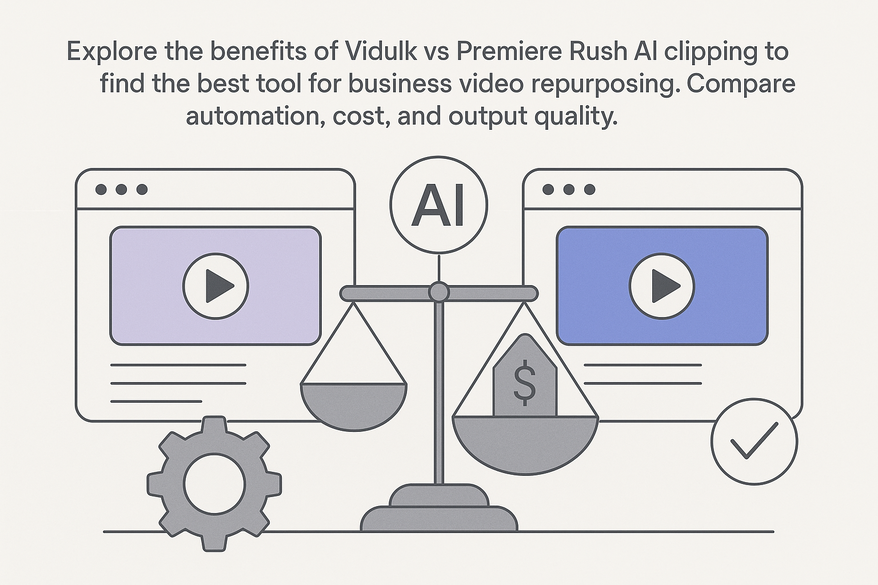
Explore the benefits of Vidulk vs Premiere Rush AI clipping to find the best tool for business video repurposing. Compare automation, cost, and output quality.

Estimated reading time: 3 minutes
Key Takeaways
- Vidulk automates highlight extraction and bulk processing for rapid ROI.
- Flat-rate $29/month pricing with unlimited exports, trimming, captions, and formatting.
- Premiere Rush offers intuitive drag-and-drop editing, Adobe Sensei auto-reframe, and Creative Cloud sync.
- Vidulk best suits solopreneurs and small businesses; Premiere Rush favors teams needing advanced branding and collaboration.
- Side-by-side comparison helps choose based on speed, cost, scalability, and creative control.
Table of Contents
- Overview of Vidulk
- Overview of Premiere Rush
- Detailed Feature-by-Feature Comparison
- Case Studies & User Reviews
- Final Verdict & Recommendations
- FAQ
Vidulk vs Premiere Rush AI clipping is a vital comparison for businesses evaluating automated video highlight extraction tools. In a commercial investigation, decision-makers research solutions to adopt or purchase for business video repurposing, comparing cost, speed, scalability, and ROI. Examining platforms side by side helps enterprises choose a solution that saves hours and dollars while delivering polished social media assets—whether you’re repurposing webinars or turning keynote recordings into branded clips. For an in-depth look at other top automation options, be sure to check out the best AI video repurposing tools.
Overview of Vidulk – Vidulk vs Premiere Rush AI clipping
Vidulk is an AI-powered video repurposing platform designed to automate highlight extraction from long-form content for social media. It uses audio-cue detection, filler-word removal, one-click reformatting to 9:16 and 1:1, bulk processing, and auto-caption generation to boost accessibility and SEO. Pricing is simple—a flat rate of $29/month for unlimited exports, trims, captions, and reformatting—making it ideal for solopreneurs and small teams.
- Audio-cue detection based on volume spikes and sound events
- Filler-word removal (“um,” “uh,” long pauses) for cleaner edits
- Auto-caption generation to boost accessibility and SEO
- One-click reformatting to 9:16 (Stories) or 1:1 (Feed) aspect ratios
- Bulk processing mode to handle multiple files at once

Strengths: lightning-fast bulk processing, minimal user input, consistent time savings. Limitations: fewer style presets, no advanced branding templates or social scoring metrics, basic support via documentation and Slack community. For perspective on repurposing YouTube videos to Instagram. If you want to explore more about how AI tools can streamline your workflow, see our ultimate guide to AI video tools for creators.
Overview of Premiere Rush – Vidulk vs Premiere Rush AI clipping
Adobe Premiere Rush is a cross-platform editor optimized for quick, beginner-friendly social media clips. While it lacks dedicated AI clipping, it leverages Adobe Sensei for auto-reframe, has an intuitive drag-and-drop timeline, built-in asset library, and cross-device project sync with free cloud storage. Pricing starts with a free tier and scales to $9.99/month standalone or as part of Creative Cloud.
Detailed Feature-by-Feature Comparison
| Feature | Vidulk | Premiere Rush |
|---|---|---|
| AI Performance | Automated detection of best moments, filler removal, auto-captions | Manual trimming with Sensei-powered auto-reframe only |
| User-Friendliness | One-click repurpose for non-editors | Intuitive GUI but requires timeline adjustments |
| Integration | Direct social outputs | Seamless Creative Cloud sync, shared libraries |
| Output Quality | Basic branding, no advanced motion design | Polished graphics, transitions, audio mixing |
| Processing Speed | Bulk processing in minutes | Standard rendering times |
| Scalability | Ideal for solos and small-scale | Suited for small teams via cloud workflows |
Case Studies & User Reviews
Vidulk Use Case: A solo business coach repurposed a 5-hour webinar into 30 social shorts in under 10 minutes, boosting Reel engagement by 40%.
Premiere Rush Use Case: A marketing team created polished IG Stories on the fly, syncing assets between iPhone and desktop for brand consistency.
Final Verdict & Recommendations
Key Findings: Vidulk excels in automation speed, bulk AI clipping, and cost efficiency. Premiere Rush excels in manual polish, Adobe integration, and creative control. Solopreneurs & Small Businesses: Vidulk for rapid ROI and minimal learning curve. Creative Agencies & Teams: Premiere Rush for collaboration and branded assets.
For trial advice, test Premiere Rush’s auto-reframe on a free plan and compare with Vidulk’s flat-rate trial to measure processing time and output quality. If you want to see how Vidulk stacks up against other leading AI clippers, check out our Vidulk vs CapCut AI Clipper comparison.
In daily workflows, many teams also leverage Vidulk - AI Video Clipping App for its streamlined AI highlighting, bulk templating, and on-device AI Studio enhancements.
FAQ
- What is the main difference between Vidulk and Premiere Rush in AI clipping?
Vidulk offers fully automated highlight extraction, bulk processing, and auto-captioning, while Premiere Rush relies on manual trimming with Adobe Sensei auto-reframe for individual clips. - How much does Vidulk cost compared to Premiere Rush?
Vidulk charges a flat rate of $29/month for unlimited exports, trims, and captions. Premiere Rush has a free tier and a $9.99/month standalone plan or is included with Adobe Creative Cloud subscriptions. - Can I use Premiere Rush for bulk video processing?
Premiere Rush does not support bulk processing natively. It focuses on single-project workflows, whereas Vidulk is built for processing multiple files simultaneously. - Which tool is better for beginners versus professional teams?
Beginners and solo creators benefit from Vidulk’s one-click automation. Professional teams and agencies may prefer Premiere Rush for its advanced branding templates, cross-device sync, and Creative Cloud integration.



