
AI Video Clip Filter Generator: The Ultimate Guide to Automated Video Effects
Discover how the AI video clip filter generator automates video effects, enhancing efficiency and creativity for content creators.

Estimated reading time: 15 minutes
Key Takeaways
- Democratizes professional editing by automating filters and effects.
- Diffusion models and vision encoders ensure realistic, temporally consistent results.
- Boosts efficiency with up to 60% reduction in post-production time.
- Seamless integration via plugins and adjustment layers for major editing suites.
- Wide applicability from social media to film production and e-commerce.
Table of Contents
- How It Works with AI Video Clip Filter Generator
- Benefits of Using an AI Video Clip Filter Generator
- Key Features and Functionalities
- Use Cases and Applications
- Integration with Existing Video Editing Tools
- Future Trends and Developments
- Conclusion
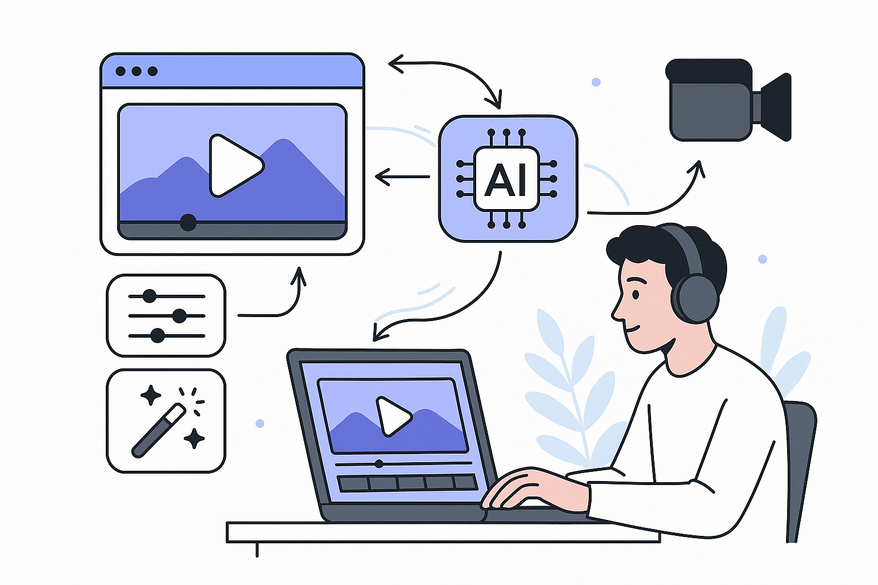
An AI video clip filter generator is an AI-powered tool that automatically applies visual effects, filters, and enhancements to video content with minimal user intervention. In today’s digital media landscape, creators demand scalable, high-quality video editing to stand out on social media, marketing campaigns, and film production. An AI video clip filter generator democratizes professional-grade editing by reducing manual effort, shortening learning curves, and delivering consistent results. Whether you’re new to video editing or an experienced producer, understanding how AI video clip filter generators fit into the video editing workflow can transform your content creation process.

For example, with Vidulk - AI Video Clipping App, creators can seamlessly generate highlight clips and experiment with AI-powered filters—all within one intuitive interface that balances automation with creative control.
Section 1: How It Works with AI Video Clip Filter Generator
1.1 Underlying AI Technology
- Diffusion models
- Neural networks trained to reverse a noise corruption process on video frames
- Learns to denoise and reconstruct high-quality visuals from noisy inputs
- Key research: Denoising Diffusion Probabilistic Models – Ho et al., 2020 - Vision encoders & embeddings
- Converts video frames into numerical vectors capturing color, texture, and shape
- Uses models like OpenAI CLIP to align visual and textual information
- Enables precise filter application based on visual features
- Source: OpenAI CLIP paper - Multi-modal AI understanding
- Integrates language models (for text prompts) with vision models (for frame analysis)
- Interprets natural-language filter requests (e.g., “apply cinematic teal-orange grade”)
- Bridges text-to-video editing via joint embeddings
- Source: OpenAI CLIP paper
1.2 Process Flow from Input to Output
This subsection outlines the video processing workflow in an AI video clip filter generator.
- Input Encoding
• Upload video clip (recommend ≥1 minute for best results)
• Provide optional text prompt to guide style and mood
• AI analyzes motion vectors, lighting distribution, and scene composition - Filter Processing
• Diffusion model applies filters frame-by-frame
• Ensures temporal consistency via motion tracking and object stability
• Maintains smooth transitions and reduces flicker - Rendering & Post‐Processing
• Renders at desired resolution and framerate (HD, 4K, 60fps)
• Applies color correction, upscaling, and noise reduction
• Optionally enhances audio (denoising, soundtrack matching)
Section 2: Benefits of Using an AI Video Clip Filter Generator
2.1 Efficiency Improvements
- Time savings
- Manual filter stacking and keyframe editing reduced from hours to minutes
- Automated render queues free up creative time - Batch processing
- Apply identical filters across multiple clips simultaneously
- Consistent look across series or episodes - Reduced learning curve
- Novice users achieve broadcast-quality results without deep technical skills
- Intuitive interfaces replace complex software configurations
2.2 Creative Possibilities
- Dynamic visual effects
- Cinematic-quality filters (color grading, lighting simulation) delivered via automated pipelines
- Realistic volumetric lighting and shadow rendering - Consistent branding
- Maintain uniform visual style across entire video library
- Custom presets ensure brand guidelines compliance - Experimentation & A/B testing
- Rapidly generate multiple filter variations for comparison
- Data-driven selection based on viewer engagement metrics
Section 3: Key Features and Functionalities
3.1 Automated Clip Highlighting & Selection
- High-impact moment detection
- AI analyzes audio peaks, motion intensity, and scene changes
- Auto-creates short-form clips for TikTok, Reels, and Shorts - Social media clips
- Platform-specific aspect ratios (9:16, 1:1) applied automatically
3.2 Multiple Generation Modes
- Fast Mode
- Quick, lower-resolution previews for rapid iteration
- Ideal for rough drafts and internal reviews - Pro Mode
- Balanced quality with smooth tracking, natural lighting, and refined detail
- Suitable for client deliveries and pitches - Ultra Mode
- Cinematic output with ray tracing, volumetric effects, advanced color grading
- Best for final productions and high-budget projects
3.3 Filter Customization Options
- Lighting simulation
- Adjust shadows, highlights, volumetrics, and simulated lens flares - Color grading
- Tone mapping, LUT integration, dynamic range adjustments
- See AI Video Color Correction Revolution - Motion effects
- Temporal controls for slow motion, speed ramps, and motion blur - Resolution scaling
- Upscale standard footage to 4K or higher without quality loss
3.4 Caption & Text Integration
- Auto-generated captions
- Speech-to-text algorithms produce accurate subtitles - Custom overlays & watermarking
- Add branded lower-thirds, logos, and callouts - Multi-language subtitle support
- Translate captions into multiple languages automatically
3.5 Audio Enhancement
- AI-matched soundtracks
- Select background music that matches video mood and tempo - Voice synthesis
- Generate custom voiceovers using realistic text-to-speech models - Sound-effect layering
- Layer environment sounds or SFX automatically synced to video events
Section 4: Use Cases and Applications
4.1 Social Media Content Creation
Short-form video dominates social platforms. AI video clip filter generators help creators:
- Produce bite-sized clips for TikTok, Instagram Reels, YouTube Shorts
- Maintain branded filters across all channels
- 3–5× faster production cycles (See how AI video clipping works)
4.2 Film & Video Production
- Professional-grade effects without hiring large VFX teams
- Visual storyboarding by applying filters to test shots
- Consistent color pipelines from dailies to final cut
4.3 Advertising & Marketing
- Dynamic product demos with automated camera moves and lighting
- Personalized campaign variants based on customer segments
- Faster turnaround for time-sensitive promotions
4.4 E-Commerce
- Automated product animations and 360° rotations
- Before/after comparisons with unified styling
- Bulk processing of hundreds of SKUs
4.5 Education & Training
- Highlight key lecture moments for revision bite videos
- Polish instructional demos with professional filters
- Generate accessible content with captions and translations
4.6 Real-World Impact Metrics
- Up to 60% reduction in post-production time
- Uniform branding across hundreds of clips
- Improved team scalability without hiring additional editors
Section 5: Integration with Existing Video Editing Tools
5.1 Compatibility Overview
AI video clip filter generator tools can operate standalone or as plugins:
- Standalone platforms (Adobe Express, Pixlr AI Video Generator) export finished files
- Integrated plugins for Adobe Premiere Pro, DaVinci Resolve, Final Cut Pro
- Seamless handoff between AI filter generation and manual editing
5.2 Workflow Integration
- Filters as adjustment layers—original footage remains untouched; effects are reversible
- Export formats—MP4, ProRes, H.264 compatible with professional color grading and sound mixing
5.3 Ease of Use & Learning Curve
- Three-step simplicity
1. Upload video
2. Select generation mode
3. Generate & download - Built-in tutorials and preset templates
- Active community forums for peer support
Section 6: Future Trends and Developments
6.1 Real-Time Processing
- On-camera AI modules for instant stylization
- Reduced latency for virtual production and live broadcasting
6.2 Enhanced Motion Prediction
- Advanced tracking algorithms for multiple moving subjects
- Preservation of fine details under extreme motion
6.3 Semantic Understanding
- Emotional analysis to match filters to scene mood
- Automatic style recommendations driven by script and storyboard metadata
6.4 Cross-Platform Optimization
- Dynamic aspect ratio cropping (16:9, 9:16, 4:5)
- Auto-encoding for platform-specific codecs and bitrates
6.5 Hyper-Personalization
- Built-in A/B testing frameworks for filter performance
- Algorithmic adjustments based on viewer demographics and engagement
6.6 Ongoing Research Directions
- Physics-based rendering for realistic light-material interactions
- Multi-modal training combining video, audio, and text
- Energy-efficient architectures to lower computational costs
- Bias mitigation strategies to support diverse aesthetic preferences
Conclusion
An AI video clip filter generator democratizes high-quality video production by automating complex processes, delivering efficient workflows, and unlocking new creative possibilities. Start experimenting with beginner platforms like Adobe Express or Pixlr AI Video Generator. Test Fast, Pro, and Ultra modes to find the right quality-to-speed balance, then gradually integrate AI filters into your existing workflow and monitor efficiency and engagement improvements. For creators looking to maximize their content output and reach, consider exploring the ultimate repurposing guide for posting more content and growing your audience or check out AI video tools for creators: the ultimate guide to clipping, captions & more for a comprehensive overview of the latest AI-powered video editing solutions.
Additional Resources
- Adobe Express AI Clip Maker: Adobe Express AI Video Maker
- Pixlr AI Video Generator: Pixlr AI Video Generator
- Zapier’s 2026 AI Video Generator Roundup: Zapier AI Video Generator Roundup
- YouTube AI Video Filter Tutorials: YouTube AI Video Filter Tutorials
FAQ
- What is an AI video clip filter generator?
An AI video clip filter generator is a tool that uses machine learning models—such as diffusion networks and vision encoders—to automatically apply visual effects and color grading to video clips with minimal user input. - How does it speed up post-production?
By automating filter stacking, keyframe editing, and batch processing, these generators can reduce manual editing time by up to 60%, freeing creators to focus on storytelling. - Which software supports integration?
Many platforms offer standalone apps (Adobe Express, Pixlr) as well as plugins for Adobe Premiere Pro, DaVinci Resolve, and Final Cut Pro, enabling seamless handoff between AI processing and manual tweaks. - Can I customize filters?
Yes. Most tools provide adjustable parameters for lighting simulation, LUT-based color grading, motion effects, and resolution scaling, giving you both automated and manual controls. - Where can I learn more?
Explore tutorials on YouTube, join community forums, and refer to research papers like Denoising Diffusion Probabilistic Models to deepen your understanding.



