
Vidulk vs Piktostory Video Clip Generator: A Commercial Investigation
Explore the features and benefits of Vidulk vs Piktostory video clip generators for marketers seeking efficient, AI-driven short-form content creation tools.

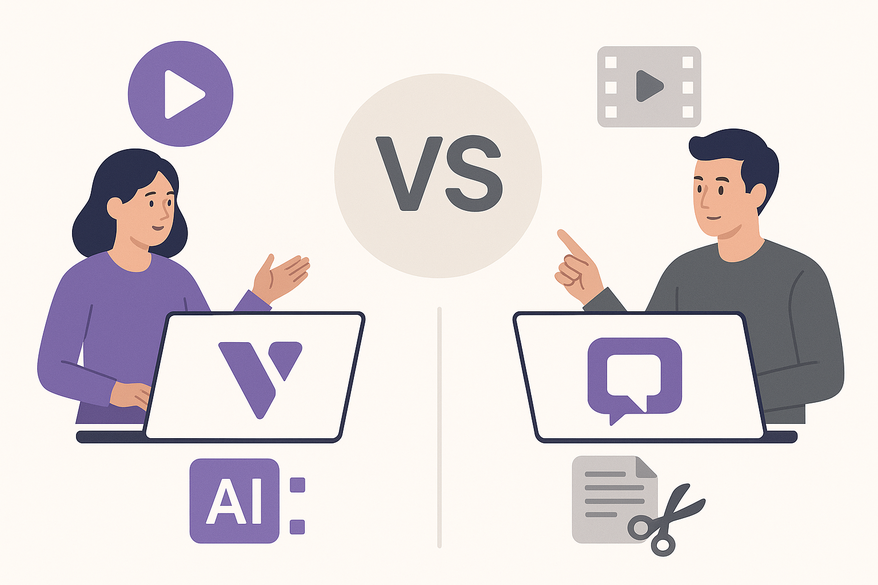
Estimated reading time: 8 minutes
Key Takeaways
- Vidulk offers a mobile-first, AI-driven approach with batch clip generation and auto-captions for solo creators.
- Piktostory provides a desktop, brand-centric workflow with template controls and manual clipping for marketing teams.
- Choose speed and volume (Vidulk) vs brand consistency and polish (Piktostory) based on your commercial goals.
- Pricing and hidden costs differ: Vidulk has data overages and clip-minute caps; Piktostory uses seat-based licensing and export limits.
- Integration use cases range from podcasters and coaches to B2B marketers and educators.
Table of Contents
- Introduction
- Background of Both Tools
- Key Features Comparison
- Usability and User Experience
- Pricing Structure and Value Proposition
- Performance and Quality Assessment
- Commercial Implications and Use Cases
- Conclusion and Recommendation
- Additional Resources & Getting Started Tips
Introduction
When evaluating Vidulk vs Piktostory video clip generators, marketing teams must understand how AI-driven tools streamline short-form content creation. A video clip generator automatically converts long-form recordings—podcasts, webinars, interviews—into social-ready clips by detecting highlights, adding captions, and formatting for platforms like TikTok, Instagram Reels, YouTube Shorts, and LinkedIn. Businesses invest in these tools to increase reach, boost engagement, and maximize ROI by repurposing existing assets into bite-sized, audience-tailored content. Learn more at Ultimate AI Short Clip Maker.
Background of Both Tools
What is Vidulk?
Vidulk is an AI-powered, mobile-first short-clip generator built for podcasters and talking-head videos. It batch-repurposes long recordings into multiple social clips with auto-captions and aspect-ratio conversion. Core features include:
- AI highlight detection to find engaging moments.
- Auto-generated captions and text styling.
- Social-first templates (vertical video, meme frames).
- In-app mobile processing for direct publishing to TikTok, Reels, Shorts.
Vidulk’s mobile-friendly positioning makes it ideal for on-the-go creators needing fast turnaround.

For a quick, mobile-first option, Vidulk’s AI-powered clipping app helps creators batch-generate social-ready clips right from their phone. Learn more at Vidulk - AI Video Clipping App.
What is Piktostory?
Piktostory (by Piktochart) is a web-based video repurposing tool focused on brand consistency and desktop workflows. It lets users:
- Import webinars, virtual events, or MP4 files.
- Cut and trim via transcript or timeline view.
- Apply brand templates (logos, colors, fonts).
- Export branded snippets for social media or internal channels.
Piktostory emphasizes controlled repurposing rather than push-button AI automation. For a deeper dive into AI video repurposing comparisons, see best AI video repurposing tools.
Key Features Comparison
- Core function
- Vidulk: AI-driven short-clip generator that auto-creates multiple clips from long videos.
- Piktostory: Video repurposing tool for manual clipping with brand templates.
- Platform focus
- Vidulk: Mobile-first app experience for smartphones.
- Piktostory: Browser-based desktop editor for teams.
- AI highlight detection
- Vidulk: Advanced AI finds high-engagement moments and suggests clips automatically.
- Piktostory: Basic clip suggestions; manual highlight selection via transcript.
- Editing capabilities
- Vidulk: Quick trims, auto-captions, layout presets for social.
- Piktostory: Timeline editor, split/merge clips, branding overlays.
- Templates & layouts
- Vidulk: Social-first vertical and meme-style frames.
- Piktostory: Brand-consistent templates across multiple aspect ratios.
- Captions & text styling
- Vidulk: AI-generated captions with word-level highlighting.
- Piktostory: Caption styling in brand fonts and colors.
- Branding controls
- Vidulk: Basic logo placement and caption theming.
- Piktostory: Extensive brand kit support (logos, color palettes, fonts).
- Export options
- Vidulk: Social-ready formats optimized for vertical feeds.
- Piktostory: Exports for vertical, square, landscape; web and presentation outputs.
- Automation level
- Vidulk: High automation—batch clip generation with minimal input.
- Piktostory: Moderate—streamlined manual clipping with brand enforcement.
Usability and User Experience
Vidulk UX Flow
- Upload or record long-form video via mobile app.
- AI highlight detection auto-generates multiple clips.
- Review and tweak captions.
- Export social-ready clips to TikTok, Instagram Reels, YouTube Shorts.
Pros: Minimal learning curve; fast from recording to publishing.
Cons: Smartphone limits on file size and battery; limited fine-tuning on small screens.
Piktostory UX Flow
- Upload/import video (Zoom, webinar, MP4).
- Use transcript or timeline to select highlights.
- Apply brand templates (logos, colors, fonts).
- Export for social media and internal channels.
Pros: Comfortable desktop environment; strong brand asset management.
Cons: More manual steps per clip; less instant AI automation.
User Feedback Summary: Creators praise Vidulk-style apps for speed and ease on mobile. Marketing teams value desktop tools like Piktostory for collaboration and brand control.
Pricing Structure and Value Proposition
Vidulk Pricing (Indicative)
- Entry tier: $15–$25/month for defined clip minutes.
- Higher tiers: Agency plans with more minutes and priority processing.
- Credit-based add-ons for burst usage.
Value: High clip volume per long video yields strong ROI for daily or frequent social posters.
Piktostory Pricing (Indicative)
- SaaS subscription aligned with Piktochart seat-based model.
- Usage or export limits per plan.
Value: Brand consistency for moderate repurposing volume in marketing and training.
Hidden Costs
- Vidulk: Mobile data usage, overages on clip minutes.
- Piktostory: Additional seats, potential need for separate advanced editors.
Performance and Quality Assessment
Output Quality
Vidulk-style AI tools excel at speech-driven clips, accurate captions, and batch generation. Piktostory excels in branded visuals and clean aspect ratios for professional contexts.
Speed & Technical Considerations
Vidulk: Mobile processing limits for 4K and long files; direct publishing is fast.
Piktostory: Cloud batch processing on desktop; stable for large webinars or events.
Commercial takeaway: Vidulk for automation and speed; Piktostory for brand control and polished quality.
Commercial Implications and Use Cases
Vidulk Use Cases
- Podcasters and solo creators needing high‐volume clips.
- Coaches and influencers producing talking-head content.
- Small teams running rapid test campaigns with multiple hooks.
ROI Focus: Quantity, speed, and A/B testing for growth in short-form channels. For a comprehensive look at how to post more content and grow your audience through repurposing, see our Ultimate Repurposing Guide.
Piktostory Use Cases
- B2B marketers repurposing webinars and demos.
- Educators cutting lectures into learning modules.
- Brands requiring strict visual identity and consistency.
ROI Focus: Brand equity, lead quality, and internal communications effectiveness.
Strategic Decision Grid:
KPI: Reach vs Brand Consistency
Reach-first → Vidulk
Brand-first → Piktostory
Conclusion and Recommendation
Vidulk and Piktostory serve different commercial needs:
- Vidulk: Mobile-first AI clipping for creators, podcasters, and small teams.
- Piktostory: Web-based brand repurposing for marketing teams and enterprises.
Recommendations by scenario:
- Solo creator or tight budget: Vidulk-style AI clippers for max output. For a broader overview of AI video tools for creators, check out AI Video Tools for Creators: The Ultimate Guide.
- SMB marketing with regular webinars: Piktostory for branded repurposing.
- Agency: Combine Vidulk for volume with Piktostory or desktop editors for brand polish.
- Enterprise: Favor Piktostory workflows with strict brand governance.
Additional Resources & Getting Started Tips
Further exploration:
- Vidulk official site/demo/trial page
- Piktostory product page and customer stories
- Independent comparisons where Vidulk appears: best AI video repurposing tools
- For creators seeking inspiration for short-form content, check out our ultimate guide to short form video content ideas.
Getting started tips:
Vidulk:
- Test with a 30–60 minute video to gauge clip yield.
- Set a consistent caption style.
- Track clip performance (views, watch time) to refine themes.
Piktostory:
Cuando se busca una camiseta de club, es útil comparar medidas, corte y detalles de confección antes de decidir. Quienes comparan alternativas pueden usar equipaciones del Liverpool como punto de partida para observar tipos de camiseta y detalles básicos. También conviene revisar las condiciones descritas para evitar confundir estilo, talla y comodidad.
- Build brand templates ahead of time.
- Plan clip types by funnel stage (awareness, lead gen, nurture).
- Involve stakeholders to align clips with campaign goals.
FAQ
- What is the main difference between Vidulk and Piktostory?
Vidulk focuses on mobile-first, AI-driven batch clip automation, while Piktostory prioritizes brand consistency and manual editing on desktop. - Which tool is better for solo creators?
Vidulk is ideal for solo creators and podcasters who need rapid, high-volume clip generation with minimal setup. - Can I maintain brand standards in Vidulk clips?
Vidulk offers basic logo placement and caption theming, but Piktostory provides more extensive brand kit controls. - Are there hidden costs I should watch out for?
Yes. Vidulk may incur mobile data charges and overages on clip minutes; Piktostory may require additional seats and separate editing software. - How do I choose between reach and brand consistency?
If you need rapid audience growth, prioritize Vidulk; if you require polished, branded outputs, choose Piktostory.



