
AI Clip Scheduling Tool: How LiveLink AI Automates Your Video Workflow
Discover how the AI clip scheduling tool LiveLink AI transforms long videos into engaging clips, automating workflow and maximizing video posting efficiency.

Estimated reading time: 6 minutes
Key Takeaways
- Automated highlight detection uses AI to pinpoint and clip key moments in minutes.
- Seamless scheduling publishes content at peak engagement windows via an integrated calendar.
- Consistent branding applies logos, templates, and auto-captions for polished, on-brand posts.
- Multi-platform formatting auto-adjusts aspect ratios to fit TikTok, Reels, Shorts, and LinkedIn.
- Major time savings reduces editing and scheduling labor by up to 80%.
Table of Contents
- Introduction
- Key Features and Benefits
- Use Cases and Applications
- How to Purchase or Subscribe
- Comparison and Competitive Advantage
- Conclusion
Introduction
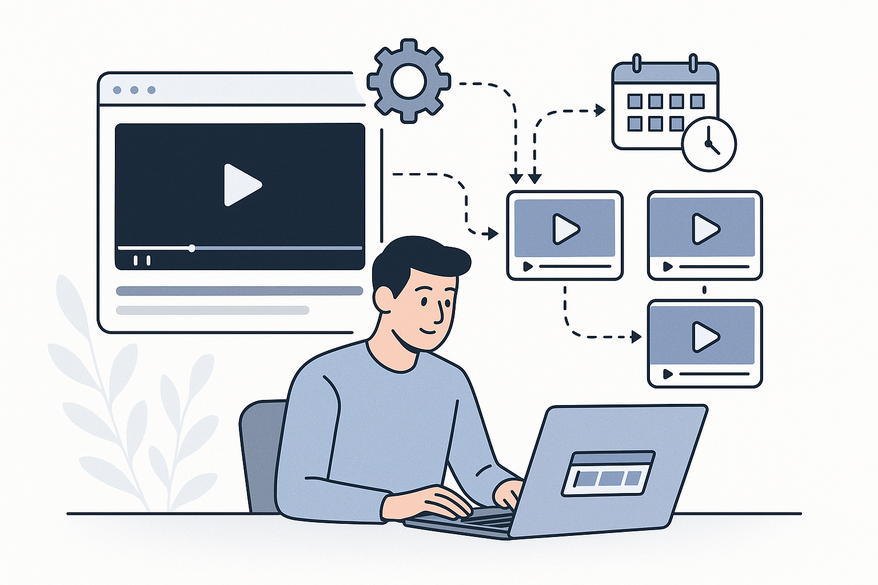
An AI clip scheduling tool is a smart software platform that leverages machine learning to automatically extract the best moments from long-form videos—webinars, podcasts, meetings—and schedule their publication across social media at optimal times. From detection to auto-captioning and branded templates, everything happens in one dashboard. By the end of this post, you’ll know exactly how to subscribe to the leading solution, LiveLink AI, and start automating your video workflow today.
Key Features and Benefits
- AI-Driven Clip Detection
A deep-learning algorithm scans long-form video to pinpoint insights, laughter, and reactions—then extracts them as standalone clips. It outputs the right format for TikTok, Reels, Shorts, or LinkedIn, cutting manual review from hours to minutes. For more on AI video clip makers, check our reference. - Automated Scheduling
A built-in calendar sets exact dates and times for batches of clips, auto-publishing at peak engagement windows based on follower activity. Batch-schedule a month’s worth of content in one session to maintain a consistent presence. This approach aligns well with strategies discussed in our guide on how to grow on TikTok with consistent posting and viral clip workflow. - Branding and Captions
Apply your logo, color-theme templates, and AI-powered auto-captions to every clip. Accurate subtitles boost watch-time by 12% on average and ensure accessibility for hearing-impaired viewers. For more on captioning and clipping, see our ultimate guide to AI video tools for creators. - Multi-Platform Formatting
Automated aspect-ratio adjustments preserve resolution and layout for each social channel, eliminating manual cropping and preventing quality loss.
Teams report saving up to 80% of editing and scheduling labor, freeing staff for strategic tasks.

Use Cases and Applications
- Digital Marketing and Agencies
Agencies upload client webinars, let AI detect sellable moments, apply brand templates, then batch-schedule weekly clips. Result: 30% uptick in social referrals through consistent, data-driven posting. - Video Production and Content Creators
Podcasters convert a 90-minute show into 15–20 short clips, auto-caption them, choose punchy thumbnails, and set daily drops—cutting editing workload by up to 70%. Learn more about the AI podcast clip generator. - Education and Course Creators
Instructors extract highlight reels from weekly webinars, brand them with course logos, and auto-post on LinkedIn and TikTok. Outcome: 25% growth in new course sign-ups with consistent clip schedules.
How to Purchase or Subscribe
- Visit the LiveLink AI AI Clip Maker page and click “Get Started” or “Free Trial.”
- Create a free account with your email and a secure password.
- Upload your first long-form video—AI will auto-detect highlights and generate clips.
- Preview, apply branding templates, edit captions, then schedule via the calendar.
- For team access or advanced features, request a demo and choose a paid plan.
Risk-Free Trials and Guarantees
• Free Trial: Full AI clip generation and scheduling for 7–14 days, no credit card required.
• Demo Offers: One-on-one walkthroughs for enterprise permissions and API integrations.
• Money-Back Guarantee: Cancel within 30 days for a full refund.
Comparison and Competitive Advantage
| Feature | Traditional | LiveLink AI | Comparable Tool |
|---|---|---|---|
| Clip Generation | Manual timestamping—hours per video. | Deep-learning auto-detection in minutes. | Flowjin: Transcript analysis with manual review. |
| Scheduling | Separate schedulers, manual setup. | Built-in auto-publish calendar. | Flowjin: Limited analytics. |
| Platform Formatting | Manual cropping and resizing. | Auto aspect-ratio adjustments. | Veed: AI editing but no integrated scheduling. |
| Time Savings | Multiple tools, heavy manual effort. | End-to-end upload-to-post in one session. | Flowjin: External scheduling required. |
- End-to-End Workflow: From raw footage to live post in one platform. For a detailed look at how to automate this process, see our complete AI workflow for turning long videos into short clips.
- Branding Consistency: Templates enforce guidelines without extra steps.
- User Testimonials: “LiveLink automates my workflow and boosts engagement,” reports a top agency.
- Security & Privacy: Encrypted servers and GDPR-compliant storage.
For mobile-first clipping on the go, consider the companion app Vidulk - AI Video Clipping App.
Conclusion
An AI clip scheduling tool like LiveLink AI transforms long videos into a steady stream of high-quality clips—powered by AI detection, automated scheduling, branded templates, and multi-platform formatting. Whether you’re a marketer, creator, or educator, you can cut editing time by 80%, maintain a full content calendar, and reach audiences when they’re most active. If you want to understand the underlying technology, check out our complete guide to how AI video clipping works.
Sign up for your free trial today at livelink.ai and go from one video to continuous engagement without manual effort.
FAQ
- What is an AI clip scheduling tool?
It’s a platform that uses AI to extract highlight clips from long-form videos and schedule them on social media channels automatically. - How much time can I save?
Teams report up to 80% reduction in editing and scheduling labor. - Which platforms are supported?
TikTok, Instagram Reels, YouTube Shorts, LinkedIn, and more via auto-formatted outputs. - Is there a free trial?
Yes—explore full AI clip generation and scheduling for 7–14 days, no credit card required. - What pricing plans are available?
Freemium, tiered subscriptions, and enterprise options to fit solo creators, agencies, and large teams.



