
How to Integrate Vidulk with TikTok for Maximum Reach and Efficiency
Learn to integrate Vidulk with TikTok to transform long-form content into engaging clips, maximizing reach and efficiency with AI tools and TikTok's algorithm.

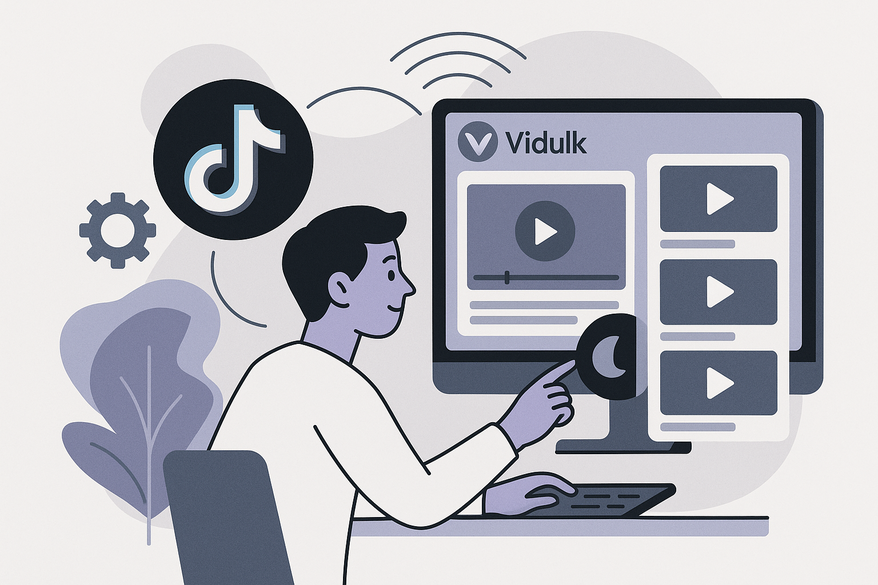
Estimated reading time: 7 minutes
Key Takeaways
- Use Vidulk’s AI to transform long-form content into TikTok-ready clips in seconds.
- Pair AI-driven highlight detection with TikTok’s algorithm for greater engagement.
- Follow a clear, step-by-step integration process to import, detect, edit, and upload videos.
- Monitor analytics and iteratively refine clips for continuous growth.
Table of Contents
- Understanding the Platforms
- Benefits of Integration
- Step-by-Step Integration Guide
- Common Issues & Troubleshooting
- Best Practices & Expert Tips
- Conclusion: Next Steps
Section 1: Understanding the Platforms
1.1 What Is Vidulk?
Vidulk is an AI-powered video clipping and repurposing tool that streamlines how you turn long videos or audio into ready-to-publish short clips. It pinpoints your most engaging moments and packages them for social platforms.
Key Vidulk features include:
- Import from device library, screen recording, or paste YouTube/TikTok/Instagram links
- AI highlight detection with virality scoring
- Clip review: trim, reorder, or reject suggested segments
- On-brand caption styles and automatic thumbnail generation
- Batch export at TikTok-friendly resolution (1080×1920)
1.2 What Is TikTok?
TikTok is a short-form video platform built on a personalized “For You Page” that surfaces videos based on user interactions, video details, and device/account settings. Its algorithm gives even new accounts real organic reach and viral potential.
1.3 Synergy of Vidulk + TikTok
Pairing Vidulk’s automated editing with TikTok’s recommendation engine creates a powerful, data-driven workflow:
- AI-extract best moments with strong hooks and emotional beats.
- Format for vertical mobile viewing with captions, animations, and 9:16 aspect ratio.
- TikTok pushes optimized clips to viewers most likely to engage.

Section 2: Benefits of Integration
Integrating Vidulk with TikTok lets creators, brands, and marketers save time, post more consistently, and accelerate audience growth by automating clipping, editing, and formatting tasks, while leveraging TikTok’s distribution power.
Section 3: Step-by-Step Guide to Integrate Vidulk with TikTok
3.1 Prerequisites
- A Vidulk account and the Vidulk app installed
- A TikTok Business or Creator account
- A source video (MP4, MOV, screen recording, or link you own)
3.2 Step 1 – Import Content into Vidulk
Open Vidulk, tap Import, and select your source (local file, screen record, or paste link). Let Vidulk finish processing before moving on.
For a full walk-through, see the Vidulk tutorial.
3.3 Step 2 – AI Highlight Detection
Launch AI Detection to scan your video; Vidulk tags segments and assigns virality scores. Review suggestions and filter by score to speed up selection.
Discover how AI video clipping works under the hood.
3.4 Step 3 – Review, Edit & Format Clips
Trim to 10–60 seconds, ensure compelling hooks in the first 3 seconds, apply captions, and set a 9:16 ratio. Export clips at 1080×1920 for TikTok.
3.5 Step 4 – Export Clips
Tap Export, choose resolution, and save clips to your device.
3.6 Step 5 – Upload to TikTok
Open TikTok, tap +, select your Vidulk clip, apply any final TikTok edits, and optimize metadata with clear captions and mixed hashtags.
3.7 Step 6 – Monitor & Iterate
Use TikTok Analytics to track watch time, completion rates, and engagement. Identify top-performing hooks and feed insights back into Vidulk for your next batch.
For a deeper dive into AI-powered repurposing tools, check out that guide.
Section 4: Common Issues & Troubleshooting
Some users encounter import failures or mismatched aspect ratios. Ensure your source file is supported, check your internet connection, and confirm video dimensions match TikTok’s 9:16 requirement. If errors persist, restart the app or reach out to Vidulk support.
Section 5: Best Practices & Expert Tips
- Plan with clip segments in mind: map out hooks and emotional beats in advance.
- Hook viewers in the first 3 seconds to maximize retention.
- Use dynamic captions and animations to enhance accessibility and engagement.
- Repurpose top-performing clips across Instagram Reels, YouTube Shorts, and LinkedIn Stories for broader reach. For more inspiration, explore short form video content ideas for creators.
Conclusion: Next Steps
By learning how to integrate Vidulk with TikTok, you automate clipping, captioning, and formatting while leveraging TikTok’s algorithmic boost. Try creating 5–10 test clips from one long-form video, publish them over a week, and refine based on your analytics. For a comprehensive walkthrough, see the Ultimate Guide to Vidulk TikTok Integration.
FAQ
What file formats does Vidulk support? Vidulk supports MP4, MOV, screen recordings, and direct links from YouTube, TikTok, and Instagram.
Do I need a specific TikTok account type? While any account can upload clips, a TikTok Business or Creator account unlocks analytics and advanced features.
Can I use these clips on other platforms? Absolutely — simply export at the desired resolution and repurpose across Reels, Shorts, LinkedIn Stories, and beyond. If you want to learn more about transforming long videos into short clips, check out the complete AI workflow for turning long videos into short clips or see how to automatically transform long videos to short clips with an AI video clip maker.
Cuando se busca una camiseta de club, es útil comparar medidas, corte y detalles de confección antes de decidir. Al evaluar distintas posibilidades, camisetas de futbol del FC Barcelona permite centrar la revisión en información práctica de la prenda. Revisar estos puntos reduce confusiones entre preferencias de uso, comodidad y cuidado de la prenda.



