
Ultimate Guide to Vidulk TikTok Integration: Turn Long-Form Content into Viral Clips
Discover how Vidulk TikTok integration can transform your long-form content into viral TikTok clips using AI-powered features for seamless publishing.

Estimated reading time: 7 minutes
Key Takeaways
- Automate your workflow with Vidulk’s AI-driven clipping, transcription, and captioning.
- Save time by reducing editing effort by up to 70% through instant highlight detection.
- Maintain consistency with branded captions and thumbnails optimized for TikTok.
- Optimize for engagement using vertical (9:16) format and ideal clip lengths (11–34s).
- Seamless posting via integration with the TikTok API for direct publishing.
Table of Contents
- 1. Understanding Vidulk TikTok Integration
- 2. Key Features and Benefits
- 3. How It Meets User Needs
- 4. Step-by-Step Setup and Implementation
- 5. Use Cases and Success Stories
- 6. Conclusion and Next Steps
- 7. FAQ
1. Understanding Vidulk TikTok Integration
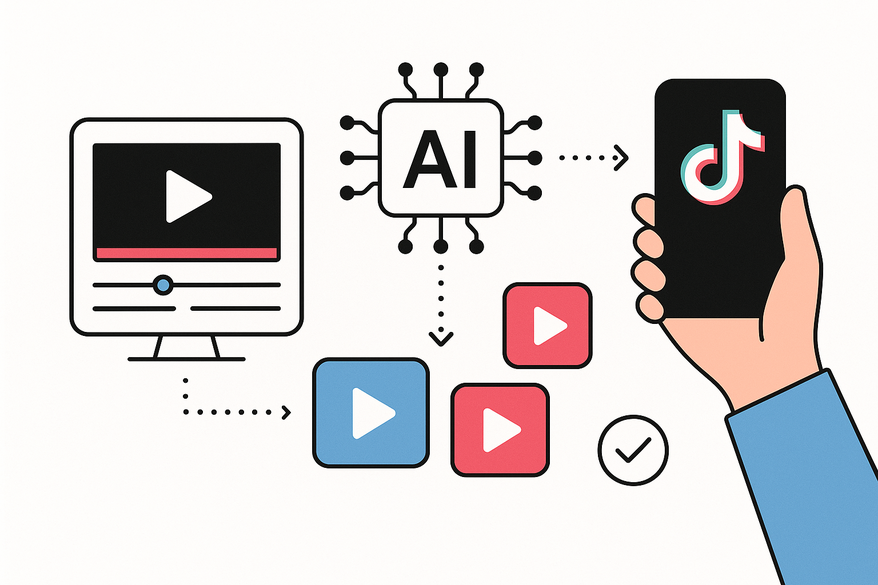
Vidulk TikTok integration is a streamlined workflow that leverages Vidulk’s AI-powered tools—clipping, transcription, and captioning—to convert long-form video or audio into polished, short-form clips ready for TikTok. By connecting with TikTok’s developer API, creators can share content directly without manual formatting. For a deeper dive, see our guide on how to integrate Vidulk with TikTok for maximum reach and efficiency.

How Vidulk Works
- AI transcription transforms long videos and audio into time-coded text for easy indexing.
- Automatic highlight detection uses machine learning to find segments with high audio amplitude, clear speech, and visual motion (AI Video Clip Maker).
- Captioning and thumbnail generation happen on-device, applying branded fonts and overlays optimized for mobile.
Why Creators and Businesses Adopt It
- Accelerate short-form production with instant AI suggestions.
- Ensure consistent branding across all clips.
- Streamline repetitive tasks and focus on creative strategy.
2. Key Features and Benefits
- AI-powered clip detection & transcription: Identifies the best moments without manual scrubbing, saving hours per project.
- Custom captions & thumbnails: Enhances accessibility and boosts engagement with clear, branded overlays.
- Vertical (9:16) support & ideal lengths: Formats clips (11–34s) for maximum retention on TikTok.
3. How It Meets User Needs
Vidulk TikTok integration addresses core content, marketing, and engagement strategies:
Content Strategy
- Extract multiple hooks or quotes from a single long-form asset (AI Podcast Clip Generator).
- Repurpose webinars or podcast episodes into several distinct TikTok clips, or discover short form video content ideas for creators to maximize your reach.
Marketing Efforts
- Scale ad creatives by generating teaser clips and product demos on demand.
- Create A/B test variations quickly by tweaking captions and thumbnails.
Customer Engagement
- Produce shareable, captioned snippets optimized for mobile viewing.
- Use high-contrast text to capture viewers who watch with the sound off.
4. Step-by-Step Setup and Implementation
- Sign up for Vidulk - AI Video Clipping App and connect your TikTok developer account.
- Upload your long-form video or audio files to Vidulk. If you want to learn how to turn long videos into short clips efficiently, check out the complete AI workflow for video clipping.
- Customize your branding settings: fonts, colors, and thumbnail styles.
- Run the AI clipping workflow and review suggested clips.
- Approve clips and captions, then publish directly to TikTok via the API.
5. Use Cases and Success Stories
"Thanks to Vidulk, we cut our editing time in half and grew our TikTok following by 30% in just one month," says a digital marketing manager at a leading e-commerce brand. Use cases include:
- Podcasters converting episodes into bite-sized highlights. If you want to learn more about Vidulk's capabilities for podcasts, interviews, and social media, check out our AI video clipping app review.
- Webinar hosts repurposing sessions into tutorial clips.
- Agencies scaling social ad creatives for multiple clients.
6. Conclusion and Next Steps
By integrating Vidulk with TikTok, you empower your team to transform long-form content into engaging, viral-ready clips—effortlessly. Ready to get started? Explore Vidulk’s features and start your free trial today. For more tips on maximizing your content output, see our ultimate repurposing guide.
FAQ
- Can I customize the caption style? Yes. You can adjust fonts, colors, and positioning in the branding settings.
- What file formats are supported? Vidulk accepts MP4, MOV, WAV, and MP3 files.
- Is there a limit to the number of clips? No. Your plan determines your monthly processing quota.
- How do I connect my TikTok account? Navigate to integrations in your Vidulk dashboard and follow the OAuth prompt.



