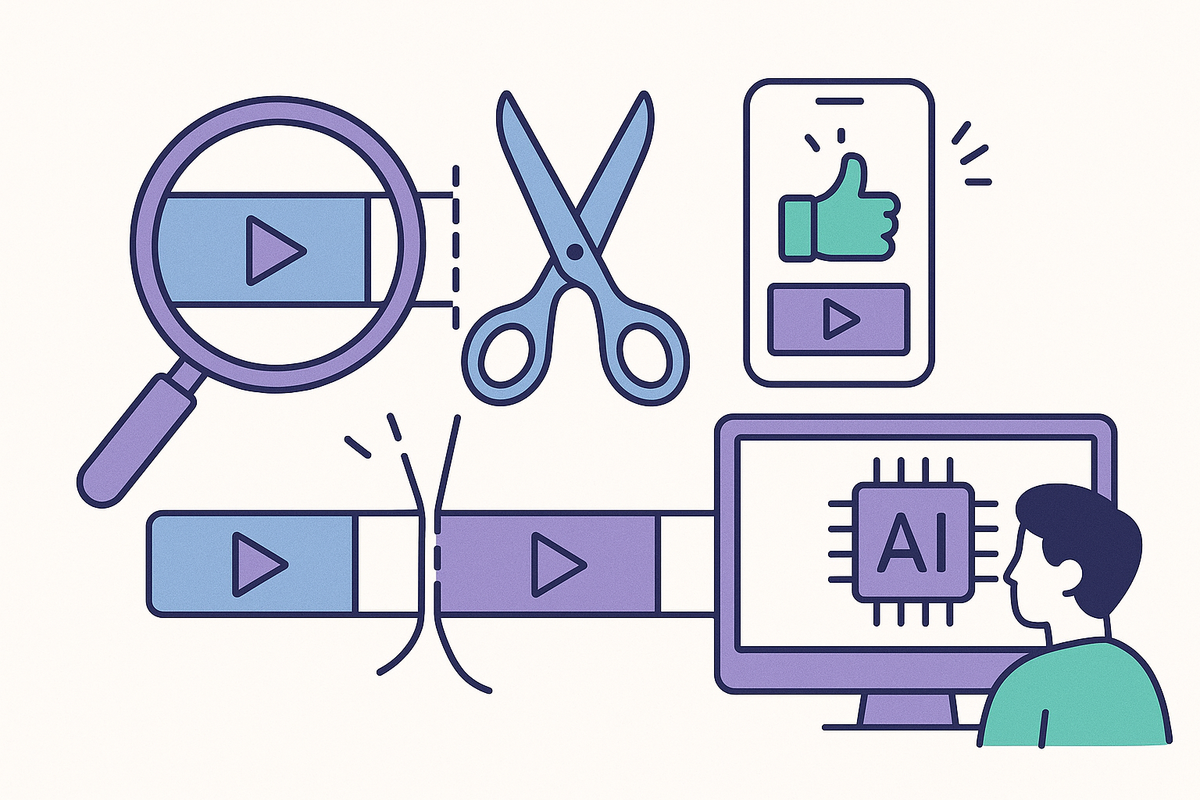
What is Clipping in Video Editing? A Complete Guide for Creators
Learn what clipping means in video editing, how it differs from trimming, and how to create viral clips for social media with AI tools like Vidulk.

Estimated reading time: 14 min
Key Takeaways
- Clipping in video editing refers to extracting short segments from longer video or audio content.
- "Clipping" also means signal distortion—where highlights, shadows, or audio get "cut off" and lose detail.
- Clipping is not the same as trimming or cutting; it’s about selecting and crafting standout moments.
- Creators use clipping to produce viral social media content, highlights, and teasers.
- AI-powered tools like Vidulk simplify and automate the clipping process for creators.
Table of Contents
- Section 1: Defining Clipping in Video Editing
- Section 2: Clipping vs. Trimming and Cutting
- Section 3: How Creators Use Clipping for Short-Form Content
- Section 4: The Video Clipping Workflow – Step by Step
- Section 5: Common Platforms and Use Cases for Video Clipping
- Section 6: Technical Clipping – Audio, Video, and Image Saturation
- Section 7: Tools and Software for Clipping Videos
- Section 8: How to Fix or Avoid Unwanted Clipping
- Conclusion
- FAQ
Section 1: Defining Clipping in Video Editing
What is Clipping?
In the context of video editing, clipping refers to the process of extracting a short segment or highlight from a longer piece of video or audio content. This is incredibly common for content creators who want to repurpose a podcast, interview, livestream, or lecture into easily shareable moments. For example, a 90-minute livestream might be clipped into a 30-second highlight to showcase an exciting announcement or a comedic moment. This approach allows creators to maximize the value of their existing content, catering to audiences who prefer bite-sized, on-the-go consumption.
Clipping is especially powerful because it allows editors to zero in on the most impactful moments—whether that's a key insight shared in an educational webinar, a jaw-dropping play in a sports match, or a viral-worthy joke in a podcast. The process is much more nuanced than simply chopping up footage; it requires an understanding of what resonates with audiences and what is most likely to drive engagement.
Content Clipping vs. Technical Clipping
Clipping is also a technical term in audio and video production. Here, clipping means the signal has exceeded the maximum limit, causing distortion—think of overexposed highlights in a video or popping/loss of fidelity in audio. Both definitions matter to creators but serve different roles in the editing process.
For example, in audio production, if a microphone input is too loud and the signal surpasses 0dB, the resulting waveform is "clipped" at the top and bottom, producing a harsh, distorted sound. In video, overexposed highlights can cause bright areas to lose all detail, appearing as pure white spots, while underexposed regions can lose shadow detail. Both types of technical clipping reduce the overall quality and professionalism of your content, making it crucial to monitor levels during both recording and editing.
Why Clipping Matters
- Boost Engagement: Short, punchy clips are more likely to go viral on social media. For example, TikTok and Instagram Reels thrive on clips under 60 seconds, which can quickly rack up thousands or even millions of views if the content is compelling.
- Highlight Key Moments: Audiences want the best parts, not the entire hour-long recording. By offering quick access to the highlights, you make it easier for viewers to connect with your message or brand.
- Increase Reach: Clips can be repurposed across multiple platforms for maximum exposure. A single well-edited clip can be posted on TikTok, Instagram, YouTube Shorts, LinkedIn, and even embedded in newsletters or blog posts.
For a more in-depth look at using AI for viral clip creation, check out this guide on transforming long videos into viral shorts. The approach combines creative intuition with data-driven automation for impactful results.
Section 2: Clipping vs. Trimming and Cutting
Clipping: Selecting the Best Moments
While clipping specifically means extracting a highlight or a memorable segment, trimming and cutting are broader editing actions. Trimming removes unwanted footage from the start or end of a video; cutting splits a video into sections, which you might later delete or rearrange.
To illustrate, suppose you record a 45-minute educational tutorial. You might trim the first 20 seconds where you were adjusting your microphone, cut out a 2-minute section in the middle with a technical hiccup, and then clip a 45-second highlight with a key insight to share on social media. Each action serves a different purpose in the workflow.
Key Differences
- Clipping: Selects and saves a highlight as a new, standalone video. This is often used for creating shareable moments for social media, marketing, or highlight reels.
- Trimming: Removes footage from the beginning or end to tidy up a video, usually to polish a final cut for flow and pacing.
- Cutting: Splits or removes any segment, not necessarily to create highlights. Cutting is typically used for structuring and organizing a longer piece, or to eliminate mistakes or irrelevant content.
When to Clip, Trim, or Cut
Use clipping when you want to share a powerful quote from an interview. For example, if your guest delivers a motivational statement that perfectly encapsulates your episode’s theme, clipping that 30-second moment makes it easy to share and promote.
Use trimming to remove dead air at the start of a podcast, such as the pause before the conversation begins or the fade-out after the outro music. This creates a more professional, concise finished product.
Use cutting to get rid of repeated mistakes in the middle of a recording, such as technical errors, off-topic tangents, or sections that disrupt the narrative flow. This step often precedes final trimming and clipping.
For social media, clipping is usually the go-to method as it focuses on the moments most likely to engage viewers. For example, a creator might clip three separate highlights from a single livestream—one funny, one insightful, one dramatic—and post each to different platforms to test which resonates best with the audience.
For a hands-on workflow, platforms like Vidulk make clipping intuitive for mobile creators, letting AI pick the moments worth sharing. By automating the identification of highlights, creators can focus on storytelling and strategy rather than scrubbing through hours of footage.
Section 3: How Creators Use Clipping for Short-Form Content
Rise of Short-Form Video
With the explosion of TikTok, YouTube Shorts, and Instagram Reels, creators are focusing more than ever on short-form video content. These platforms reward content that is concise, engaging, and visually optimized for vertical viewing. In 2023, TikTok surpassed 1 billion monthly active users, demonstrating the immense appetite for snackable video. Studies have shown that average attention spans on these platforms range from 6 to 15 seconds, making the first few seconds of a clip absolutely critical.
Types of Clips
- Highlights: The best moments from a livestream, interview, or sports broadcast. For example, a jaw-dropping dunk from a basketball game or a guest’s impromptu joke during a podcast.
- Trailers/Teasers: Short previews to promote longer videos or podcasts. A 15-second teaser can drive curiosity and encourage viewers to watch the full episode.
- Viral Reels: Standalone moments designed for maximum engagement and sharing. These are crafted with the intention of sparking reactions, comments, or shares—think of a surprising reveal or a relatable rant.
- Montages: A series of clipped moments edited together for a recap or "best of" compilation. This is popular for end-of-year summaries or event recaps, packaging multiple highlights into a single, easily digestible video.
Why Clipping Drives Growth
Audiences have short attention spans. By clipping your most compelling moments, you:
- Increase watch time and retention rates. Shorter videos with high-impact moments are more likely to be watched in full, boosting platform algorithms in your favor.
- Boost shares, likes, and comments on social media. Engaging, punchy content is more likely to be shared by viewers, exposing your brand to new audiences.
- Drive traffic to your long-form content by teasing the best bits. For instance, a 20-second highlight can include a call-to-action encouraging viewers to "watch the full interview in the link below." Strategic use of clips can act as powerful gateways to your deeper content library.
Apps like Vidulk leverage AI to automatically detect and extract these high-engagement moments, streamlining the process for creators who want to focus on storytelling, not manual editing. Vidulk’s algorithm can analyze speech patterns, audience reactions, and even on-screen activity to suggest moments most likely to resonate with viewers. For step-by-step instructions on this workflow, see how to make AI video clips.
Creators who consistently post short-form clips often report significant increases in follower growth, video views, and engagement rates compared to those focusing solely on long-form uploads. For example, a single viral TikTok clip can attract thousands of new subscribers to a creator’s YouTube channel or podcast.
Section 4: The Video Clipping Workflow – Step by Step
1. Select the Source Content
Start by choosing a long-form piece—podcast episode, livestream, full interview, webinar, or lecture. The richer the source, the more potential for standout moments. For example, a 2-hour webinar may yield a dozen share-worthy clips, each catering to different segments of your audience.
Creators often review analytics from their long-form videos to identify high-engagement sections. For example, YouTube provides audience retention graphs that show where viewers are most engaged or where drop-offs occur—these peaks are prime candidates for clipping.
2. Identify the Moment to Clip
- Manual Selection: Scrub through the timeline and mark in/out points. This method gives you full control but can be time-consuming, especially with longer footage.
- AI Selection: Use tools like Vidulk to let AI analyze video and suggest highlights based on voice tone, keyword detection, or engagement metrics. This can reduce the time spent searching for the "golden moments" by up to 80%.
For example, Vidulk’s AI might flag moments where laughter spikes in a podcast, or where a speaker’s energy rises, indicating a likely highlight. Creators can then review and fine-tune these suggestions, combining human judgment with machine efficiency.
3. Edit and Enhance
- Crop for Platform: Convert to vertical (9:16) for mobile-first channels. Most platforms now prefer 9:16 for shorts, while square (1:1) or landscape (16:9) may be optimal for others.
- Add Captions & Text: 85% of social video is watched on mute—captions are essential. Customize fonts, colors, and positioning for emphasis. Tools like Vidulk offer automated captioning with style presets, increasing accessibility and engagement.
- Insert Graphics: Emojis, callouts, or brand overlays make clips pop. For example, adding a call-to-action like “Subscribe for more!” or highlighting a speaker’s name helps reinforce your message and brand identity. Animated transitions and motion graphics can further enhance visual interest.

Advanced editing often involves color correction, sound balancing, and fine-tuning the pacing to ensure that the clip is as punchy as possible. Even subtle tweaks—like increasing the brightness or sharpening the audio—can make a clip more appealing to viewers scrolling quickly through their feeds.
4. Export and Share
- Export in the optimal resolution and aspect ratio for each platform. For instance, TikTok and Reels favor 1080x1920 pixels, while YouTube Shorts supports up to 4K vertical video.
- Share directly or schedule across TikTok, YouTube Shorts, Instagram Reels, and more. Many tools offer built-in sharing and scheduling features, saving additional time and simplifying the posting process. Consistency is key—posting 3-5 clips per week can significantly grow your reach over time.
Vidulk streamlines this entire workflow in a single app—upload, clip, caption, export, and post without switching tools. This seamless process enables creators to scale their content strategy and maintain a steady publishing cadence, which is crucial for algorithmic success on fast-moving social platforms.
Section 5: Common Platforms and Use Cases for Video Clipping
Popular Platforms
- TikTok: Prioritizes short, vertical videos—clips under 60 seconds gain the most traction. TikTok’s For You page algorithm rewards high watch time and quick engagement, making succinct, energetic clips perform best.
- YouTube Shorts: Designed for vertical video up to 60 seconds; great for teasers and viral moments. Shorts are discoverable alongside regular long-form YouTube content, offering a bridge between new audiences and your main channel.
- Instagram Reels: Supports up to 90-second clips; strong for viral trends, educational tips, and recaps. Instagram’s Explore page and hashtag system can rapidly amplify well-edited reels.
- Podcasts & Livestreams: Audio and video highlights shared as social snippets or audiograms. Platforms like Twitter, LinkedIn, and Facebook also support video clips, broadening your reach further.
Use Cases
- Podcasters: Clip standout quotes or guest moments to entice listeners. For example, a memorable guest anecdote or a controversial opinion can spark debate and sharing in podcasting communities.
- Interviewers: Share highlights to promote full episodes. Sharing a 20-second highlight with a compelling hook can encourage viewers to listen to the full hour-long episode.
- Educators: Create quick tips or explainer snippets from lectures. Microlearning is increasingly popular—short clips with a single actionable takeaway perform well on platforms like LinkedIn and Instagram.
- Livestreamers: Capture hype moments or funny fails for shareable content. Gaming creators, for example, often clip out wins, fails, or reactions to game updates for viral content on TikTok and YouTube Shorts.
Real-World Example
Suppose you host a 90-minute podcast. You want to share a viral moment—a guest’s hilarious story. With a clipping tool, you select the 30-second highlight, add branded captions, and export as vertical video. That single clip could bring thousands of new listeners to your main episode. In fact, many successful podcasts now attribute a significant portion of their audience growth to strategic use of clips across TikTok and Instagram Reels. The famous "impulsive" podcast, for instance, regularly posts 30- to 60-second highlights that drive millions of impressions back to their main channel.
For more on creating viral clips with AI, explore our AI video clip generator guide. Leveraging automation not only saves time but also enables creators to experiment with more variations and formats, increasing the odds of hitting on a viral formula.
Section 6: Technical Clipping – Audio, Video, and Image Saturation
What is Technical Clipping?
In audio and video engineering, clipping describes what happens when a signal (light or sound) exceeds the maximum level the system can handle. The result? Lost detail, distortion, or blown-out highlights/shadows. For instance, if you’re recording a live concert and the volume spikes unexpectedly, the audio waveform may be cut off at the top and bottom, resulting in a harsh buzz or crackle.
Types of Technical Clipping
- Audio Clipping: Happens when volume levels exceed 0dB. Results in a harsh, distorted sound—often called "peaking" or "popping." This can render dialogue unintelligible or music unpleasant to listen to.
- Video Clipping: When exposure is too high (blown-out whites) or too low (crushed blacks), losing all detail in those areas. For instance, filming outdoors without adjusting exposure might result in a washed-out sky or unrecognizable faces in shadow.
- Image Clipping: Similar to video; parts of an image lose detail due to overexposure or underexposure. Photographers often check histograms to ensure highlights and shadows are within acceptable limits.
Why Does Technical Clipping Happen?
- Poor microphone technique (audio too loud). For example, placing a microphone too close to a speaker or failing to monitor input levels can result in clipping.
- Improper camera exposure settings (overexposed highlights, underexposed shadows). Shooting in auto mode without compensation for lighting changes can easily cause video clipping.
- Faulty hardware or signal chain issues. Defective cables, preamps, or software glitches can introduce unexpected peaks or drops in your signal.
In editing, once a signal is clipped, it’s hard to recover lost detail. Prevention is key—monitor audio levels and exposure during recording to avoid technical clipping. Some cameras and audio recorders offer real-time meters or warning lights to alert you when you’re approaching unsafe levels. Investing in quality gear, like audio interfaces with built-in limiters, can also help prevent accidental clipping.
For example, when filming a bright outdoor scene, using the camera’s histogram or "zebra" exposure warnings can help you avoid blowing out the highlights. With audio, keeping levels peaking around -6dB to -3dB gives you headroom and reduces the risk of distortion.
Section 7: Tools and Software for Clipping Videos
Manual Clipping Tools
- VLC Media Player: Free; lets you record and save short clips from any video. Ideal for quick, basic extractions, but limited in advanced editing features.
- CapCut: Popular mobile editor for quick clips, captions, and viral effects. Great for TikTok and Instagram Reels; includes templates and trending sound libraries.
- Adobe Premiere Pro/Final Cut Pro: Professional-grade tools for detailed clipping and editing. Offer granular timeline control, color grading, and audio mixing—best for creators who need full creative control.
- DaVinci Resolve: Free, powerful video editor supporting precise clip extraction. Known for its robust color correction and audio post-processing capabilities.
Each manual tool offers a different balance of power and usability. For instance, CapCut is ideal for quick social edits on the go, while Premiere Pro is suited for high-end commercial projects. VLC is excellent for beginners or for extracting clips from downloaded videos for personal use.
AI-Powered Clipping Tools
- Vidulk: Paste a podcast, interview, or video link; AI finds and clips the best moments, adds captions, and exports vertical-ready videos. Try it at Vidulk. Vidulk’s AI analyzes speech, emotion, and pacing to suggest highlights, making it especially useful for creators with large content libraries.
- Descript: Edit video like a word doc; select text, and it clips the matching video. Particularly effective for creators who make educational or interview-based content, since you can instantly locate and extract segments by searching the transcript.
- Opus Clip: AI clips long videos into short, viral segments for social media. Opus Clip offers batch processing, allowing you to generate multiple candidate clips from a single upload.
Choosing the Right Tool
For creators who want to maximize reach with minimal manual effort, AI tools like Vidulk offer the fastest path from raw footage to viral clip. If you need custom edits or detailed control, traditional editors remain valuable. Many creators use a combination—AI to generate initial suggestions and manual tools to fine-tune the final edits.
For a comparison of top mobile apps, see what's the best clipping app for mobile. Consider factors like platform compatibility, export options, price, and available templates when choosing a tool to fit your workflow.
Pro tip: When testing new clipping tools, try processing the same source video through multiple platforms to compare the quality and relevance of the suggested highlights. This can help you identify which tool best aligns with your content and audience goals.
Section 8: How to Fix or Avoid Unwanted Clipping
Preventing Technical Clipping
- For Audio: Use a limiter or compressor to keep levels below 0dB. Always monitor audio with headphones. Record a test sample and check waveforms for flat, squared-off peaks—a sign of clipping. Maintain healthy input gain and avoid sudden volume changes.
- For Video: Set proper exposure; use histograms to ensure highlights and shadows are within safe range. When filming, adjust ISO, aperture, and shutter speed to match lighting conditions. Employ ND filters for bright outdoor scenes and monitor with "zebra stripes" if your camera supports it.
Fixing Clipped Audio or Video
- Audio Restoration: Tools like iZotope RX can reduce distortion, but fully restoring badly clipped audio is often impossible. Mild clipping can sometimes be repaired by reconstructing waveforms, but severe cases will sound unnatural.
- Video Highlight Recovery: Some editors can pull back minor highlight or shadow detail, but if pixels are pure white or black, data is lost. Use tools like Adobe Premiere’s "Lumetri Color" panel to attempt recovery, but prevention during recording is always preferable.
Best Practices
- Test your recording setup before live sessions. Record a 10-20 second sample and review both audio and video levels in your editing software.
- Keep an eye on meters and waveform displays in your editing software. Look for warning indicators or flat-topped peaks, which signal clipping.
- For content clipping, always preview your selected segment—make sure it tells a complete, compelling story. Avoid starting or ending on mid-sentences or awkward transitions. Consider adding a fade-in or fade-out for a polished feel.
For more on adjusting video tone and fixing exposure, see our AI video tone adjustment guide. Regularly practicing good recording and editing habits will save you hours of frustration and improve the professional quality of your output.
Conclusion
Clipping in video editing is a crucial skill for any modern creator. Whether you’re extracting the best moments for social media, avoiding technical signal distortion, or preparing highlights for your audience, understanding the nuances of clipping will set your content apart. Effective clipping helps you maximize the impact of your long-form content, reach wider audiences, and keep pace with ever-evolving social media trends.
With AI-powered tools like Vidulk, creators can automate the hunt for viral moments, saving time and maximizing impact. These platforms make it possible to scale content production without sacrificing creativity or quality. By combining best practices in both content and technical clipping, you can ensure your videos sound and look professional, while also delivering the kind of engaging, shareable moments that drive growth.
Master both content and technical clipping, and you’ll be ready to ride the next wave of short-form video trends. Whether you’re a solo creator, educator, business owner, or part of a media team, honing your clipping workflow is one of the highest ROI skills you can develop in today’s digital landscape.
FAQ
Q: What is clipping in video editing?
A: Clipping in video editing means extracting a short, standalone segment from a longer video or audio file—usually the most interesting or engaging moment. It's also a technical term for signal distortion when video or audio exceeds maximum recording limits.
Q: What is the difference between clipping and trimming a video?
A: Clipping creates a new video highlight from a selected segment, while trimming shortens an existing video by removing footage from the beginning or end. Clipping is about highlights; trimming is about cleanup.
Q: How do you clip a video into a short segment?
A: Use a video editor or AI tool to select start and end points, extract the desired segment, and export it as a new video. Apps like Vidulk automate this by detecting and clipping key moments for you.
Q: Why does clipping happen in video or audio recordings?
A: Technical clipping occurs when the signal (light or sound) is too strong for your camera or microphone, causing distortion and loss of detail—such as blown-out highlights or crackling audio.
Q: How do you fix clipped highlights or clipped audio?
A: Prevention is best—monitor levels during recording. For minor issues, editing tools can recover some detail, but severe clipping often means the lost data cannot be restored fully.
Q: What is content clipping for TikTok or YouTube Shorts?
A: Content clipping for social platforms means extracting and enhancing the most engaging parts of long videos (like podcasts or interviews) to create short, shareable, vertical clips optimized for TikTok, YouTube Shorts, or Instagram Reels.