
How to Turn Real Messages Into Video Stories: The Ultimate Guide
Learn how to turn real messages into video stories using AI chat video generators. Create viral fake iMessage, WhatsApp, and Reddit story videos with narration.


Estimated reading time: 14 min
Key Takeaways
- Turning real messages into video stories is a viral short-form trend across TikTok, YouTube, and Instagram.
- You can transform chats, DMs, Reddit threads, or confessions into cinematic, narrated videos using AI tools.
- Modern apps support a huge range of input types—text, screenshots, URLs, and long-form scripts.
- Customization features let you control style, pacing, captions, voiceover, and visual templates for each story.
- Choosing the right AI chat video generator depends on your needs for speed, quality, editing, and platform output.
Table of Contents
- Section 1: What Does It Mean to Turn Real Messages Into Video Stories?
- Section 2: Supported Input Types for Chat Story Videos
- Section 3: Step-by-Step Workflow: From Message to Video Story
- Section 4: Story Structure, Scene Editing, and Visual Styles
- Section 5: Voiceover, Captions, and Scene Coherence
- Section 6: Customization, Editing, and Exporting for Social Platforms
- Section 7: Use Cases, Audiences, and Platform-Specific Tips
- Section 8: Choosing the Best AI Chat Video Generator
- Conclusion
- FAQ
Section 1: What Does It Mean to Turn Real Messages Into Video Stories?
Why Chat Story Videos are Booming
Turning real messages into video stories means transforming everyday chats—texts, DMs, Reddit threads, or even blog confessions—into engaging, cinematic video content. These videos mimic the look and feel of real messaging apps like iMessage, WhatsApp, and Reddit, making stories feel authentic and relatable.
- Relatability: Viewers are drawn in by familiar chat interfaces and realistic scenarios.
- Virality: Short, dramatic, or funny message stories thrive on TikTok, YouTube Shorts, and Instagram Reels.
- Storytelling Format: Presenting a story as a conversation adds suspense, humor, and emotional punch.
Popular Chat Video Styles
These formats are often called fake iMessage video, fake WhatsApp chat video, Reddit story video, or simply chat story video. AI chat video generators have made producing them accessible to anyone, no video editing skills required.
- Fake text message video maker: Simulates iPhone/iMessage or Android SMS conversations.
- AI chat video generator: Uses AI to auto-generate scenes, voices, and visuals from pasted text or screenshots.
- Reddit story video: Narrates and visualizes Reddit confessionals or AITA threads with matching chat bubbles and avatars.
Who Uses Chat Story Videos?
Content creators, meme pages, storytellers, brands, and educators all use this format to boost engagement. The format is versatile—adaptable for drama, comedy, true stories, or viral marketing.
Section 2: Supported Input Types for Chat Story Videos
Wide Range of Inputs
Modern AI chat video generators accept a broad array of inputs, making it easy to start your story in seconds. Supported types include:
- Chat logs: Exported message threads from iMessage, WhatsApp, Messenger, or Signal.
- Screenshots: Upload images of message conversations for auto-conversion.
- Direct text input: Paste any text, script, or story into the tool.
- URLs: Link to Reddit posts, blog stories, or confessionals for instant import.
- Blog posts/long-form text: Turn lengthy narratives into scene-by-scene video stories.
Fake Chat Video for Any App Look
The best fake text message video makers let you pick the messaging style—iMessage bubbles, WhatsApp backgrounds, or even custom app appearances. This flexibility lets you match the look to your story's context and audience.
- iOS/SMS blue and gray bubbles
- WhatsApp green/white chat backgrounds
- Reddit thread format with avatars
Scripted and Real Conversations
You can use either real, exported chats (with permissions!) or compose entirely fake, scripted conversations for maximum drama or humor. AI generators handle both approaches seamlessly, turning any written dialogue into a visual, animated sequence.
Section 3: Step-by-Step Workflow: From Message to Video Story
1. Import or Paste Your Messages
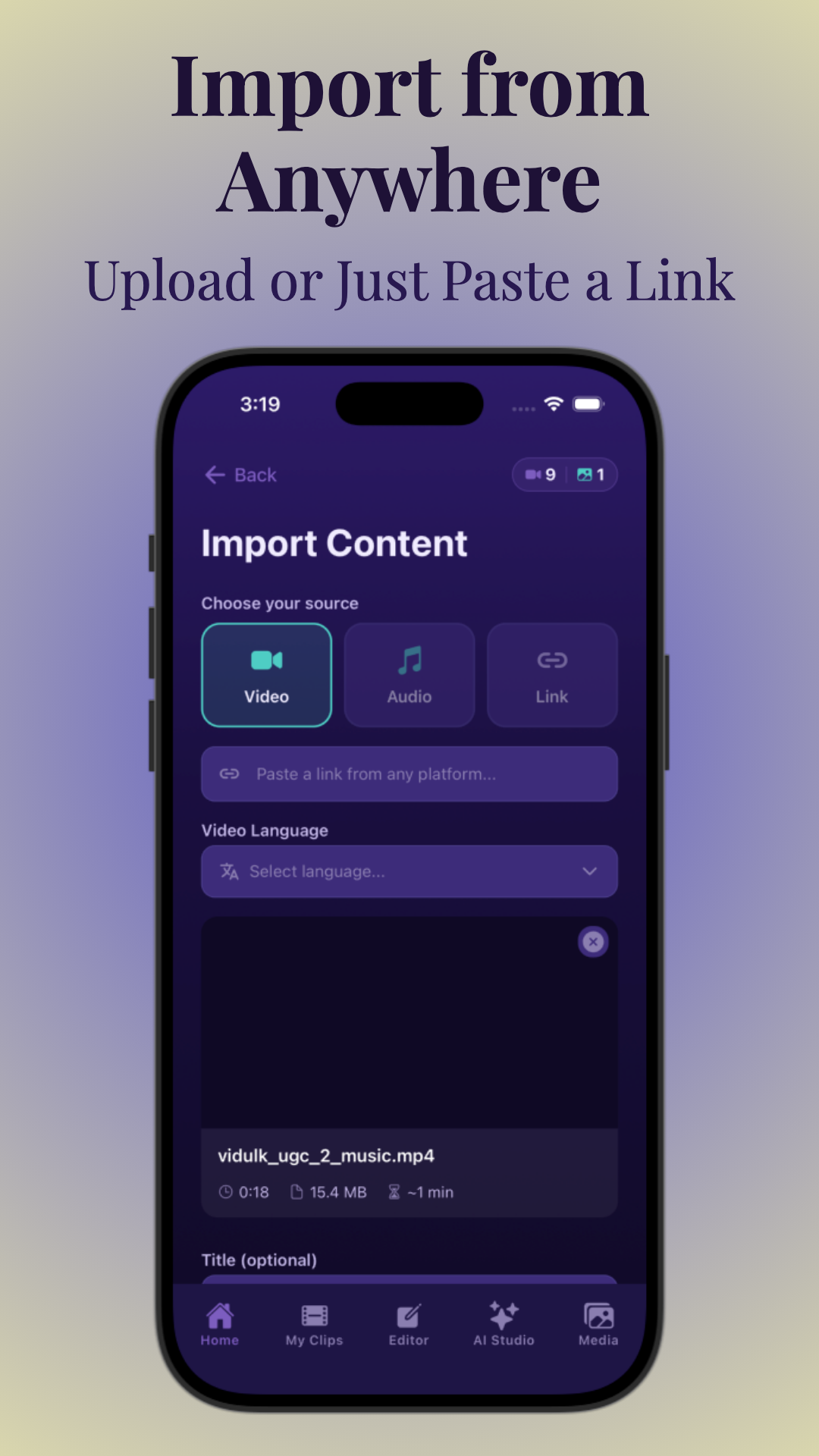
Start by uploading your chat log, screenshot, or pasting your message-based script. Most tools—including Vidulk—offer instant import options for various file types and links.
- Drag-and-drop for screenshots or text files
- Paste text directly into the editor
- Import from a URL (Reddit, blog, etc.)
2. Clean Up and Structure the Script
Next, review the imported content. AI chat video generators usually extract speaker names, timestamps, and message order. You can edit dialogue, add reactions, or rearrange lines to enhance story flow.
- Add or remove messages for pacing
- Assign avatars or colors to different speakers
- Split long text into multiple chat bubbles
3. Generate Scenes and Video Layout
AI systems break the conversation into scenes—each representing a shift in tone, topic, or emotion. Some tools auto-detect scene changes; others let you define them manually for full control. Scene-by-scene breakdown helps with pacing and keeps viewers engaged.
- Preview scene transitions and timing
- Choose between static, animated, or cinematic layouts
4. Review, Customize, and Export
Make final tweaks—adjust visuals, pacing, and add overlays or sound. Export your video in a vertical or square format, ready for TikTok, Instagram, or YouTube Shorts. For a more detailed breakdown, see our ultimate guide on how to make fake text message videos.
Section 4: Story Structure, Scene Editing, and Visual Styles
Building a Compelling Story
Great chat story videos aren’t just a sequence of texts—they follow a story arc, with a hook, rising tension, and payoff. Many AI tools help you structure:
- Hooks: Start with a dramatic or mysterious message to capture attention in the first seconds.
- Scene-by-scene continuity: Ensure characters, tone, and visual style remain consistent throughout.
- Pacing: Adjust message timing, pauses, and reactions for suspense or comedic effect.
Check out the Free Hook Generator for ideas to make your chat story videos irresistible from the first line.
Visual Style Options
The best fake text message video makers offer several visual templates:
- Faceless video: Focuses on chat bubbles and context, not real faces—perfect for anonymous or confessional stories.
- Animated/graphic: Adds subtle motion, emoji, or animated backgrounds.
- Cinematic scenes: Use AI-generated images, mood lighting, or sound effects for immersive drama.
- Reddit-style: Simulates Reddit threads with upvotes, usernames, and avatars.
- Vertical/short-form: Optimized layouts for TikTok, Instagram Reels, and YouTube Shorts.
Storyboard and Scene Editing
Advanced tools let you manually reorder scenes, add new dialogue, or tweak visual elements per scene. This storyboard editing is essential for creators who want total control.
- Drag-and-drop scene reordering
- Custom overlays, emoji, or stickers
- Scene duration and transition effects
Section 5: Voiceover, Captions, and Scene Coherence
AI Voiceover and Narration
AI chat video generators can read each message aloud using synthetic voices. Options include:
- Multiple voices: Assign distinct AI voices to each character for clarity and drama.
- Voice quality: Choose between natural, expressive, or comedic tones.
- Voiceover narration: Add a narrator to provide context or commentary between scenes.
Captions and Subtitles
Captions are critical for accessibility and engagement. Most tools auto-generate captions that sync perfectly with the chat flow.
- Editable text overlays for each message
- Custom font, color, and position options
- Automatic timing based on voiceover or message display
Maintaining Character Consistency
To keep the story coherent, the AI ensures that:
- Speaker names, avatars, and chat bubble colors stay consistent
- Backgrounds and mood match the story’s tone
- Scene transitions feel natural, not jarring
Read more about how AI video technologies ensure tone and scene coherence in this practical guide to AI video tone adjustment.
Section 6: Customization, Editing, and Exporting for Social Platforms
Deep Customization Options
Customization is key for making each video stand out. Top AI chat video generators let you:
- Change chat bubble color, font, and style
- Add stickers, emoji, or animated overlays
- Swap backgrounds or add branded watermarks
- Choose music and sound effects for mood
Pacing and Scene Timing
You control how quickly each message appears, add strategic pauses, and set the overall video speed. This is crucial for maximizing viewer retention on short-form platforms.
- Adjust scene duration per message
- Add suspenseful delays or comedic timing
- Preview in real-time before exporting
Exporting for Every Platform
Export options typically include:
- Vertical (9:16) for TikTok, Instagram Reels, YouTube Shorts
- Square (1:1) for Instagram feed
- High-resolution MP4 files
- Optional watermarking or branding
Vidulk, for example, streamlines this workflow on mobile. Its AI Studio can enhance generated images, and the app ensures your final clips are ready to go viral. If you want to learn more about how AI can help you generate viral video shorts from longer content, check our ultimate guide for creators on short form video content ideas.
Section 7: Use Cases, Audiences, and Platform-Specific Tips
Top Use Cases
- Drama and confessions: Anonymous message stories, AITA threads, or confessional DMs.
- Comedy/skits: Fake iMessage or WhatsApp chat videos with punchline endings.
- Education: Turning classroom group chats or FAQ threads into explainers.
- Marketing: Customer stories or testimonials as chat videos for relatability.
Audiences and Demographics
- Gen Z and Millennials: Especially active on TikTok and Instagram, love faceless chat story videos.
- Anonymous/viral pages: Use faceless format for maximum privacy and relatability.
- Brands/companies: Humanize support or sales stories by presenting them as real DMs or chats.
Platform-Specific Video Tips
- TikTok: Start with a hook in the first 2 seconds; vertical format; keep videos under 60 seconds for best reach.
- YouTube Shorts: Use dramatic or cliffhanger endings to encourage replay.
- Instagram Reels: Leverage captions and emoji overlays; keep visuals clean and high-contrast.
- Email Marketing: Embed short, looping chat videos to boost click-through rates.
For a deep dive into how to make AI video clips for these platforms, see our ultimate guide on how to make vertical chat conversation videos.
If you're interested in platform-specific guides, you might also find our step-by-step guide on making a texting story with subtitles helpful.
Section 8: Choosing the Best AI Chat Video Generator
Selection Criteria
- Output length: Can the tool handle long stories or just short chats?
- Speed: How fast does it generate the video?
- Editing controls: Can you fully edit scenes, voiceover, and visuals?
- Quality: Are the voices and visuals realistic and engaging?
- Platform export: Does it offer presets for TikTok, Shorts, Reels, etc.?
- Pricing/free trial: Is there a free plan? What does premium unlock?
Comparing Top Tools
Some leading options include Vidulk, Fake Chat Video Maker, and ChatFAKE. Vidulk stands out for its mobile-first design, integrated AI Studio, and seamless workflow from import to viral export. For a more technical comparison, see our post on the ultimate repurposing guide.
Free vs. Paid Features
- Most offer basic video creation for free with watermarks
- Premium plans unlock longer videos, HD export, and advanced editing
- Some include AI image generation and enhanced voices
Always try a free version first to test the workflow and output quality for your needs.
Conclusion
Turning real messages into video stories is now easier, faster, and more creative thanks to AI. Whether you want to make a fake iMessage video for TikTok, a dramatic Reddit story video, or a branded chat story for marketing, the right tools put cinematic storytelling at your fingertips. Apps like Vidulk make it simple to import, edit, and export professional-quality chat videos in minutes. Embrace this viral format to connect with audiences on any platform—and let your stories go viral.
FAQ
Q: How do I turn a text message conversation into a video story?
A: Use an AI chat video generator—import your chat logs, screenshots, or paste the text, customize the visuals and pacing, add voiceover or captions, then export the video in your preferred format. Tools like Vidulk make this process simple and mobile-friendly. For a comprehensive walkthrough, see our ultimate guide on fake text chat videos for TikTok.
Q: What is the best AI tool for turning chats or Reddit posts into videos?
A: Leading options include Vidulk (mobile-focused, easy export), Fake Chat Video Maker, and ChatFAKE. Look for features like scene editing, multiple visual styles, and voiceover quality. Try free versions before upgrading. If you're specifically interested in Reddit stories, check out our guide on how to make a viral Reddit story video and chat story clips.
Q: Can I create faceless story videos from written messages?
A: Yes, most fake text message video makers let you create faceless chat stories. The video focuses on chat bubbles and backgrounds, not real faces, which is perfect for anonymous or confessional stories.
Q: How do AI story video generators handle captions, voiceover, and scene changes?
A: AI tools automatically sync captions with each message, assign different voices to each character, and break the story into scenes for smooth transitions and pacing. You can often edit these settings for more control.
Q: Can I edit the storyboard before exporting the final video?
A: Yes, advanced tools let you reorder scenes, tweak dialogue, change visuals, and adjust timing before exporting. This ensures your final video matches your creative vision.
Q: What formats work best for TikTok or YouTube Shorts when turning messages into stories?
A: Use vertical (9:16) videos, keep them under 60 seconds, and start with a strong hook. Most AI chat video generators offer presets for exporting in TikTok and Shorts-friendly formats.



