
How to Make Fake Texting Video for Facebook: Complete Guide
Learn how to make fake texting videos for Facebook using chat story generators. Step-by-step guide for iMessage, WhatsApp, voiceovers, editing, and posting.

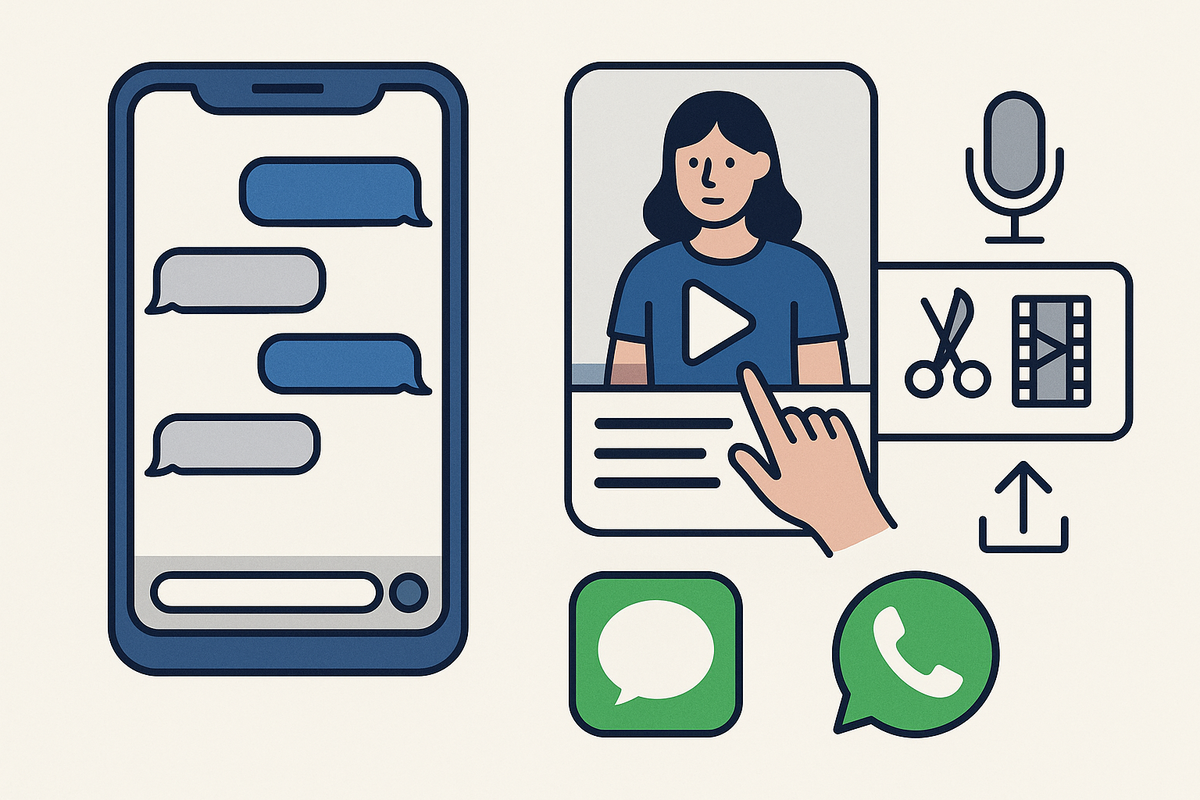
Estimated reading time: 12 min
Key Takeaways
- Step-by-step workflow to make fake texting videos for Facebook and other platforms
- How to use AI chat video generators for realistic iMessage, WhatsApp, and Messenger styles
- Tips for writing viral chat stories and adding voiceover, sound effects, and animations
- Export settings for Facebook (9:16 vertical, MP4), plus editing and posting best practices
- How apps like Vidulk can enhance your video content
Want to master how to make fake texting video for Facebook? This guide walks you through every step—from scripting a chat story to editing and exporting Facebook-ready vertical videos. Whether you want to create a fake iMessage video, craft a fake iMessage video, a viral Reddit story video, or experiment with WhatsApp chat videos, you'll learn the best tools, techniques, and tricks for social media success.
Step 1: Choose Your Fake Text Message Video Maker
To start, pick a fake text message video maker that fits your needs. The most popular tools include:
- AI chat video generators (web or app-based): Let you create chat bubbles, customize UI, and export animated videos
- Chat story video apps: Focused on storytelling with templates for iMessage, Messenger, WhatsApp, and more
- Manual editors (e.g., CapCut, Vidulk, Kapwing): Let you build from scratch if you want maximum control
For quick, realistic results, try an AI-powered fake text message video maker. Many support various phone styles (iOS/iMessage, Android, WhatsApp, etc.) and built-in effects.
Explore our guide on how to make a text story video for more on choosing the right generator.
Step 2: Script Your Conversation for Maximum Impact
Your script is the backbone of your fake texting video. Whether you’re re-enacting a viral Reddit story, creating a comedy skit, or telling a dramatic chat story, focus on:
- Strong hook: Open with a question, mystery, or bold statement to grab attention in the first 3 seconds
- Clear characters: Distinct voices, names, and personalities for each person in the chat
- Natural flow: Mimic real texting rhythms—pauses, short sentences, reactions, emojis
- Emotional beats: Build tension and deliver satisfying payoffs
Not sure where to start? Use a free hook generator to brainstorm compelling openers for your chat story video with subtitles.
Step 3: Customize Chat Bubbles, Avatars, and Phone UI
Now, set up your fake chat environment to match your story’s vibe:
- Pick a chat style: iMessage (iOS look), WhatsApp, Messenger, etc.
- Edit names and avatars: Upload photos or use AI-generated headshots for realism
- Chat bubble color and alignment: Differentiate senders with color and placement
- Phone UI details: Status bar, background, and notification settings for authenticity
Some AI chat video generators let you preview your fake text conversation before exporting, making it easy to tweak visuals. Advanced tools, like Vidulk, even allow you to enhance images and avatars directly. For a comprehensive overview, see our ultimate how-to guide on animating text message conversations.
Step 4: Add Typing Animations, Message Sounds, and Timing
To make your fake texting video feel real, use animation features:
- Typing indicator: Show dots or bubbles to simulate real-time texting
- Message send animation: Text appears one bubble at a time, often with subtle pop effects
- Sound effects: Add typing, send, and receive sounds for each message
- Pauses and timing: Adjust delays between messages to match natural chat pacing
This step transforms a static script into a dynamic chat story video, boosting your content’s watch time and realism.
Step 5: Record Voiceovers or Use AI Voices
Want to make your fake text message video more engaging? Add narration or character voices:
- Manual voiceover: Record yourself reading both sides, or collaborate with friends
- AI voice generator: Instantly add distinct, natural-sounding voices for each character (many chat video makers integrate this feature)
- Mix narration and chat: Use a narrator to set the scene or add commentary between texts
Well-voiced chat videos stand out and often perform better on Facebook and other platforms.
Step 6: Edit the Video in Your Favorite Tool
Once your fake chat video is generated, import it into a video editor for final touches. Use an app like Vidulk, CapCut, or Kapwing to polish your content:
- Add captions: Highlight key lines or reactions for silent viewers (for a detailed walkthrough, see how to make a texting story with subtitles: step-by-step guide)
- Overlay music: Use copyright-free tracks to add energy
- Background clips: Combine chat animations with reaction footage or relevant images for a split-screen effect
- Clip trimming: Remove awkward pauses, long intros, or dead space
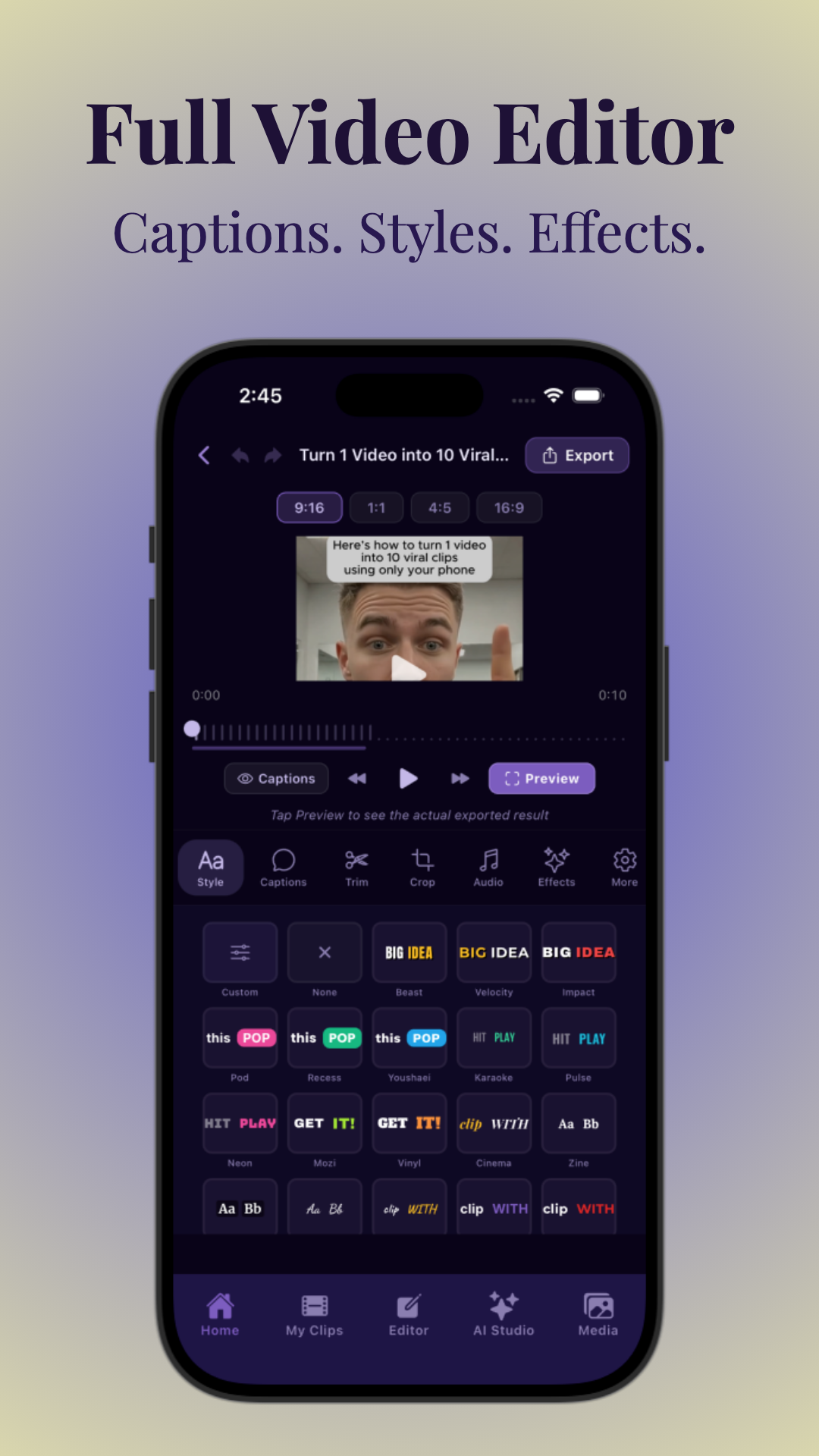
For more on editing workflow and making AI-powered shorts, see AI Video Tools for Creators: The Ultimate Guide to Clipping, Captions & More.
Step 7: Export as Facebook-Friendly Vertical Video
For best results on Facebook Reels and Stories, export your fake texting video in vertical format:
- Aspect ratio: 9:16 (vertical)
- Resolution: 1080x1920 pixels
- Format: MP4 (widely supported and efficient)
- Frame rate: 24-30 fps for smooth chat animations
Most fake text message video makers and editors let you choose these settings at export. Double-check for clear text and synced audio before uploading. If you're interested in optimizing for vertical formats, check out how to make vertical chat conversation videos.
Learn more about preparing viral clips in How to Turn Long Videos Into Short Clips: The Complete AI Workflow.
Step 8: Post and Distribute Your Chat Story Video
Your fake texting video is ready to go live! For maximum reach on Facebook:
- Use an attention-grabbing caption—ask a question, tease the twist, or use emojis
- Add relevant hashtags like #chatstory, #faketext, #imessagevideo, #reels
- Post at peak times for your audience (often evenings or weekends)
- Cross-post to Instagram Reels, TikTok, and YouTube Shorts for more exposure
Monitor your video’s performance and be ready to reply to comments or questions. For extra polish, consider using AI tools like Vidulk to repurpose and enhance your story clips for different platforms. For example, learn how to turn real messages into video stories to expand your reach.
Tips & Common Mistakes
- Don’t overcrowd text bubbles: Keep messages short and readable for mobile viewers
- Avoid generic scripts: Specific, relatable stories get more engagement
- Test your video on multiple devices to check for cropping or audio sync issues
- Use realistic pauses: Too-fast messaging can feel fake; too-slow loses attention
- Credit sources if adapting viral Reddit story videos or trending chat memes
Refine your process by studying top-performing chat story videos and iterating your scripts and visuals.
Conclusion
Fake texting videos are a powerful format for Facebook—whether you’re making a fake iMessage video, a fake WhatsApp chat video, or a full-blown chat story with voiceover and effects. With the right script, AI chat video generator, and a reliable editor like Vidulk, you can create scroll-stopping content that entertains, informs, or goes viral. Start experimenting today, and don’t forget to check out per-app guides for even more tips and inspiration!
FAQ
- How do I make a fake text message video step by step?
Start with a script, use a fake text message video maker to design your chat, add typing animations and voiceover, edit in a video tool, export vertical (9:16) MP4, and post to Facebook. For a detailed walkthrough, see how to make fake text message videos: the ultimate guide. - What app can I use to create fake text conversation videos?
Popular options include AI chat video generators, chat story video apps, and editors like CapCut, Kapwing, or Vidulk for advanced editing and enhancement. - How do I make a fake iMessage or Messenger chat video look real?
Customize chat bubbles, use realistic avatars and names, add typing indicators and message sounds, and match phone UI details like status bar and background. - Can I add voiceovers, typing sounds, and message effects to a fake texting video?
Yes—many video makers let you add voiceover (manual or AI), typing sounds, message send/receive effects, and animations for realism. - What format and aspect ratio should I use for Facebook fake text videos?
Export in vertical 9:16 aspect ratio (1080x1920), MP4 format, and 24–30 fps for smooth playback on Facebook Reels and Stories. - How do I write a fake text story that gets views or goes viral?
Open with a strong hook, use relatable or surprising scenarios, keep messages short, and build tension or humor for maximum engagement.



