
How to Create Fake Text Chat Videos for TikTok: The Complete Guide
Learn how to create fake text chat videos for TikTok using AI. Step-by-step guide: script, edit, customize iMessage/WhatsApp UI, add voiceover & make viral clips.


Estimated reading time: 15 min
Key Takeaways
- Creating fake text chat videos for TikTok combines storytelling, editing, and AI tools.
- Choose the right fake chat video maker (iMessage, WhatsApp, Android styles) and customize your UI.
- Script engaging, viral chat stories using AI or manual methods, and add realistic voiceovers or TTS.
- Edit clips for TikTok’s 9:16 format, enhance with pacing, suspense, and retention hooks.
- Export and upload with correct settings for maximum reach and engagement.
Table of Contents
- Section 1: Introduction to Fake Text Chat Videos for TikTok
- Section 2: Planning and Scripting Your Chat Story (with AI)
- Section 3: Choosing the Best Fake Text Message Video Maker
- Section 4: Customizing Your Fake Chat UI for Maximum Realism
- Section 5: Adding Voiceovers and Text-to-Speech
- Section 6: Editing, Effects, and Export Settings for TikTok
- Section 7: Viral Content Ideas & Retention Strategies
- Conclusion
- FAQ
Section 1: Introduction to Fake Text Chat Videos for TikTok
Why Fake Text Chat Videos Are Going Viral
Fake text chat videos for TikTok—sometimes called fake iMessage videos, fake WhatsApp chat videos, or chat story videos—have exploded in popularity. These videos mimic the look of real text conversations, often dramatizing stories, recreating Reddit threads, or revealing juicy pranks. Their secret: they tap into human curiosity and the universal urge to snoop on private texts.
Types of Fake Text Chat Videos
- Drama & Relationship Stories: Recreate shocking, emotional, or funny relationship moments.
- Reddit Story Videos: Animate popular Reddit AITA or confession threads as chat stories.
- Mystery & Suspense: Build tension with a slow reveal or twist ending in the chat.
- Comedy & Pranks: Fake misunderstandings, jokes, or absurd conversations.
Short-Form Video Advantages
Text chat videos fit perfectly on TikTok because they’re easy to follow, visually fast-paced, and play well with vertical mobile screens. Many creators use them for high retention and viral potential. With the rise of AI chat video generators and fake text message video makers, producing these clips is now faster and easier than ever.
For a deep dive into how AI helps you spot and clip viral moments, check out AI Clip Generator: Transform Long Videos Into Viral Shorts.
If you want to explore more about the chat story video format and its viral potential, see Chat Story Video: The Ultimate Guide to Viral Fake Text Message Videos.
Section 2: Planning and Scripting Your Chat Story (with AI)
How to Script a Viral Chat Story
The backbone of any great fake text chat video is a compelling script. Whether you’re adapting a Reddit story, inventing your own drama, or using a trending meme, your dialogue needs to hook the viewer from the start and keep them reading.
- Start with Suspense: Open with a question, secret, or cliffhanger.
- Build Tension: Let the conversation unfold in escalating beats—argument, confession, twist.
- End with a Payoff: Punchline, reveal, or emotional climax.
Using AI to Generate Chat Scripts
AI chat video generators can speed up your workflow. Tools like ChatGPT, or built-in AI story features in some fake text message video maker apps, can help you:
- Generate realistic dialogue for different characters and tones.
- Rewrite Reddit stories into chat format.
- Brainstorm plot twists and retention hooks.
Prompt tips: Ask the AI to write a texting conversation between two people where one reveals a secret. Or, paste a Reddit AITA post and instruct the AI to reformat it as a chat story with 3 characters.
Structuring Your Script
- Character names and personalities: Define each participant’s role and style.
- Message length and pacing: Mix short, one-line responses with longer texts for realism.
- Emojis, typos, slang: Sprinkle in real texting quirks to boost authenticity.
For advanced creators, consider using the Free Hook Generator to craft irresistible video openers.
Section 3: Choosing the Best Fake Text Message Video Maker
Top Fake Chat Video Generators & Apps
To create fake text chat videos for TikTok that look polished and believable, you’ll need a robust fake text message video maker or chat story video app. Here are the most popular options:
- TextingStory: iOS/Android app focused on chat stories with simple export. For detailed instructions, see our How to Make a Texting Story with Subtitles: Step-by-Step Guide.
- Chat Master, Chat Story Maker: Apps offering iMessage, WhatsApp, and Android chat UIs.
- Vidulk: While primarily an AI video clipping app, it can enhance and edit chat story clips, add captions, and optimize for TikTok format. Try Vidulk for free and see how it fits your workflow.
- Online Generators: Many web tools let you build screenshot-style chats; some now offer video export and animation.
AI-Powered Chat Story Creation
Some fake chat video makers now include AI chat video generator features: paste your story or prompt, and the app generates dialogue and animates the chat, complete with avatars, typing effects, and read receipts.
Must-Have Features Checklist
- Multiple chat UI styles: iMessage, WhatsApp, Android
- Custom names, avatars, and chat backgrounds
- Typing and delivered/read effects
- Easy export to vertical video (9:16)
- Optional voiceover integration or TTS
For a step-by-step breakdown of making viral chat videos with AI, see Fake Chat Video: How to Easily Create Viral Clips with AI.
If you want a comprehensive walkthrough on making fake text message videos, check out How to Make Fake Text Message Videos: The Ultimate Guide.
Section 4: Customizing Your Fake Chat UI for Maximum Realism
Choosing the Right Chat Platform Look
The chat interface you choose sets the tone. iMessage style (blue/grey bubbles) is instantly recognizable and popular with US audiences. WhatsApp style (green/white) is best for international or group chats. Android and generic SMS UIs also work, especially for meme or parody content.
- iMessage: Use blue (sent) and grey (received) bubbles, top bar, and delivered/read indicators.
- WhatsApp: Add profile photos, green and white bubbles, and double checkmarks for delivered/read.
- Dark Mode: Many apps let you toggle for extra realism or nighttime drama vibes.
Adding Realistic Details
- Profile Photos & Names: Upload avatars and set believable names for each participant.
- Typing Indicators: Mimic the ellipsis “...” or animated dots when a character is replying. This adds suspense and realism.
- Read Receipts: Use “Read” or double blue ticks, especially for emotional reveals.
- Time Stamps: Space out messages for pacing, or compress for frantic arguments.
Custom Backgrounds & Emojis
Some fake text message video makers let you set custom wallpapers or backgrounds for the chat window. Don’t forget to use emojis, stickers, gifs, or even screenshots for extra authenticity. Small touches—like battery icons, Wi-Fi signal, or time—make a big difference.
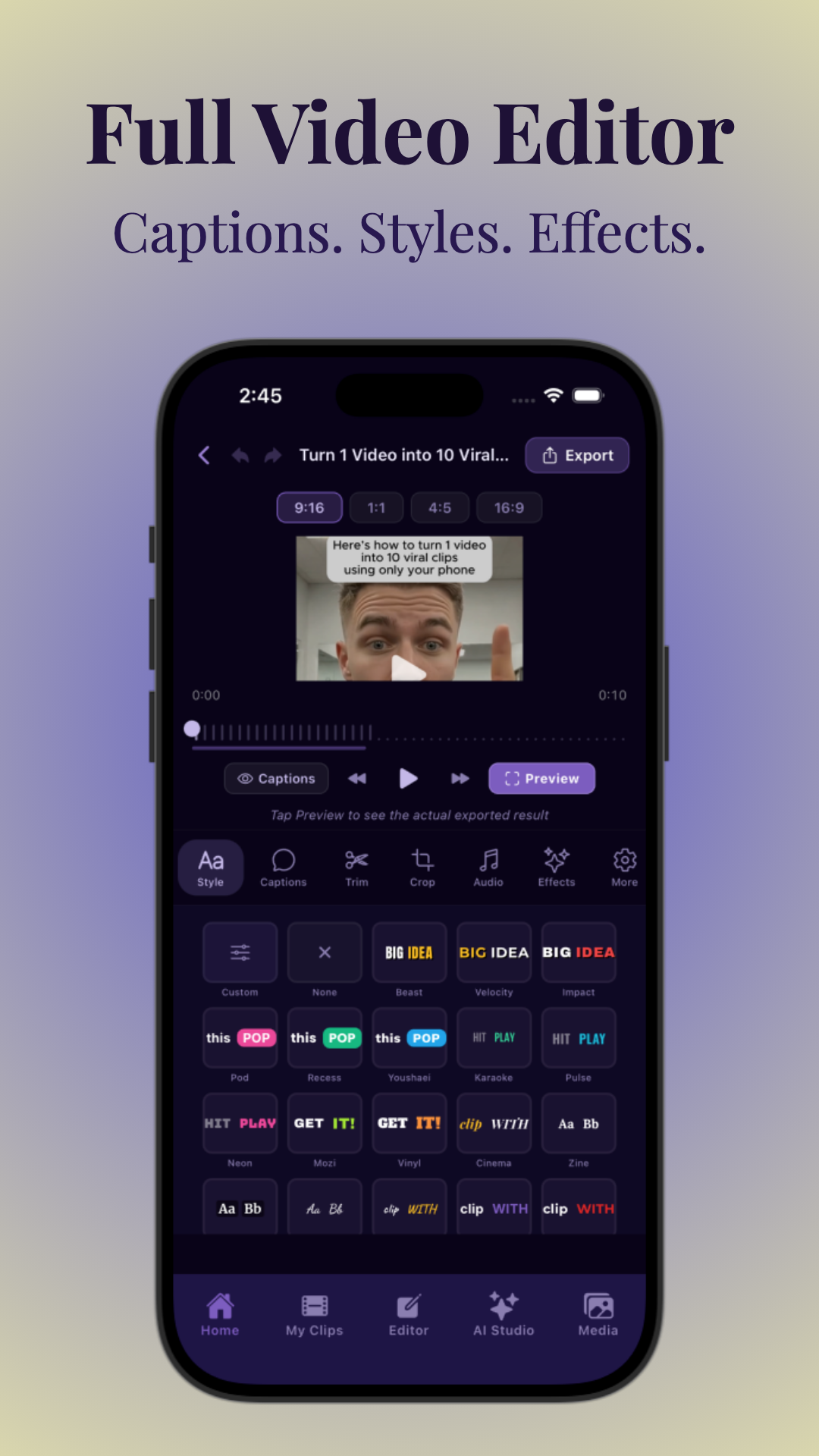
With Vidulk, you can further enhance your exported chat story video by adding dynamic captions and on-device image generation for thumbnails or cutaways.
Section 5: Adding Voiceovers and Text-to-Speech
Why Voiceovers Boost Engagement
Many of the most viral fake text chat videos for TikTok use voiceovers or automated text-to-speech (TTS) for each character. This makes the story feel more alive and increases accessibility for viewers who prefer to listen.
How to Record or Generate Voiceovers
- Manual Recording: Record your own voice(s) reading the chat messages. Change tone or pitch for each character.
- Text-to-Speech: Use TTS apps or built-in features to assign voices and export audio for each line.
- AI Voice Cloning: Some advanced tools let you upload samples to generate unique character voices.
Syncing Audio with Chat Animation
- Import your audio into the video editor alongside the chat animation.
- Align each voice clip with the corresponding message bubble.
- Add subtle sound effects (notification pings, typing sounds) for extra immersion.
Apps like CapCut and Vidulk let you layer audio tracks, trim, and sync them with video. For a more detailed process, see How to Make AI Video Clips: A Step-by-Step Guide.
Section 6: Editing, Effects, and Export Settings for TikTok
Editing Your Chat Story Video
Once your fake chat animation and voiceover are ready, it’s time to edit for maximum impact. Most creators use CapCut, InShot, or Vidulk to polish their clips before uploading to TikTok.
- Trim and pace: Cut out dead air, slow moments, or redundant text bubbles.
- Layer gameplay/background: For added interest, overlay gaming footage or moving backgrounds behind the chat window.
- Use cropping and masking: Focus on the chat or reveal elements with animated masks for suspense.
Adding Captions and Effects
- Auto-captions: Most editors can auto-generate captions for accessibility and retention.
- Dynamic text or highlight: Zoom in or color code key phrases for emphasis.
- Sound effects: Add message send/receive sounds, notification dings, or music beds.
Export Settings for TikTok
- Aspect Ratio: 9:16 vertical (1080x1920 px for best quality).
- File Format: MP4 or MOV, H.264 codec.
- Resolution: At least 720p, ideally 1080p for crisp text.
- Length: 30-90 seconds; keep under 3 minutes for short-form virality.
Vidulk streamlines this entire process—import your finished chat story, enhance with AI tools, auto-caption, and export in TikTok-ready format. Learn more at Vidulk.
Section 7: Viral Content Ideas & Retention Strategies
Proven Content Ideas
- Relationship drama: Shocking breakups, cheating reveals, or misunderstood texts.
- Reddit story videos: Adapt popular AITA, confession, or revenge posts into chat stories. For tips on creating viral Reddit story videos, see How to Make a Viral Reddit Story Video and Chat Story Clips.
- Mystery and horror: Creepy chats, missing friend reveals, or ghost texting twists.
- Comedy and pranks: Fake dumb autocorrects, absurd group chats, or meme responses.
- Educational: Fake customer service chats, historical conversations, or fun fact exchanges.
Retention, Pacing, and Engagement Tricks
- Start with a hook: Make the first message raise questions—don’t give away the punchline too early.
- Use pacing: Alternate between fast message bursts and pauses (typing indicator shots).
- Layer suspense: Tease reveals with "typing..." bubbles or cliffhanger messages at the end.
- Add call-to-action: Invite viewers to comment “part 2?” or share their thoughts below.
Optimize for TikTok’s Algorithm
- Short, tightly edited clips hold attention.
- Use trending sounds or music beds in your edits.
- Consistent posting and series format increases return viewers.
For more ideas and a look at how AI can help you find the most viral moments, check out the AI Video Clip Generator guide. If you're looking for inspiration, don't miss our Short Form Video Content Ideas: The Ultimate Guide for Creators for even more creative directions.
Conclusion
Fake text chat videos for TikTok are a powerful storytelling format that combines creative writing, editing savvy, and the latest AI tools. Whether you’re making a fake iMessage video about a dramatic breakup, a fake WhatsApp chat video based on a viral Reddit story, or an original chat story video, the keys to success are engagement, realism, and pacing. With the right fake text message video maker and some strategic editing, you can create clips that capture attention and rack up views.
If you want to streamline your workflow, try using Vidulk to enhance, caption, and export your chat story videos for TikTok. Harness AI to find your best moments, add viral hooks, and post with confidence.
FAQ
Q: How do I make fake text message videos for TikTok?
A: Script your chat conversation (manually or with AI), use a fake text message video maker (like TextingStory or Chat Story Maker) to animate the chat, customize the UI, add voiceovers or TTS, then edit and export in vertical 9:16 format. Apps like Vidulk help polish and caption your final video. For a detailed process, see How to Make a Text Story Video: Step-by-Step Guide.
Q: What app is best for creating fake chat story videos?
A: Popular options include TextingStory, Chat Master, and Chat Story Maker for realistic chat UIs. For advanced editing, captioning, and TikTok optimization, Vidulk is a powerful choice.
Q: How do you add voiceovers to fake text chat videos?
A: Record audio for each character or use text-to-speech tools to generate voices. Import audio into your video editor and sync each line with the corresponding chat bubble for realism.
Q: How long should a fake text story video be for TikTok?
A: Aim for 30-90 seconds. Shorter videos (under 3 minutes) tend to perform best on TikTok, maintaining viewer attention and maximizing viral potential.
Q: How do I make fake text messages look realistic?
A: Customize names, avatars, and chat backgrounds. Use iMessage, WhatsApp, or Android styles, add typing indicators, read receipts, natural message pacing, emojis, and time stamps.
Q: What are good ideas for fake text chat videos on TikTok?
A: Try relationship drama, Reddit AITA stories, mystery reveals, comedy pranks, or parody chats. Suspenseful or relatable scenarios draw the most engagement.



