
How to Make Vertical Chat Conversation Videos: The Ultimate Guide
Learn how to make vertical chat conversation videos for TikTok, Reels, and Shorts. Step-by-step guide to creating fake iMessage, WhatsApp, and chat story videos.


Estimated reading time: 12 min
Key Takeaways
- Vertical chat conversation videos are a viral short-form trend on TikTok, Reels, and Shorts.
- You can create fake text message videos using apps, AI chat video generators, or video editors.
- Choosing the right chat style (iMessage, WhatsApp, Messenger) boosts story realism and engagement.
- Scripting, pacing, and adding animated chat elements are crucial for believable chat story videos.
- Exporting in the correct vertical format ensures your video looks great on every platform.
Vertical chat conversation videos are everywhere—from viral Reddit story videos to fake iMessage chats and dramatic TikTok text stories. If you’ve ever wondered how creators make those realistic chat bubbles pop up, complete with typing dots, emojis, and read receipts, you’re in the right place. This guide walks you through exactly how to make vertical chat conversation videos, whether you want a fake WhatsApp chat video or an AI-powered chat story for Reels. Let’s dive in!
Step 1: Plan Your Chat Story and Script
Every great chat story video starts with a believable, engaging script. Think of your video as a mini-movie played out through messages. Decide:
- Story Type: Is it a dramatic reveal, a comedy bit, a Reddit story video, or a fake text argument?
- Characters: Choose sender names and their personalities. More distinct voices make the conversation feel real.
- Message Order & Pacing: Organize the chat so the story unfolds naturally, with suspense or punchlines at the right moments.
Tip: Write your script in any note app first. Use realistic language, typos, emojis, and reactions. Think about how people actually text!
Step 2: Choose Your Chat Style—WhatsApp, iMessage, Messenger, or Custom UI
Picking the right chat platform look is crucial. Audiences instantly recognize fake WhatsApp chat videos or iMessage stories. Decide which fits your story best:
- iMessage: Apple’s blue/grey bubbles are perfect for drama and are instantly familiar.
- WhatsApp: Green/white chat bubbles and double checkmarks are great for global stories.
- Messenger: Facebook’s style with profile icons and colored bubbles for group chats.
- Custom: Some fake text message video makers let you create your own chat look—ideal for unique brands or parody.
Many AI chat video generator tools and apps let you switch between these UIs. Preview your script in each style to see what feels most authentic.
Step 3: Set Up a 9:16 Vertical Canvas for TikTok, Reels, or Shorts
Short-form platforms demand a vertical 9:16 aspect ratio (1080x1920 pixels). This format is non-negotiable for TikTok, Instagram Reels, and YouTube Shorts.
- Start your project in a video editor (like Canva, CapCut, After Effects, Remotion, or similar) with a vertical canvas.
- Many AI video clip generators now automatically prepare vertical chat overlays for you.
- If repurposing existing footage, crop or reframe it to fit vertical. Most editors let you drag the chat UI into place as an overlay.
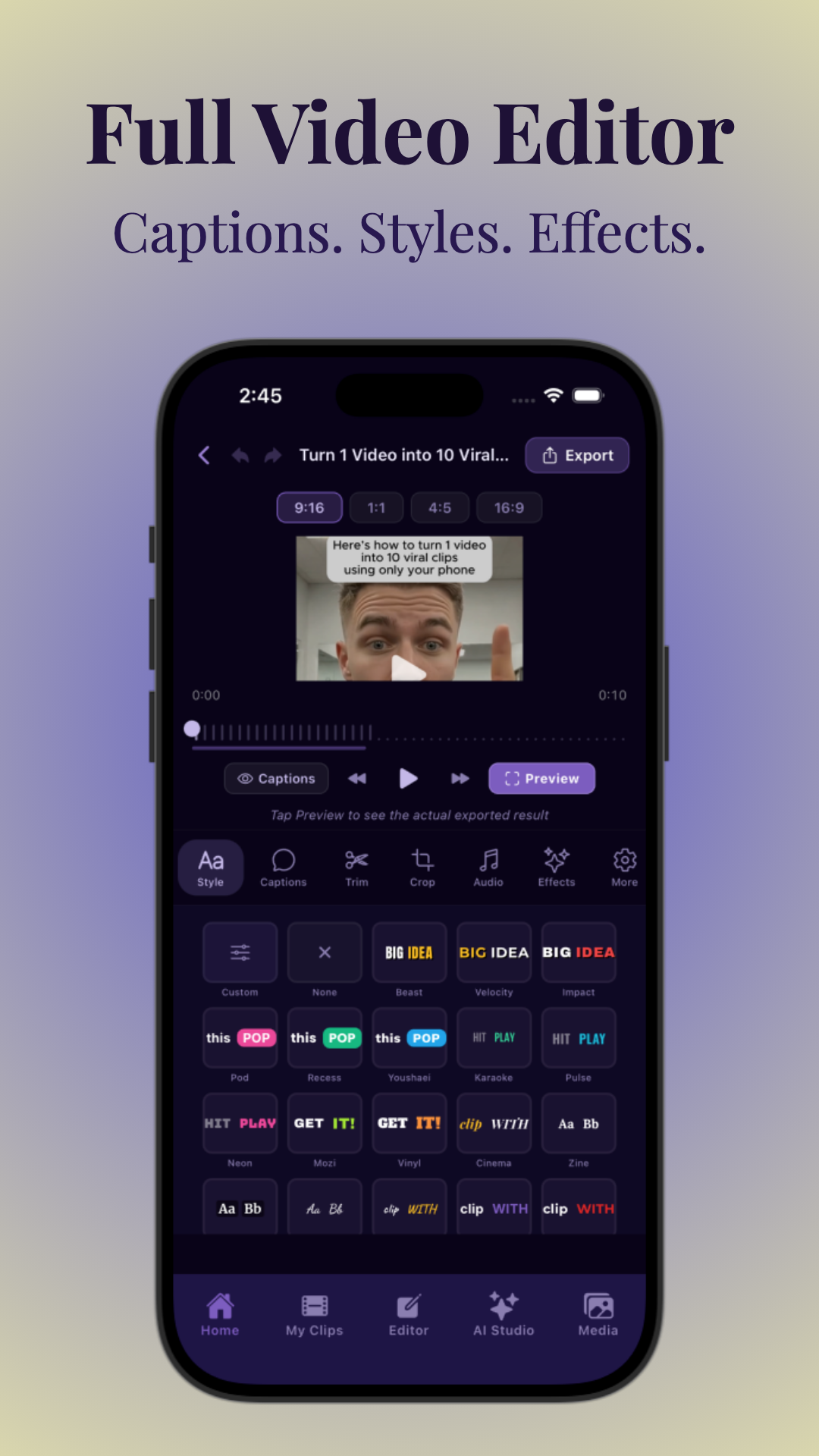
Step 4: Build the Animated Chat Conversation
This is where your fake text message video comes to life. Use your chosen app or editor to enter each message, sender name, and time stamp. For maximum realism:
- Add each chat bubble one by one—never all at once.
- Space out messages using timing controls so they appear like a real conversation.
- Include typing indicators (three dots), read receipts, or message reactions for authenticity.
- Use emojis, voice notes, and media (photos, audio, GIFs) just like real chats.
Some AI chat video generators can animate the entire dialogue for you, but manual timing lets you control the suspense and pacing.
Want to go deeper? Read more in How to Make Fake Text Message Videos: The Ultimate Guide.
Step 5: Add Voiceover, Hooks, and Captions for Retention
Voiceover is optional but powerful. Narration can add context, drama, or humor—especially for Reddit story videos or text story explainers.
- Record your voice (or AI voice) reading the messages, or add sound effects for message notifications.
- Start the video with a strong hook—use a question, dramatic line, or visual cue to grab attention.
- Use captions/subtitles for accessibility and to keep viewers watching even with sound off. Vidulk offers easy caption customization right in the editing screen. If you want a detailed walkthrough, check out this step-by-step guide to making a texting story with subtitles.
- Try the Free Hook Generator for irresistible video intros.
Retention is key: the faster and more engaging your chat story, the longer people will watch.
Step 6: Use AI Tools or Chat Video Generators for Speed
If you want to save time, AI-powered fake text message video makers or chat story generators can handle much of the heavy lifting:
- Paste your script or long-form video, and let AI generate the chat animation and timing.
- Customize sender names, add media, and tweak the pacing as needed.
- Apps like Vidulk can clip the best moments from interviews or podcasts, then help you build chat overlays and captions in minutes.
AI chat video generators are ideal for batch-creating content and remixing viral formats. Learn more in How to Make a Viral Reddit Story Video and Chat Story Clips.
For creators looking to turn long recordings into multiple shareable pieces, check out this guide on how to turn long videos into short clips using a complete AI workflow.
For a comprehensive overview of the best tools and techniques, see the Ultimate Guide to Chat Story Videos.
Step 7: Export in Vertical MP4/MOV and Double-Check Platform Settings
When your chat video is ready, export it for social media:
- Set output to 9:16 vertical (1080x1920 pixels).
- Format: MP4 or MOV are the most widely supported.
- Double-check that all chat bubbles, captions, and overlays are visible and not cut off by platform UI.
- Preview on your phone before posting. Each platform may crop edges slightly—especially TikTok and Reels.
For advanced settings and export tips, see AI Video Clip Generator: Transform Long Videos with AI.
Tips & Common Mistakes
- Don’t rush the pacing: Let chat bubbles appear naturally, not all at once.
- Avoid robotic scripts: Use slang, typos, and emojis for realism.
- Keep it vertical: Don’t forget to use the 9:16 aspect ratio from start to finish.
- Test on multiple devices: Make sure all text and bubbles are readable on small screens.
- Watch your copyright: Only use media (images, GIFs) you have the right to share.
Many creators stumble at the export step—always preview before uploading to avoid cut-off messages or awkward cropping.
Conclusion
Vertical chat conversation videos are the perfect blend of storytelling, drama, and modern texting culture. Whether you’re making a fake iMessage video, a WhatsApp chat story, or remixing Reddit threads, the right tools and techniques will set your content apart. For the fastest workflow, try out AI-powered apps like Vidulk—they make editing, captioning, and exporting viral chat story videos a breeze. Ready to create your own? Start scripting, get creative, and share your chat story with the world!
FAQ
- How do I make a fake text conversation video for TikTok?
Use a fake text message video maker or an AI chat video generator. Script your conversation, select the chat style (like iMessage or WhatsApp), animate each bubble one-by-one, and export in vertical 9:16 format for TikTok. Apps like Vidulk streamline this process. For a comprehensive walkthrough, see How to Make Fake Texting Video for Facebook: Complete Guide. For TikTok-specific tips, see How to Create Fake Text Chat Videos for TikTok: The Complete Guide. - What is the best app to create chat story videos?
Top options include Vidulk, CapCut, Canva, and various AI chat video generators. Vidulk is excellent for turning long videos into viral clips with chat overlays and captions. For a step-by-step approach, see How to Make a Text Story Video: Step-by-Step Guide. - How do you animate text bubbles to appear one at a time?
Most chat story video editors let you control the timing of each bubble. Add messages sequentially and adjust the delay for realistic pacing. Some AI tools automate this animation based on your script. For more details on animating chat bubbles, check out the Ultimate How-To Guide on animating text message conversations. - How do I make a vertical video from a horizontal video with chat overlay?
Import your horizontal footage into a video editor, set the canvas to 9:16 vertical, and crop or reposition as needed. Add your chat overlay on top, then export in vertical format. If you're interested in making group chat videos specifically for Instagram, check out this ultimate guide to creating group chat videos for Instagram. - What aspect ratio should chat videos be for Reels, Shorts, and TikTok?
Always use a 9:16 aspect ratio (1080x1920 pixels) for the best results on TikTok, Instagram Reels, and YouTube Shorts.



